


 Login
 Blog
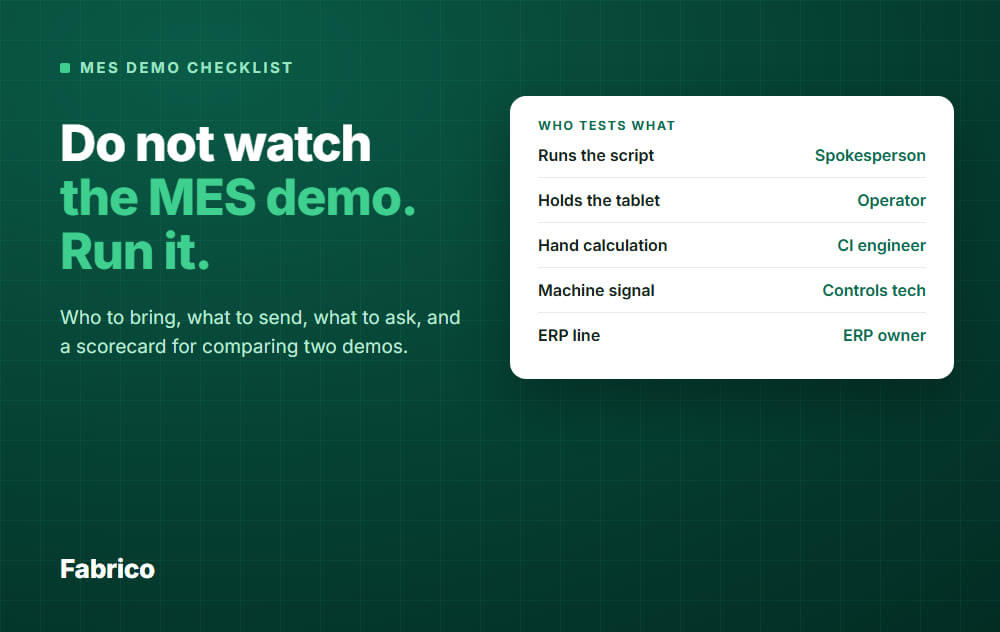
MES Software Demo Checklist: Who to Bring, What to Ask, How to Score

In short: An MES demo tells you little unless you control it. This checklist covers what to send, who tests what, and how to score it.
- Before: ask two gate questions in writing, and send each vendor one real shift a week ahead.
- In the room: a spokesperson, an operator, a CI engineer, a controls tech, IT and the ERP owner each test their own part.
- Straight after: score 10 rows from 1 to 5, in silence. The table below pastes into a spreadsheet.
- Comparing: two close totals are a tie. Read the rows, not the sum.
You have an MES demo in the calendar. Left alone, the vendor will show their best screens on their best data, and you will leave impressed and no wiser.
This checklist turns that hour into a test you run on your own numbers.
One note: we sell MES software, so check our advice against your own needs.
Still working out what to look for? Start with our guide to MES software.
Check two gates before you score anything
A high total does not help if the product cannot do the one thing you must have. So ask these before the demo, in writing.
- Scope gate: does a customer or regulator require genealogy or electronic batch records? If yes, you need a full MES, so ask each vendor to confirm it. A light MES leaves those in other systems, ours included.
- Machine gate: can the vendor read your oldest machine and your most manual station, and how? If not, part of your plant stays on paper.
A vendor that fails a gate does not get a demo slot.
Who should attend an MES demo
Tell the vendor who will attend and what each person will test.
Pick one senior spokesperson to lead. One voice keeps the meeting on your script.
| Who | Why they are there | Scorecard rows |
|---|---|---|
| Plant or operations manager (spokesperson) | Runs the script, stops drift, owns the decision | 6, 9, 10 |
| Operator or shift lead | Holds the tablet. Will use it daily | 4, 5 |
| CI or production engineer | Brings the hand calculation of the shift | 2, 3, 6 |
| Controls or automation tech | Knows what your machines can really output | 1 |
| IT | Checks hosting, access and data rules | 8 |
| ERP owner | Guards the line between ERP and MES | 7 |
| Maintenance lead (optional) | Sees how a stop reaches the people who fix it | 5, 6 |
Short on people? Keep the operator and the engineer.
Arrange shift cover for the operator's 15 minute slot.
The scenario to bring from your own line
A demo only tests something if you control the script and the data.
Send one page a week ahead, with four things. Mask product names if you need to.
- A line sketch: machines in order, with the signal each has: PLC and brand, sensor, or nothing.
- One real shift: the planned time, the logged stops, the count and the scrap.
- Your reason codes: the 10 or 15 you really use.
- The awkward cases: see below.
The shift, worked by hand first
Your engineer calculates OEE on this shift before the demo, so you know the answer. Here is the shape, with example data.
| Example data | Value |
|---|---|
| Planned production time | 450 min (480 min shift, less a 30 min break) |
| Logged stops | 60 min, so 390 min run time |
| Ideal cycle | 30 seconds a part (0.5 min) |
| Total count, good parts | 650, 620 |
| Availability | 390 / 450 = 86.7 percent |
| Performance | (650 x 0.5) / 390 = 83.3 percent |
| Quality | 620 / 650 = 95.4 percent |
| OEE | 86.7 x 83.3 x 95.4 = 68.9 percent. Check: (620 x 0.5) / 450 = 68.9 percent |
Ask the vendor to enter this shift and show each step. If their product takes only machine data, ask them to work your numbers through their rules on screen.
If their number differs, that gap is the most useful minute of the demo: it may be a different rule or a mistake, and you want to hear it explained.
Five awkward cases
Pick the cases that apply.
- Twelve 40 second stops nobody logged: 8 minutes. Classic OEE counts short stops as performance loss, so ask where this product puts them and at what time cutoff. See micro-stops.
- A stop that runs across a shift change. Who owns it, and where does each part land?
- A stop nobody tagged. Where does it show, and who is asked to fix it?
- A product change mid-shift with a different ideal cycle.
- Scrap counted at the end of the shift, not when it happened.
A 90 minute agenda you control
Use the same agenda in the same order for both vendors. This split is a suggestion, so adjust it to your line.
A first intro call on sample data is normal, because your machines are not connected yet. Keep this script for your finalists, usually 2 or 3 vendors.
What to ask in an MES demo, by role
Say "show me" more than "can it". An answer on a screen beats an answer in words.
One question belongs to everyone: "Is that in the product today, in the version we would get, with no custom work?"
Plant or operations manager
- Show what I would open for the morning meeting, using our shift.
- From this screen, which three losses would I assign, and where do I see if the fix held?
- What must my team do each week to keep this data good?
- Who runs our rollout, your own people or a partner, and can we meet them?
- How do you train each shift, and who answers when something breaks on nights?
- Which plant like ours has run this for a year or more, and may I call them?
Operator or shift lead
- Hand me the tablet. I will tag this stop without help.
- Is this our reason list, and is it in my language?
- What happens if I miss a stop?
CI or production engineer
- Walk through availability, performance and quality on our shift, step by step.
- Where do changeovers and short stops land? Can we see and change that rule?
- Is the ideal cycle set per product, and who maintains it?
- Can I export the raw events to Excel or CSV?
Controls or automation tech
- Which exact signal do you read from this PLC, and who configures it?
- Show the machine with no signal. What gets installed?
- How do we check your count against the machine counter?
- What happens to data and the operator screen when the network drops?
IT
- Where is the data hosted, and which certificates can you send us today?
- How do access roles and sign-in work?
- How do we get our data out if we leave?
Settle the details outside the demo. Our cloud MES buyer's guide lists the IT questions in full.
ERP owner
- Using our sample order, what comes from the ERP, what goes back, and what stays put?
- Is this a standard connector or custom work, who owns it after go-live, and what happens at the next upgrade?
- Who keeps products and cycle times in sync?
The ISA-95 standard mainly deals with this interface between plant-side and business-side systems. Ask where each vendor draws it.
Red flags, and what to do
- The script gets ignored. Your spokesperson brings it back once. If it happens again, score the skipped rows 1.
- A finalist will not work through your numbers. Ask why in writing. Score row 2 as 1 until they show it.
- "That is on the roadmap." Fine, but score only what exists today, and get any date in writing.
- A guaranteed OEE gain. Plants differ too much. Ask if it is in points or percent, and from what baseline.
The MES demo scorecard (copy this)
Select the table and paste it into Excel or Google Sheets. The weights here are an example and add up to 100.
Set your weights before the first demo, so the winner cannot shape them. Give each person their own copy.
1 means it does not meet the need, 5 means it fully does. Not shown on screen or supplied in writing is a 1.
Price is not a row. Ask each vendor in writing to quote the same line, with the minimum term and the cost to leave, then compare the products that pass.
| What you check | Weight | Vendor A (1 to 5) | Vendor B (1 to 5) |
|---|---|---|---|
| 1. Machine signal: reads your machine types, including the one with no signal | 15 | ||
| 2. Your shift: OEE matches your hand calculation, each step shown | 15 | ||
| 3. Short stops and slow running: clear rule, visible and traceable | 10 | ||
| 4. Operator tags a stop on the tablet with no help | 15 | ||
| 5. Untagged stops: visible, with someone asked to fix them | 5 | ||
| 6. Loss ranking: your top losses in minutes, ready for a meeting | 10 | ||
| 7. ERP line: what comes, what goes back, what stays, shown on your order | 10 | ||
| 8. IT: hosting, access, data exit, documents supplied | 5 | ||
| 9. Rollout: dated plan for your line, with your team's work named | 10 | ||
| 10. Honest scope: says what it does not do, offers a plant like yours to call | 5 |
Weighted total: if the table lands in A1, use =SUMPRODUCT(B2:B11,C2:C11) for Vendor A and =SUMPRODUCT(B2:B11,D2:D11) for Vendor B. The maximum is 500.
People score only the rows they can judge, shown in the attendee table. A row's score is the average of those people.
How to compare two MES demos
- Keep the conditions equal. Same script, same order, same people, ideally within a week.
- Score in silence. Allow 10 minutes right after the demo, before any talk. The loudest voice in the room moves scores otherwise.
- Talk about the gaps. Discuss only rows where people differ by 2 points or more. Someone saw something the others missed.
- Break ties with evidence. Call a reference, or ask for a rerun of the weak row.
Example: a near tie
| Example data | Weight | A | B |
|---|---|---|---|
| 1. Machine signal | 15 | 5 | 4 |
| 2. Your shift | 15 | 3 | 5 |
| 3. Short stops | 10 | 3 | 4 |
| 4. Operator | 15 | 3 | 5 |
| 5. Untagged stops | 5 | 4 | 3 |
| 6. Loss ranking | 10 | 5 | 3 |
| 7. ERP line | 10 | 5 | 2 |
| 8. IT | 5 | 4 | 4 |
| 9. Rollout | 10 | 3 | 3 |
| 10. Honest scope | 5 | 3 | 4 |
| Weighted total | 100 | 380 | 385 |
Five points apart out of 500 is a tie.
Vendor A looks strong on connections and reports, but only middling on the operator test and OEE math. Vendor B has the numbers and the operators, but a thin ERP link.
Ask which gap is harder to close later. In this example, an ERP link is a project you can scope and fund.
Numbers nobody trusts and a screen operators avoid can sink the whole system. So B looks safer, if B can also write down how the ERP gap gets closed.
If the ERP line is your main pain, A may be right. The point is that you argue about a row, not a feeling.
How Fabrico fits
Fabrico is a light MES: cloud software for OEE and downtime. Score it with this sheet like any other vendor.
- Stops and counts come from where a signal exists: PLCs, an IoT device with sensors on older machines, and AI cameras on manual steps.
- The operator tags the cause on a tablet or phone, using your own reason codes.
- You see OEE by machine, line and shift, split into availability, performance and quality. Micro-stops come from the machine signal.
- Rollout: about 1 month to install and connect devices, and 3 to 4 months for a full rollout.
What it does not do: job dispatching, BOMs, routings and genealogy stay in your ERP. Planning and scheduling are not part of Fabrico.
There is no offline mode, so the operator app needs a network connection at the line. If the link drops, the gateway can store machine data offline for up to 30 days, with automatic recovery within 72 hours by default. If any of this matters to you, it should count against us on your sheet.
Our first demo is a 30 minute conversation with a consultant, on screen in Fabrico. That is too short for this whole script, and your own machines will not be live at that point.
So send your scenario page first and tell us which rows matter most. Fabrico calculates OEE from machine data, not figures typed in after a shift, so ask us to walk your shift through our rules on screen.
See the Fabrico MES and OEE overview, then Request a demo or Contact us.
What people ask next
How long should an MES demo be?
A first call can be 30 minutes. A scripted finalist demo needs about 90, as in the agenda above.
If you must cut, do not cut the operator test.
How many vendors should we demo?
Use an email or a short first call to apply the two gates, then run the full script with 2 or 3. More than that, and memories blur.
What if a vendor will not use our data?
Before a contract, a vendor may not want to connect to your machines, and some products take only machine data. That is fair.
But any vendor can work one written shift through their rules on screen, so a flat refusal tells you something. See scorecard row 2.
Can a demo replace a pilot?
No. A demo shows how the product behaves.
Only a line of your own shows signal quality and whether operators keep tagging, so plan a pilot line after the demo.
How do we choose the criteria if we mainly want OEE?
Raise the weights on rows 1 to 6. Our guide to OEE software has a feature scorecard you can merge with this one.
Ready to put us through this sheet? Request a demo or Contact us.






