


 Login
 Blog
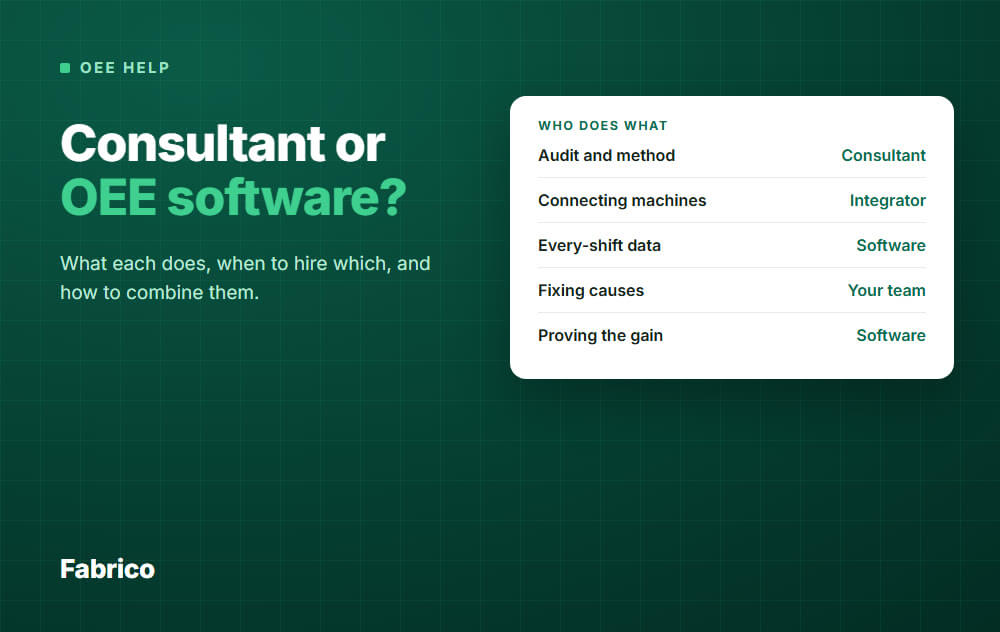
OEE Improvement Consulting vs OEE Software: Which One Do You Need?

In short: Hire a consultant when you know your losses but not how to cut them. Hire an integrator when machines or systems need custom connections. Buy software when you need losses measured every shift, long after any project ends.
- A consultant brings method, outside eyes and a push for change.
- An integrator connects machines, systems and data.
- OEE software keeps measuring, so you can see if a gain holds.
- Many plants need software plus an expert: measure first, then pay the expert for the losses you cannot fix yourself.
Your OEE is stuck, and you search for help. You find consultants, integrators and software vendors, and all three say they improve OEE.
They do different jobs. This guide shows what each one does, when each is the right call, and how to combine them without paying twice.
One note: we sell OEE software, so read this with that in mind. We also say plainly what software cannot do.
What an OEE improvement consultant does
A consultant brings a method and a fresh pair of eyes. You will find independent specialists, lean and operations firms, and machine makers who audit their own lines.
Typical work looks like this:
- An OEE audit of one line or plant, often with manual time studies, to set a baseline.
- Loss classification: what counts as availability, performance and quality loss. See OEE calculation.
- Workshops on changeover (SMED), standard work or autonomous maintenance.
- Coaching the team to run daily improvement meetings.
- A roadmap and targets for the next 6 to 12 months.
Most OEE improvement services follow this pattern: an assessment, a plan, then support while you carry it out.
Treat any headline OEE gain as marketing until you have checked it. Ask for references from plants like yours, and call them.
What an integrator does
An integrator is a technical partner. The work is connecting things, not changing how people work.
- Reading signals from PLCs, sensors and counters.
- Connecting machines to a database, a dashboard or the ERP.
- Building custom screens, reports and interfaces.
- Keeping that custom work running after go-live.
An integrator is the right choice when your machines are unusual, your IT rules are strict, or you need a one-off system that no product covers.
What OEE software does that a project does not
Software does not have opinions. It counts, and it keeps counting after the contract ends.
An integrator can build this for you, but then you also own the upkeep.
1. It measures every shift, not once
An audit is a snapshot. Example: a 5 day audit on a 2 shift line sees 10 shifts out of about 500 in a year, or 2 percent.
Software records stops and slow cycles on connected machines on every shift, plus rejects wherever they are counted or entered.
2. It catches what people miss
Short stops are the classic blind spot. Nobody writes down a 40 second stop, so it looks like slow running and lands in performance loss.
A system reading the machine sees it. Read more in micro-stops.
3. It proves the gain
After a fix, the next shifts show whether the loss went down.
Without that, a gain can fade and nobody notices.
4. It gets the cause from the operator
The machine knows when it stopped, not why. The operator tags the reason on a tablet.
Over weeks you get a ranked list of causes, which feeds a Pareto of downtime.
5. It frees expert days
Expert days are scarce. Software does the counting on every line, so the expert can spend those days on fixing.
What software cannot do
Software shows where time is lost. It does not fix the loss.
- It will not redesign a bad changeover. A person must do that.
- It will not change habits or lead a team meeting.
- It will not settle a dispute between production and maintenance. It gives both sides the same numbers, but people still decide.
- It will not solve a hard technical problem, such as a quality defect with an unknown root cause.
A consultant adds real value here. A good one brings experience from many plants and can quickly see what your team has stopped noticing.
When a consultant or integrator is the right call
| Your situation | Best first step |
|---|---|
| You know your losses but not how to cut them | Consultant |
| No improvement routine, no daily meeting | Consultant or coach |
| Changeovers are long and nobody owns them | Consultant with SMED experience |
| Unusual machines, custom interfaces | Integrator |
| You do not know where the time goes | Software first |
| Gains came and then faded | Software, to keep measuring |
| Many lines, one standard needed | Software, plus an expert for the method |
The risk of consultant only
The common failure: a good project, a nice report, a first jump in OEE. Six months later the numbers slide back.
When the experts leave, so does the measuring. Operators go back to old habits, and no one sees the slide until the quarterly review.
The risk of software only
The opposite failure: a screen on the wall, full of red bars, and no one who acts on them.
Data without a routine is decoration. Someone must own the top three losses, every week, with a name and a date.
How to combine them
This order makes sense when you do not yet know where the time goes:
- Measure one line first. Connect a representative line and run software for a few weeks to see the real loss picture.
- Pick the top losses. Use the ranked stop list, not opinions.
- Bring in an expert for the hard ones. The consultant starts with facts and does not spend days collecting them.
- Verify with the data. The next shifts show if the fix held.
- Repeat on the next line.
You pay the expert to solve problems, not to find them.
If your team has no routine to act on data, turn it around: bring the coach in first and measure alongside.
Is the expert worth it? An example
Price the loss before you read the quote. All numbers here are example data.
- A line runs 2 shifts a day, 250 days a year: 500 shifts.
- A fix removes 20 minutes of stops per shift: 10,000 minutes, or about 167 hours a year.
- A stopped hour is worth 500 in your currency: about 83,000 a year.
Only count that value if you can sell the extra output or cut overtime.
If the gain fades after 6 months, you keep about 42,000. That is the cost of not measuring after the project.
How to choose a provider
Whoever you pick, ask these questions:
- Can you show a plant like mine, and may I call them?
- What will I have in my hands when you leave: data, routines, or only a report?
- Who owns the data and the reason codes?
- What does my team do each week after the project?
- How do you define OEE and its losses? A different definition from yours makes numbers impossible to compare.
- Is your quoted gain in OEE points or in percent, and from what baseline?
That last one matters. Going from 40 to 60 percent OEE is 20 points, but a 50 percent gain: same result, bigger headline.
Be careful with promises of a fixed OEE gain. Plants differ too much for a guarantee to mean much.
How Fabrico fits
Fabrico is a light MES: cloud software for OEE and downtime. It is the measuring part of the loop above.
- Machine data comes from PLCs, IoT devices with sensors for older machines, and AI cameras where there is no machine signal.
- Operators tag the cause of each stop on a tablet or phone, using your own reason codes.
- You see OEE by machine, line and shift, with the availability, performance and quality split.
- Micro-stops are detected from the machine signal, and slow cycles show up as performance loss.
- Losses can be shown in money, which helps rank what to fix first.
Plan on about 1 month to install and connect devices, and 3 to 4 months for a full rollout.
Training is live and on site. Support answers in under 2 hours.
Fabrico does not replace a consultant. It does not run your improvement meetings or redesign your changeovers.
Job dispatching, BOMs, routings and genealogy stay in your ERP. See the Fabrico MES and OEE overview for details.
If you already work with a consultant, export the Fabrico data to Excel or CSV for them. They start from facts.
Request a demo or Contact us to talk about your lines.
What people ask next
How much does OEE consulting cost?
It varies by provider, scope and country, so ask for a written scope with a fixed deliverable.
Compare it with the value of the stopped hours you could recover. The guide at why lines stop helps you price a stopped hour.
Can I improve OEE without a consultant?
Yes, if you have people with time and a clear view of the losses.
Start by measuring. The top stop causes are often known on the shop floor and only need to be ranked and owned.
Do I need MES software to improve OEE?
You need reliable measurement. A spreadsheet can start it, but manual logs miss short stops and take time.
Read about MES software, including the lighter option.
Which OEE software should I look at first?
Use a shortlist built on how data is collected, how easy the operator screen is, and how fast you can start.
See best OEE software and downtime tracking software.
Where should the expert focus first?
On the biggest loss in minutes at your bottleneck, whichever OEE factor it sits in.
Count scrap at full value, since it wastes the material as well as the time. See OEE availability for how stop time is counted.
How soon can the expert start from real data?
A few weeks after a line is connected, you have a ranked list of losses.
How fast OEE then improves depends on how fast your team acts on the top causes.
Ready to see your own losses? Request a demo or Contact us.






