


 Login
 Blog
Scytec DataXchange Alternatives for CNC Shops, by Size and IT Setup

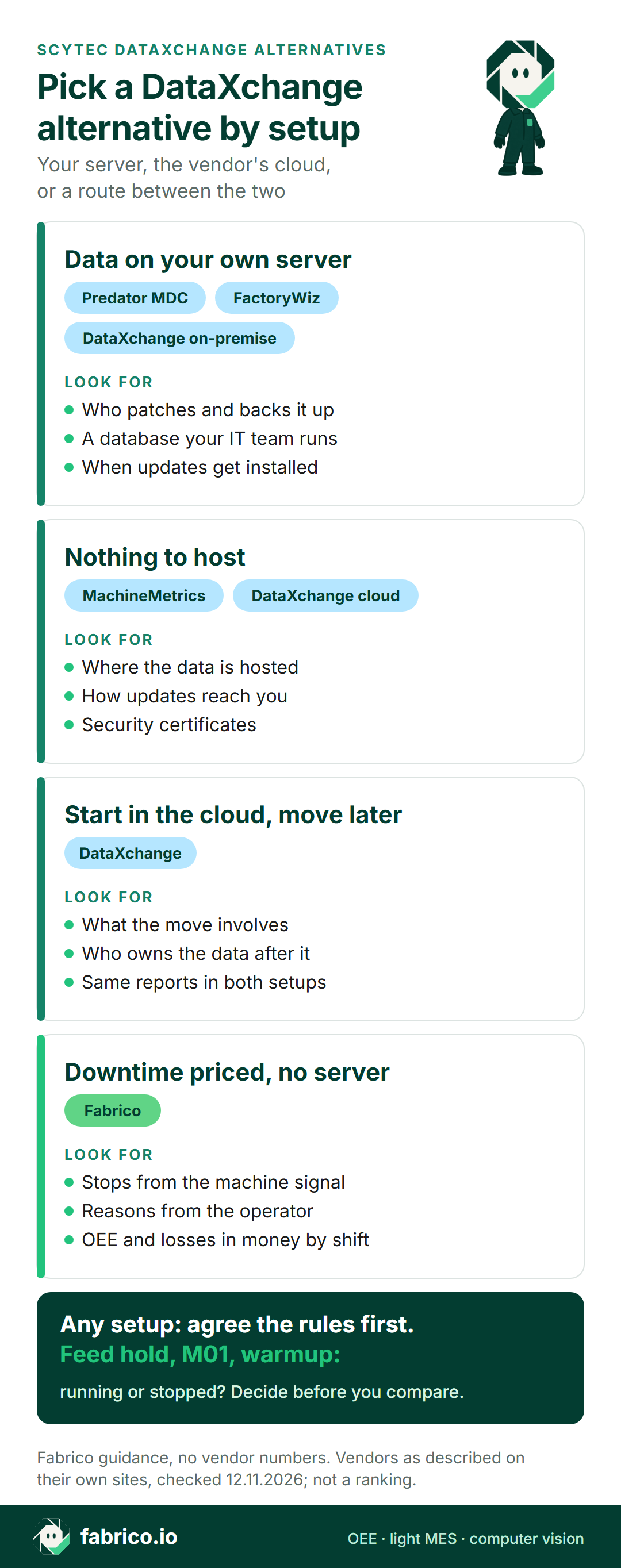
In short: the right Scytec DataXchange alternative depends on two things: how many machines you run and who will look after the system. If your IT team wants the data on your own server, compare on-premise tools such as Predator MDC and FactoryWiz with DataXchange's own on-premise install. If you want nothing to host, compare cloud tools such as MachineMetrics and Fabrico with the DataXchange cloud service.
- DataXchange is CNC machine monitoring and OEE software from Scytec, which Minitab has acquired.
- Scytec offers it as a cloud service or an on-premise install, and says a system can move between the two.
- This page sorts the alternatives by shop size and IT setup.
- Each vendor fact links to that vendor's own page and is dated as of 12.11.2026. We quote no prices and rank nobody.
A shop with nine CNCs and one part-time IT contractor asks a different question from a group with four plants and a security team. The first wants something that runs without a server in the back room. The second wants data on its own network, or a cloud setup its security team has signed off.
Both may have DataXchange on the shortlist, because Scytec sells it both ways. This page first sets out what Scytec's own pages say about DataXchange, then sorts four other options by who keeps the servers running. One of the four is Fabrico, our product; we include it, and we don't rank anyone.
What Scytec DataXchange is (as of 12.11.2026, per scytec.com)
Scytec's homepage calls DataXchange a cloud and on-premise OEE and machine monitoring system. A post on Scytec's site says Minitab has acquired Scytec, adding DataXchange to Minitab's analytics and SPC tools. What Scytec's pages say, as of 12.11.2026:
- Machines. CNCs, PLCs, robots, welders and manual machines, per the DataXchange overview.
- Controls. MTConnect, OPC UA and Modbus TCP, plus native protocols for controls such as FANUC, Haas, Heidenhain, Mazak, Okuma and Siemens, over wired or wireless Ethernet (DataXchange highlights).
- Older machines. A PLC-based module, the DataXchange SRC, ships preprogrammed and connects older or manual machines and sensors (current, light, proximity, vibration and others).
- Your own rules. You decide how to count automatic tool changes, program and optional stops, feed hold and low feed rate override.
- Operators. The Operator Data Interface runs on PCs and tablets to categorize planned and unplanned downtime. Barcode scanners can enter downtime reasons too (license comparison page).
- Viewing. Configurable real-time dashboards, iOS and Android viewing through Data Display, and no limit on users.
- Links out. ERP, scheduling and CMMS integrations, and a Vericut CNC Machine Connect module that streams machine data into Vericut.
Cloud or on-premise, per Scytec's cloud vs on-premise page: the cloud service has no web or database servers to maintain and updates itself every few months. The on-premise install needs web and database servers, your team decides when updates happen, and all data stays on the company network. Scytec adds that a system can move from one to the other, so a shop can start in the cloud.
Ask in the demo: how ideal cycle times are set for a high-mix shop, and what moving from cloud to on-premise involves.
Shop size and IT setup: the two questions that sort the shortlist
Most CNC monitoring tools read the same controls. Where they part ways is who runs the software and how it grows from one cell to several plants. Start with the IT question, because it rules tools in or out before features matter.
Shop size matters less than it looks. Scytec says DataXchange is built for shops with a few machines as well as multi-plant groups, and Predator says MDC supports any number of plants. The real difference for a small shop is who patches the server, backs up the database and restarts the service on a Saturday. For a group, it is whether the head office can compare plants on one set of definitions.
Comparison table: DataXchange and four alternatives
Each row gives what the maker's site says, summarised by us as of 12.11.2026; details and links sit in the sections below. The order carries no score: Fabrico is first because it is our page. Anything this summary leaves out is a question for the vendor, not a gap in the product.
| Tool | Who runs it, per its site | Built around | Ask in the demo |
|---|---|---|---|
| DataXchange (for reference) | Scytec cloud, or your servers | Control data, your own rules | What does a move to on-premise involve? |
| Fabrico | Cloud; EU customers are hosted on AWS in Frankfurt | Stops, reasons and losses in money | Which route does each CNC control take? |
| Predator MDC | Your PC, on Oracle, SQL Server or Access | Data collection, reports, DNC | Who maintains the database? |
| MachineMetrics | Cloud, nothing to host | Machine data platform for discrete plants | Which apps come first? |
| FactoryWiz | Option to store data locally | Monitoring, OEE and DNC | How are older controls wired in? |
Want to see stop reasons and lost money for a cell like yours? Book a demo with a week of setup and downtime notes from one cell.
Fabrico: no server, downtime priced by cause
This is our product. Fabrico is cloud OEE and light MES software, so there is no server for your IT contractor to patch. DataXchange begins at the CNC control; Fabrico begins at lost time and asks four things about it: when, how long, why, and at what cost. From our MES and OEE overview and the connectivity page:
- Hosting. Fabrico is cloud software. EU customers are hosted on AWS in Frankfurt. Lists export to Excel or CSV, and other systems connect through the REST API and webhooks.
- How machines connect. PLC links use OPC UA, Modbus, PROFIBUS, PROFINET, EtherNet/IP or EtherCAT; older machines get a Fabrico IoT device with external sensors. Projects start with a review of the machines to agree a route for each CNC control.
- Short stops and reasons. Stops too short for anyone to write down are detected from the machine signal and reported apart from long stops. The operator tags the cause from your own list of reason codes on a tablet or phone.
- Money, not just minutes. OEE and downtime by cause, machine and shift on the web, iOS and Android, with losses shown in money.
- Stations with no signal. The camera add-on can count output at a hand-pack table or a transfer between machines. With the camera add-on in its standard setup, video is streamed on request, not stored in Fabrico (how the add-on counts).
- Repairs on the same record. When a stop needs a repair, the technician opens a work order from that stop, and the repair counts toward the machine's MTTR and MTBF.
- Plants side by side. A multi-plant view puts your sites on one screen, with reports that compare them.
- Timing. Devices connected in about a month; full rollout in 3 to 4 months.
- Kept in other systems: DNC keeps program transfer, and the ERP keeps job costing. Roadmap, not live: production planning, and stops detected by the camera add-on with a suggested reason.
Fits shops that would rather not run a server, want stop time sorted by cause with a money value, and have CNCs next to manual or older stations. A one-line pilot is the usual start; our OEE software guide covers the wider category.
Predator MDC: software on a database you run
Predator Software, in Beaverton, Oregon, has worked on shop floor automation since 1994. Its Predator MDC page (as of 12.11.2026) is the clearest example on this list of software you install and run yourself:
- Data sits in a client/server database you choose: Microsoft SQL Server, Oracle or Microsoft Access.
- A single PC handles up to 4096 machines, and the page says the number of plants or buildings is unlimited.
- Staff see dashboards on networked PCs or remotely over the internet and VPN; the Predator MDC Executive dashboard runs in a browser on touch phones, tablets and PCs.
- Predator DNC comes included, to send, receive and drip-feed CNC programs.
- Data can leave as CSV, JSON, TSV or XML, through MTConnect or OPC UA, or via Predator APIs.
Against DataXchange: both collect from CNC controls and from operators. The difference for IT is hosting: Predator describes a database your team runs, while Scytec sells the same product as a hosted service or an install.
Fits shops that have an IT person who runs SQL Server or Oracle, and want monitoring and DNC from one vendor.
MachineMetrics: a cloud platform with nothing to host
MachineMetrics describes one platform running on real-time machine data, built for discrete manufacturing. As of 12.11.2026, its homepage says:
- There is nothing to host. It lists every machine generation connected, open APIs and native streaming, and ISO 27001 certification.
- OEE, downtime, cycle time and cross-site performance are measured the same way at every site and priced in dollars.
- The CNC program tells the system which job is running, and the operator confirms.
- The same data model carries work orders, scheduling, labor, quality and tooling, and an AI assistant, Max AI, answers questions asked in plain language.
Compared with DataXchange: both read machine controls and report OEE. MachineMetrics describes a cloud platform reaching into scheduling and execution; DataXchange can be hosted by Scytec or installed on premise.
Fits shops that want a cloud machine data platform that grows into job and labor tracking. See our MachineMetrics alternatives.
FactoryWiz: monitoring and DNC with local data
FactoryWiz, powered by Celsus Software, presents itself as monitoring plus DNC software. Its homepage, as of 12.11.2026, says:
- It tracks how machines perform, downtime, OEE and production output data, and moves CNC files through the same system.
- Data stays under the customer's ownership and control, and can be stored entirely on site.
- Newer controls connect over standard Ethernet protocols such as FANUC FOCAS, MTConnect, OPC UA and umati; machines built without Ethernet can be connected as well.
- Automated OEE reports arrive daily, weekly and monthly, comparing machines, departments, shifts and parts, and alert notifications reach any web-enabled device.
Compared with DataXchange: both read the main CNC protocols and older machines. FactoryWiz puts local data ownership and DNC first; Scytec offers both cloud and on-premise.
Fits shops that want data kept in the building and program transfer from the same vendor.
Which DataXchange alternative fits your shop
- CNC control data with your own counting rules, in the cloud or on your servers, with room to switch: DataXchange.
- Monitoring, reports and DNC on a database your IT team runs: Predator MDC.
- Local data and DNC from one vendor: FactoryWiz.
- A cloud machine data platform that grows into scheduling and labor: MachineMetrics.
- No server, downtime by cause and priced by shift, CNCs mixed with older and manual stations, maintenance on the same record: Fabrico.
Worked example: one CNC, two rules for "running"
Here is why counting rules matter as much as the hosting choice. The numbers below are sample data for one CNC over one shift; they come from no customer and no product screen. Planned time is 450 minutes. The ideal cycle is 4 minutes a part. The machine made 72 parts, and 70 passed inspection.
The control reports 360 minutes in cycle. Inside that time, the machine sat 25 minutes in feed hold, 15 minutes at optional stops and 10 minutes in a warmup program. Outside it, 90 minutes went to setup, waiting for material and an alarm.
Rule A counts all cycle time as running. Availability is 360 / 450 = 80.0%. Performance is 72 x 4 = 288 ideal minutes over 360, also 80.0%. Quality is 70 / 72 = 97.2%. OEE is 62.2%.
Rule B counts feed hold, optional stops and warmup as stops. Run time drops to 310 minutes, so availability is 68.9% and performance rises to 288 / 310 = 92.9%. OEE is still 62.2%, because 70 good parts x 4 minutes / 450 minutes does not change.
The total is the same, but under Rule A the 50 lost minutes hide in performance, where nobody gives them a reason. Under Rule B they show up as stops an operator can explain. Agree the rule before you compare dashboards from two vendors. Our OEE calculation guide has the formula; micro-stops explains why short stops vanish from paper logs.
IT questions for every vendor here
Use one cell of machines and ask every vendor the same seven questions, Fabrico included.
- Where does the data live? Vendor cloud, your servers, or both, and in which region.
- Who runs updates? Automatic, or on your schedule, and who tests them.
- What sits on the shop network? Gateways, PCs or modules, and which ports they open.
- Who backs up the database, and how fast can it be restored?
- How does each CNC control connect? Native protocol, OPC UA, wired signal or sensor, and whether the control needs an option from the machine builder.
- How do plants compare? Same definitions everywhere, or set per site.
- How does data leave? API, export, or a direct database connection.
For the basics of control data, read our MTConnect guide and CNC machine monitoring overview.
What people ask next
Who makes Scytec DataXchange today?
Scytec, which Minitab has acquired, according to a post on Scytec's own site. Scytec's homepage calls DataXchange OEE and machine monitoring that runs in the cloud or on premise.
Can DataXchange run on our own servers?
Yes, per Scytec's cloud vs on-premise page. The on-premise install needs web and database servers, and all data stays on the company network. Scytec also says a system can move between cloud and on-premise.
Which DataXchange alternatives keep data on site?
Per their own sites, Predator MDC uses a database of your choice (Microsoft SQL Server, Oracle or Microsoft Access), and FactoryWiz says data can be stored entirely on site. Ask each who handles updates and backups.
Which alternatives need no server in the shop?
MachineMetrics says there is nothing to host. Fabrico is a cloud platform, and EU customers are hosted on AWS in Frankfurt. Scytec's own cloud service also has no web or database servers to maintain.
How is Fabrico different from DataXchange?
Scytec describes DataXchange as monitoring that reads CNC controls over MTConnect, OPC UA, Modbus TCP and native control protocols, in the cloud or on premise. Fabrico is cloud software built around lost time: stops from the PLC or an IoT device, causes tagged by the operator, losses shown in money by shift, and repair work orders opened from the stop.
Does a small shop need a different tool from a multi-plant group?
Not always. Scytec says DataXchange suits shops with a few machines as well as multi-plant groups, and Predator says MDC supports any number of plants. For a small shop, the bigger question is usually who looks after the server.
Want to compare hosting options with real stop data in front of you? Book a demo or contact us.
Related articles

Latest from our blog



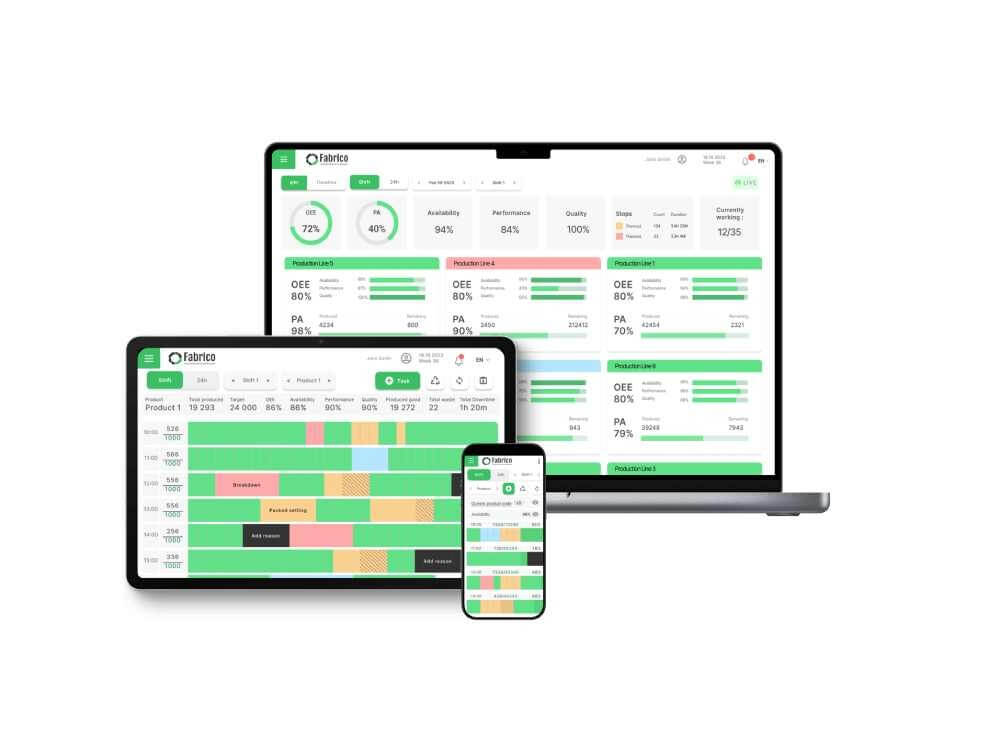
Real Fabrico tiles, sample data.