

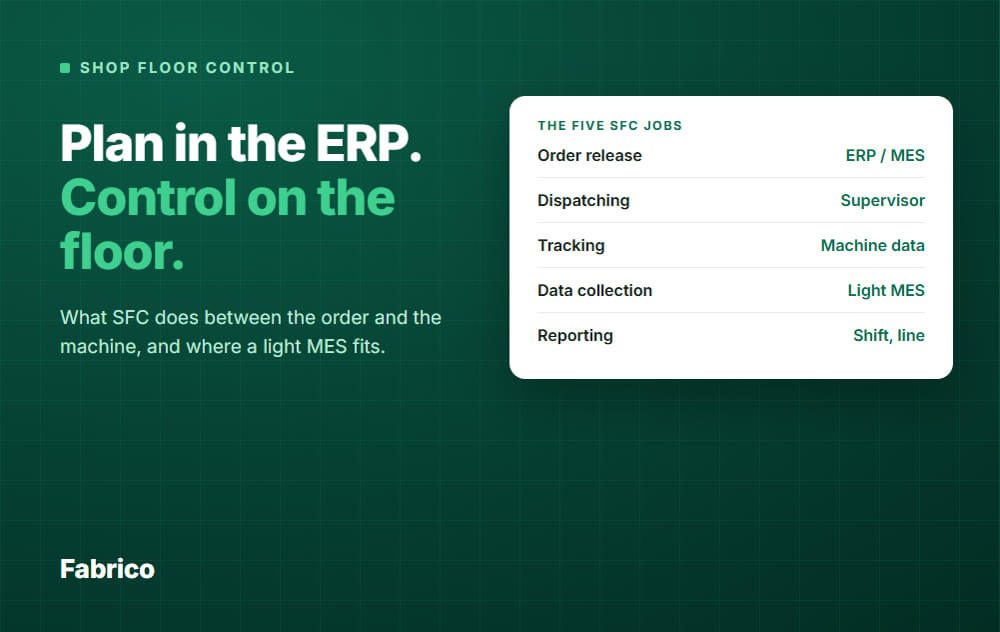

In short: Shop floor control (SFC) is how a factory sends orders to the floor, follows them while they run and reports what really happened.
It sits between the plan in your ERP and the machines that make the product.
Shop floor control is the set of methods and tools that send production orders to the shop floor, follow them while they run and report what happened.
It answers four plain questions: what should run next, what is running now, how far along is it, and what went wrong.
Textbooks and the APICS dictionary treat it as part of production activity control (PAC), the execution side of production planning.
Their lists of tasks are worded differently from ours. They name things like job priorities, work in process, order status, input and output data for capacity control, and efficiency measurement.
The goal is simple. The plan on paper and the reality on the floor should match, and when they do not, you should know during the shift, not at the end of the week.
This is a practical grouping, not a formal standard. Vendors list the functions a little differently, but these five cover what most plants mean by the term.
A production order leaves the planning system and becomes work for a line or work centre.
Good release checks that material, tooling and people are ready, so the line does not start and then wait.
Release may sit in the ERP or in the SFC tool. Either way, it is the hand-over from plan to floor.
Dispatching decides which job runs next on each line, and shows it to the operator.
The order follows the schedule and priority rules such as due date or changeover family.
Scheduling, which plans when each job should run, is a separate job. Dispatching uses its result.
Tracking shows the status of every order and line: not started, running, stopped, done.
It also shows work in progress, so a planner can see where the jobs are without walking the plant.
This is the foundation of everything else. The system records start and stop times, units made, scrap, rework, changeovers and stop reasons.
Data comes from machine signals where possible, and from operators where it is not.
The system turns raw records into numbers people can use: output against target, downtime, OEE, scrap rate.
It also sends results back to the ERP, so inventory and costing follow what truly happened.
The three terms overlap, so people mix them up.
A simple split works well: ERP decides, SFC and MES execute, and the machine layer (PLC, SCADA) senses and controls.
| Layer | Main question | Typical output |
|---|---|---|
| ERP | What do we need to make, and what does it cost? | Production orders, inventory, costing |
| Shop floor control | Is the order running as planned? | Order status, progress, actual times and quantities |
| MES | How is the floor performing, and why? | OEE, downtime, scrap, traceability, quality records |
| PLC and SCADA | What is the machine doing right now? | Signals, alarms, set points |
In practice, shop floor control overlaps with the MES layer, and most MES include its functions. Many ERP systems also include a basic SFC module for order tracking.
The ERP version often relies on what operators type in, usually after the fact. An MES can take data from the machines as it happens.
If you want the full picture of the MES layer, read our guide to MES software. If a full MES feels like too much, a light MES is the smaller step.
Numbers help. This is an example with round, made up figures.
Example data. A packing line runs an 8 hour shift, which is 480 minutes. Its ideal rate is 4 units per minute. The order released for the shift is 1,200 units.
The data collection layer records where the time went.
The line made 1,188 units, and 60 of them were scrap, so 1,128 were good.
| Step | Calculation | Result |
|---|---|---|
| Planned production time | 480 minus 30 lunch | 450 min |
| Run time | 450 minus 40 minus 60 minus 20 | 330 min |
| Availability | 330 ÷ 450 | 73.33% |
| Performance | 1,188 ÷ (4 × 330) | 90.00% |
| Quality | 1,128 ÷ 1,188 | 94.95% |
| OEE | 73.33% × 90.00% × 94.95% | 62.7% |
Check: 1,128 good units ÷ 4 per minute is 282 minutes of perfect production. 282 ÷ 450 is also 62.7%. For the full method, see OEE calculation.
Now see what each function adds.
Tracking alone tells you the order is behind. Data collection tells you what to fix.
Use this short checklist when you compare options.
Fabrico is a light MES in the cloud. It focuses on monitoring, OEE and downtime.
It covers the data collection, line status and reporting side of shop floor control.
What Fabrico does not do today: it does not release or dispatch orders, and it has no production scheduling. Keep order release, dispatching and scheduling in your ERP or planning tool.
That fits a plant that already has an order system and lacks a live, trusted view of what the lines really do. See the Fabrico MES and OEE overview, or read how production monitoring software compares.
Request a demo or Contact us to see it on your own line.
Not exactly. Shop floor control is a function, and an MES is the system that includes it, along with performance analysis, traceability and quality records.
Some vendors use the two terms as if they were the same. Read the feature list, not the label. Start with MES software for the wider picture.
If your ERP only records what people type in, you will see late and rounded numbers.
Shop floor control, or an MES, adds machine data and live status. That gives your planners the truth about the floor.
Control is about orders and data: what runs, how far along it is, what the numbers say.
Management is wider and includes the daily routines, meetings and improvement work that use that data.
Only what a machine cannot know: the reason for a stop, the type of changeover, scrap and rework quantities.
Everything else should come from the machine. Keep the reason list short at first, then refine it from the data.
Look at three things: unclassified time should shrink, your top losses should be clear and have owners, and OEE should be calculated the same way every day.
The free guide on pricing a stopped hour shows how to turn those losses into money.
It is enough when your main gap is visibility: live status, downtime reasons and OEE.
If you also need order release, dispatching or scheduling inside the same tool, check that the product really offers them. Fabrico does not offer them today. Our guide to light MES explains the trade-off.
Ready to see where your lines lose time? Request a demo or Contact us.



 Login
 Blog