Menu
Unclassified Downtime: Why Stops Have No Reason and How to Fix It

Unclassified Downtime: Why Stops Have No Reason and How to Fix It

Why many stops end up as 'other' or blank, what that hides, and a 6-step fix: short reason list, line-side capture, daily review. With an example.
Unclassified Downtime: Why Stops Have No Reason and How to Fix It

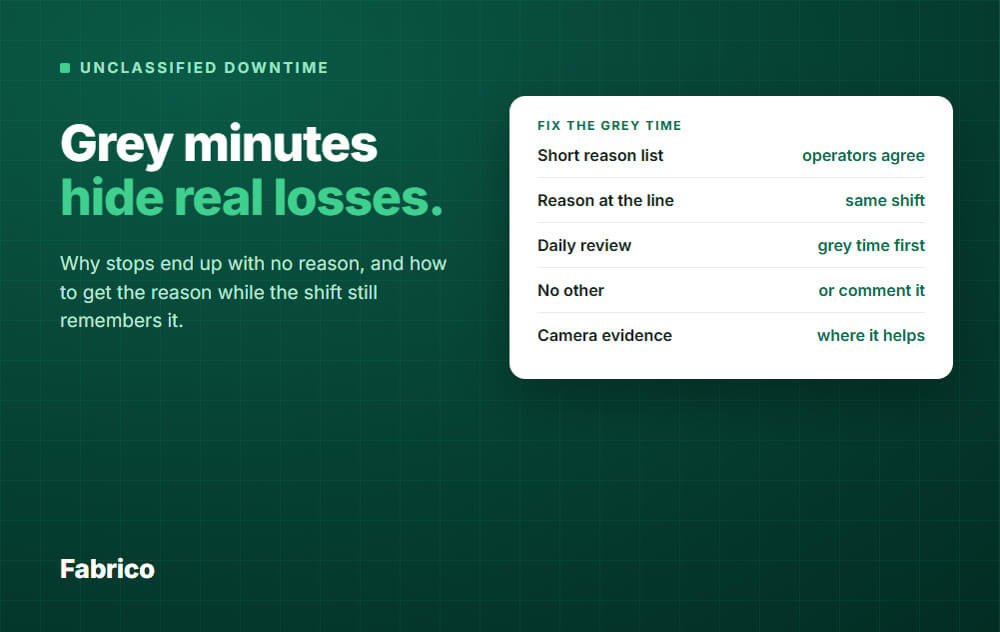
In short: Unclassified downtime is stop time with no reason attached, or with a vague one like "other". It grows when the reason list is long, people are asked too late, and nobody reviews the gaps.

  • It hides your real losses: the biggest stop reason is often split across "no reason" and "other".
  • Fix it with a short reason list, a reason captured at the line during the shift, and a micro-stop threshold.
  • Review yesterday's unclassified time every morning, while people still remember it.
  • Where nobody saw the stop, camera evidence can suggest the reason and a person confirms it.

What is unclassified downtime?

Unclassified downtime is the time a line was not producing, but nobody has said why.

You will also hear it called unexplained downtime, unknown downtime reason, or downtime with no reason code.

The machine data shows a stop. The reason field is empty, or it says "other", "unknown" or "misc".

It is not the same as unplanned downtime. A stop can be clearly unplanned and still have no reason yet.

The time still counts as lost time in OEE availability. What is missing is the explanation.

Why so many stops end up with no reason

Usually not because people do not care. The system makes the honest answer hard.

  • The list is too long. With 40 or 60 reasons, people pick the first one that fits or "other".
  • The entry comes too late. At the end of the shift, nobody remembers which stop was which.
  • The stop was short. A 40-second jam is not worth a menu, so it is never recorded.
  • Nobody saw it. The operator was at another machine, on a break, or between lines.
  • Reasons overlap. "Mechanical", "equipment fault" and "breakdown" mean the same thing to three people.
  • Nothing happens with the data. If reasons are never reviewed, people learn that they do not matter.

Why it hides the real losses

A big grey bucket does two kinds of damage.

First, it makes the ranking wrong. Your Pareto of downtime puts "no reason" first, and you cannot act on that.

Second, it splits real causes. Three real reasons can each look small while together they are your top loss.

In the Hansen method for OEE, every minute of scheduled time belongs to a named category, and OEE plus all the losses add up to 100%.

Hansen also says not to use "other" or "miscellaneous" as a category.

A catch-all defeats the method. Unclassified time is fine as a short waiting room before the review. It is not fine as a place where time lives.

Worked example

Example data, round numbers, one line, one shift.

  • Scheduled time: 480 minutes.
  • Seven stops, 96 minutes in total.
  • Runtime: 480 minus 96 = 384 minutes, so availability is 80%.
  • Three of the seven stops have no reason: 12, 15 and 13 minutes, which is 40 minutes.

That is 8.3% of scheduled time, and about 42% of all stop time.

Availability is 80% before and after the review. Only the explanation changes.

Same shift, 480 min (example data) As recorded: 40 min with no reason After the daily review: 5 min left Works Stop with a reason No reason yet Changeover
A stylised line timeline with example data. The dark grey gaps are the time nobody has explained. After one review, 35 of the 40 minutes have a reason.

Now look at the Pareto before and after the review.

Before review (example data, minutes) No reason given40 Jam at the infeed18 Waiting for material14 Short cleaning stops14 Changeover overrun10 After review (same 96 min) Jam at the infeed30 Waiting for material29 Short cleaning stops14 Changeover overrun10 No operator8 No reason given5 Same minutes, different priority
Example data. Before the review, "no reason given" looks like the top loss. After it, a jam and waiting for material are clearly on top.

Before the review, the team would have started a project on "no reason".

After it, they know the line loses 59 minutes a shift to a jam and to waiting for material.

How to fix it, step by step

1. Keep the reason list short

People answer better with a short list than with a long one.

There is no standard number. Some downtime software vendors give a target, but treat it as a rule of thumb.

A simple test: give three operators the same five stops. If they pick different reasons, merge or rename.

A few rules that work:

  • Split planned and unplanned first. Then group the reasons by cause: changeover, waiting (for material, people or another process), equipment, procedure, quality.
  • Name the symptom the operator can see, such as "jam at the infeed". Leave root causes for the review.
  • Make reasons mutually exclusive. If two people would pick different ones for the same stop, merge or rename them.
  • Show each machine only the reasons that fit it.
  • Avoid an "other" reason. If your team insists on one, ask for a comment with it. If it ever lands in your top three, split it.

2. Capture the reason at the line, inside the shift

The best moment to ask is when the stop happens or right after the line restarts.

Make it two taps. The operator picks the machine and then the reason.

Put the most used reasons one tap away. If your machines send alarm codes, map the clear ones to reasons so people only judge the unclear stops.

Add a short catch-up before each break and at the end of the shift. It is easier than a long one later.

3. Set a micro-stop threshold

Not every pause needs a reason. Asking about every 20-second jam trains people to tap anything.

Pick a threshold that fits your line. Stops shorter than it are not asked about, but they are still counted.

Count them as lost speed. Do not drop them. Many small stops add up, and our guide on micro-stops shows how to find them.

4. Review unclassified time every day

This step does the most. A short slot in the morning meeting is enough.

  • Open yesterday's unclassified time, longest first.
  • Ask the people who were there. They remember when the stop is a day old, and not after a week.
  • Check what else was going on: alarm history, maintenance calls, material deliveries.
  • Give each stop a reason, or split it into several if more than one thing happened.
  • Give any unknown stop an owner and a date to find out.

When the review becomes routine, the shift habit changes. People see their notes read, so they write them.

5. Use camera evidence where nobody was looking

Some stops have no witness. A camera over the line can show what happened, such as no material, a spill, or a broken part.

The useful way to use it: the camera suggests the reason and a person confirms it. The video makes the confirmation fast and removes the guessing.

The camera watches the process, not the people. That keeps the review about the line.

6. Watch the unclassified share as a KPI

Track the unclassified share of stop time per line, per week.

There is no standard target. Take your current share as the baseline and push it down step by step. Treat any vendor target as a rule of thumb.

A rising share is an early warning. The list has grown, the capture has slowed down, or the review has stopped.

Common mistakes

  • Forcing a reason before restart with a list that is too long. You get random reasons, not unknown ones, which is worse.
  • Hiding unclassified time by excluding it from OEE. The losses are still real and the number turns false.
  • Letting "other" grow. If it is a top loss, the list is missing a real category.
  • Asking about every micro-stop.
  • Treating the reason as blame. When a reason is used against people, people stop being honest.
  • Never retiring reasons. Remove the unused ones when you review the list.

What good looks like

AreaWeakGood
Reason listLong, overlappingShort, clear, per machine
When it is capturedEnd of shiftAt the line, same shift
Short stopsIgnored or all askedThreshold set, still counted
Unclassified timePiles up for weeksReviewed next morning
"Other"In the top threeAvoided, or small and split when it grows
Unseen stopsGuessedChecked with evidence

How Fabrico handles unclassified downtime

Fabrico is a light MES in the cloud. It takes OEE and downtime from machine data (PLC, IoT sensor or camera) and adds the stop reason from the people on the line.

  • It shows the gap. Unclassified time is dark grey on the line timeline, and the line card header on the overview shows an unclassified stop. Both mean "needs a reason".
  • Reasons take two steps. Pick the machine, or "no specific machine". Then pick a reason from groups that are red for unplanned and yellow for planned, plus a comment.
  • You control the list. You can link reasons to specific machines, and set each reason as planned or unplanned and whether it counts in availability.
  • Manual mode has quick buttons. For lines without sensors, the five most-used reasons of the last 7 days are one tap away.
  • You can fix the past. Select a range of unclassified time, split or merge it (30 seconds minimum), and give each part a reason. Sensor fragments are locked.
  • A micro-stop threshold is a line setting, up to 10 minutes. Shorter stops are not logged as downtime, but they still count in delay (running below nominal speed).
  • Cameras can suggest the reason. On an unclassified fragment, you see a suggested reason, such as "Broken part", with the video. A person applies or edits it. Camera integration is enabled per factory on request. See camera-based OEE.
  • Analytics splits the downtime. The downtime distribution shows planned, unplanned, changeover and unclassified, so the grey share is a number you can watch. The top 10 unplanned and planned reasons show the real order once the review is done.

If you also use the maintenance module, a stop reason can open a task automatically. That is a side benefit, not the point.

Fabrico does not pick a reason without a person confirming it. It shows the unexplained time so your team can explain it.

Request a demo or Contact us to see unclassified time on a live line.

What people ask next

Is unclassified downtime the same as unplanned downtime?

No. Unplanned says the stop was not in the plan. Unclassified says nobody has recorded why.

Both labels can sit on one stop. A good downtime tracking system shows both.

How many downtime reasons should we have?

There is no standard number. Start with the stops you really see, and keep the list short enough that an operator finds the right reason fast.

Show each machine only its own reasons. Use the review to learn which reasons are never used and which are missing.

Should operators log every micro-stop?

No. Set a threshold and count the short stops automatically. Then use a Pareto of downtime to see if the short stops add up to a top loss.

How should unclassified time count in OEE?

As lost time, in availability. Do not exclude it to make OEE look better. The aim is to give it a reason, not to hide it.

Once a stop has a reason, your own rules apply. For example, a mandatory break can be set to leave the availability base.

Can machines or cameras fill in the reasons by themselves?

Partly. A machine alarm code can map to a clear reason. A camera can suggest one. For human causes, such as no operator, a person should confirm.

What does one stopped hour cost us?

That depends on your margin and your line. Our free field guide, why lines stop, walks through how to price a stopped hour so that you can rank stops in money, not minutes.

Ready to see where your unexplained time goes? Request a demo or Contact us.
Track OEE and downtime in real time

Latest from our blog

Define Your Reliability Roadmap
Validate Your Potential ROI: Book a Live Demo
Define Your Reliability Roadmap
By clicking the Accept button, you are giving your consent to the use of cookies when accessing this website and utilizing our services. To learn more about how cookies are used and managed, please refer to our Privacy Policy and Cookies Declaration