






 Login
 Blog

OEE Software SCADA Integration Guide for Manufacturing (2026)

The Difference Between SCADA and OEE Software
Supervisory Control and Data Acquisition (SCADA) systems are the nervous system of modern industrial automation.
See our roundup of production monitoring systems.
These massive software platforms sit on top of your programmable logic controllers (PLCs) to allow engineers to control valves, monitor temperatures, and acknowledge machine alarms.
However, a SCADA system is fundamentally designed for machine control and process visualization.
It tells the control room operator that a high-speed filler has faulted, but it does absolutely nothing to help the maintenance technician physically fix the problem.
If a factory relies exclusively on SCADA, the maintenance process remains highly reactive.
An operator still has to pick up a radio, call a mechanic, and wait for them to diagnose the issue using trial and error.
Why Custom SCADA Dashboards Fail the Shop Floor
To bridge this operational gap, many automation engineers attempt to build custom Overall Equipment Effectiveness (OEE) dashboards directly inside their SCADA environment.
This highly customized approach is incredibly expensive and notoriously difficult to maintain over time.
More importantly, building a pie chart inside a SCADA screen does not solve the human execution problem.
A SCADA dashboard cannot provide a technician with a step-by-step digital manual, and it certainly cannot track the financial cost of the spare parts used during the repair.
When plant managers try to force SCADA to act as a Computerized Maintenance Management System (CMMS), the initiative always fails due to a lack of mobile mobility and administrative friction.
Manufacturers must stop trying to turn their control software into an agile shop floor execution tool.
The Fabrico Framework: "OEE Diagnoses, CMMS Cures"
You cannot maximize the value of your automation network if your machine alarms are completely disconnected from your maintenance workflows.
The Fabrico philosophy solves this integration challenge through a unified platform built entirely on the principle that "OEE Diagnoses, CMMS Cures."
Fabrico is the operational layer that works alongside your existing SCADA.
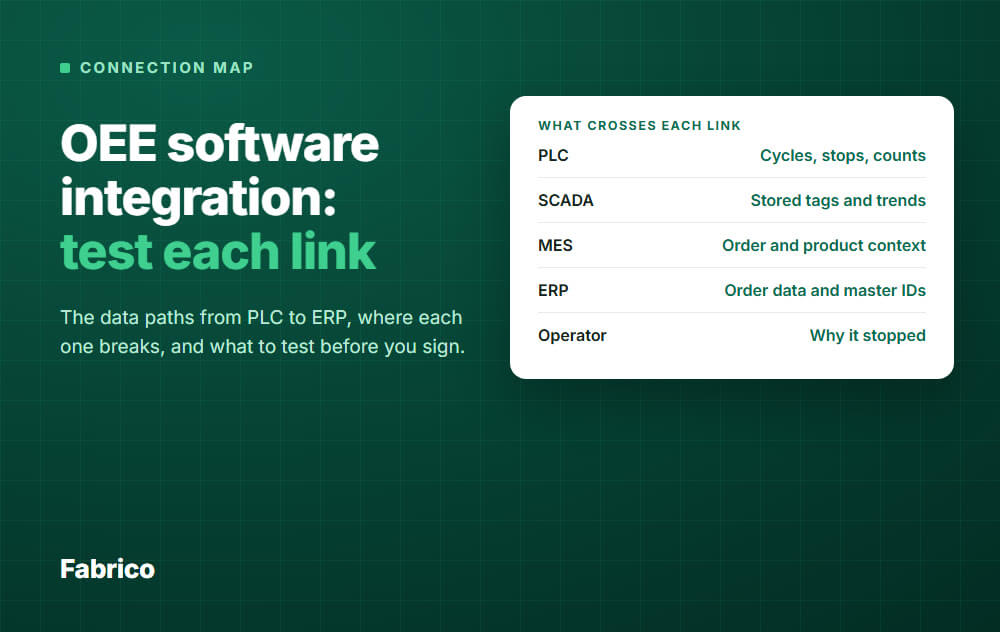
Your SCADA system broadcasts the physical health of the equipment through cycle times and precise fault codes.
Fabrico takes machine signals from PLCs and IoT sensors, so the team can open a mobile work order for the technician. Check how your SCADA layer fits with us in a demo.
Once the technician completes the repair in the frictionless mobile app, the path from fault to repair is complete.
3 Ways to Run Fabrico Alongside SCADA
Connecting your control room to your physical maintenance technicians requires providing your frontline workers with frictionless digital tools.
Here is how Fabrico can work next to your SCADA system.
1. Turn Machine Stops into Work Orders
Relying on a control room operator to verbally relay a SCADA alarm to a maintenance technician introduces massive communication latency.
Fabrico cuts this human delay by taking machine data from PLCs over OPC UA, Modbus, PROFIBUS, PROFINET, EtherNet/IP and EtherCAT, and from IoT sensors. Confirm your controller with us in a demo.
The software tracks run state and cycle counts on connected machines in real time.
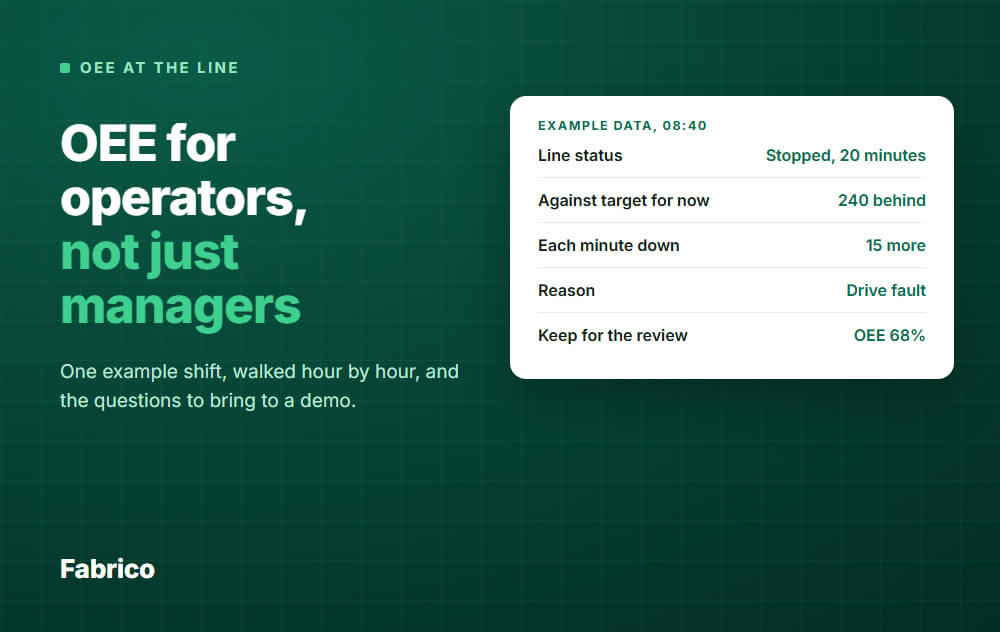
When a connected machine stops, Fabrico logs it, so the team can open an emergency work order and send it to a technician's mobile device.
By putting the stop in front of the team, you remove the delay of a verbal relay.
2. Check Machine Stops with Computer Vision
A SCADA system can record that a conveyor motor overloaded, but it cannot tell you the physical reason why the jam occurred in the first place.
Fabrico eliminates this massive operational blind spot with its Computer Vision Zoom-In module.
Cameras positioned above the production line record operations, and clips sit next to the stops they show.
When a stop happens on a line with a camera, the system can capture a video clip of it to give engineers objective visual evidence.
By analyzing this video evidence within Fabrico, the continuous improvement team can easily verify if the alarm was caused by a mechanical failure or a human operator error.
3. Align Production Schedules with Live Machine Status
SCADA systems operate in the immediate present and offer absolutely no visibility into future production schedules.
Fabrico shows live status from connected machines next to the maintenance calendar; production planning itself is on the Fabrico roadmap.
Planners can check live machine alarms and upcoming maintenance tasks before they commit production orders in their ERP.
If a SCADA alarm forces a machine offline for an extended repair, the planner simply reroutes the order to an available asset.
This integration helps your corporate scheduling team avoid promising a customer delivery based on a broken machine.
SCADA Integration Comparison: OEE Platform, SCADA Dashboards, CMMS
When evaluating software to connect with your automation network, you must demand a platform that natively understands both machine data and mobile execution.
| Feature / Capability | Fabrico (MES and OEE Platform) | Custom SCADA Dashboards | Standalone CMMS |
| Automated Work Order Triggers | Yes (PM from run hours and cycle counts) | No (Control and visualization only) | Requires heavy IT API mapping |
| Mobile SOP Execution | Yes (QR code scanning app) | Impossible in a control system | Yes (But disconnected from live OEE) |
| Interactive Planning Board | On the roadmap | No | No (Maintenance scheduling only) |
| Visual Diagnostic Evidence | Yes (Computer Vision Zoom-In) | No | No |
| Point-of-Action Parts Write-Off | Yes (Mobile QR barcode scanning) | No | Yes |
The Future of Automation: AI-Driven Execution
The next evolution of factory integration will rely on artificial intelligence to autonomously balance SCADA alarms with predictive maintenance schedules.
Currently on the Fabrico development roadmap are advanced AI modules designed to completely revolutionize automation synchronization.
Additionally, the Fabrico Assistant, available today, uses Generative AI to cross-reference years of repair history with complex OEM manuals.
Technicians can ask the Assistant for specific troubleshooting steps related to a cryptic SCADA error code and receive guidance on their screens.
By deploying Fabrico to handle your shop floor execution, you can finally unlock the true operational power of your SCADA investment.
Turn downtime into a number your team can actually act on.
Request a demoContact usRelated articles









Real Fabrico tiles, sample data.