


 Login
 Blog
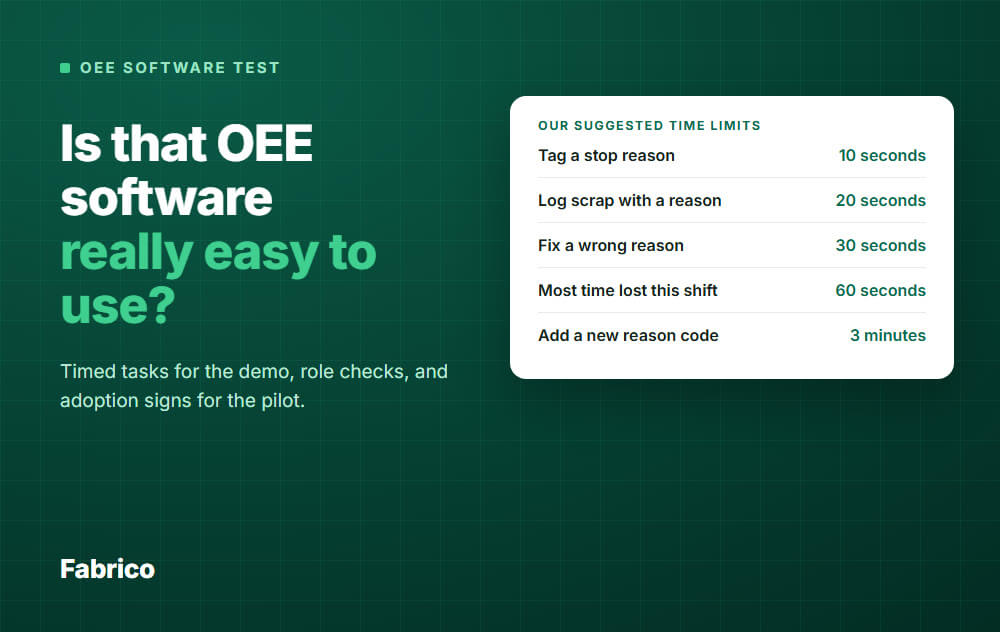
Easy to Use OEE Software: A Timed Test to Run Before You Buy

In short: Easy to use OEE software is software your own people can use at the line, unaided, within a time limit you set before the demo. Do not ask a vendor if it is easy. Time it.
- Demo: 3 operators do 6 timed tasks at the machine. The vendor keeps hands off the screen.
- Roles: supervisors and IT get their own task lists, because easy means something different for each.
- Pilot: measure reason coverage, tagging delay and the gap between shifts, and compare week 1 with week 4.
- Decide: if operators cannot tag a stop unaided, stop there.
You have seen this before. The demo looked clean, the rollout went fine, and three months later the operators had stopped tagging stops and the screen showed mostly unknown downtime.
So this time you search for something easy. The trouble is that every vendor says easy, and a review score tells you nothing about your line, your gloves or your night shift.
This page gives you a test instead of an opinion. It names no winners, because the result depends on your people.
One note: we sell OEE software, so hold us to this test as well.
All time limits and pass lines below are our suggested starting points, not benchmarks. We know of no published standard for them, so adjust them before the first demo and keep them the same for each vendor.
What easy has to mean
Easy is not a look. It is a named person finishing a real task, without help, in the time the line allows.
That gives you three separate questions:
- Operator: can I tag this stop and get back to the machine?
- Supervisor: can I see what hurt this shift, and who I need to talk to?
- IT: can we connect, secure and keep this running without a project?
A tool can pass one and fail two. Simple for the operator can mean thin for the engineer, or hard for whoever maintains the reason codes.
How to set up the test
A vendor presenter on a large office screen, with loaded data, proves that the presenter is practised. Change the setting.
- Place: at the machine, on the device you would mount or carry there. Screen share only tells you what the screens look like.
- Data: your machine names and your reason codes, at least 10 of them. Send them ahead.
- Briefing: 1 minute from the vendor, then hands off the screen and no coaching.
- Conditions: real gloves, real light, real noise.
- Tools: a stopwatch and one printed sheet per person.
A first sales demo may not allow this, so ask for a separate hands-on session.
If a vendor cannot arrange one, write "not tested", not "passed".
Who to test, and how many
Pick 3 operators and 3 supervisors. IT can be one working session.
Usability research suggests about 3 users per group when you have three or more distinct groups. That work is mostly on websites, but the logic holds: a small test finds problems cheaply.
It will not give you a precise average. Treat the seconds as a way to find problems, not as statistics.
Do not send your best people. Choose someone from nights, your least confident phone user, and someone working in a second language.
Operator test: 6 tasks at the line
Stop the stopwatch when the entry is saved, not when the person thinks they are done.
| Task | Suggested limit | Warning sign |
|---|---|---|
| Read machine status and output against target, from standing distance | 5 seconds | They walk closer or ask what a colour means |
| Tag a stop reason | 10 seconds | Scrolling, or picking the first item shown |
| Fix a wrong reason on the last stop | 30 seconds | They give up and leave it wrong |
| Log scrap with a reason | 20 seconds | Typing on the screen with gloves off |
| Log in at shift change | 15 seconds | A shared login appears on a sticky note |
| Switch product or start a changeover | 30 seconds | They ask which screen to use |
The 10 second limit matches the rule of thumb in our guide to the operator terminal, which also covers placement, gloves and glare.
Then repeat the tag and the fix the next day, with no briefing. If the time does not drop, people are not learning the screen.
Why seconds matter, as an example: a tool that takes 25 seconds instead of 10, on a line with 20 stops a shift, costs 5 extra minutes per shift. Those minutes come while the operator is trying to restart the line, so the tag is what gets dropped.
Supervisor test: answers, not screens
Ask supervisors questions in their own words. Do not tell them which menu to open.
| Task | Suggested limit |
|---|---|
| Which machine lost the most time this shift, and why? | 60 seconds |
| Which stops have no reason yet? | 60 seconds |
| Split this shift's OEE into availability, performance and quality, and explain the biggest loss | 2 minutes |
| Pull the top 3 losses for the daily meeting | 3 minutes |
| Add a new reason code, without calling the vendor | 3 minutes |
Watch that last one. If each reason code change needs a ticket, the list goes stale and operators start using "other".
Also ask a CI engineer to export one shift's raw stop events to a spreadsheet. If that takes a support request, your pilot cannot be measured.
IT test: count the work
For IT, easy means less work and fewer surprises. Ask for it in writing, then count.
- Network: which connections are needed, and where? Measure the plant floor Wi-Fi at the exact mount points.
- Link drop: pull the connection during an entry. What does the operator see, and is the entry kept or lost?
- Users: add a user, give them a role, and remove them. Suggested limit: 2 minutes.
- Sign-in: how does single sign-on work, and is it standard or a custom job?
- Machines: who connects the PLCs and sensors, and what access do they need?
- Updates: who owns device updates, and can a change reach the line mid-shift?
- Way out: how do you get your data back if you leave?
During the pilot, keep a tally: firewall changes, IT hours, vendor visits and open tickets. A low count is the proof.
How to score it
Do not build a weighted score. Usability specialists suggest word labels for levels of success, not numbers that get averaged. For each person and task, write one label:
- Clean: done alone, within the limit.
- Minor issue: done alone, slightly over or with a slip they fixed.
- Major issue: done, but far over the limit or with a wrong result.
- Failed: not done without help.
We suggest these decision rules:
- Any operator fails to tag a stop: stop here, or have the vendor change the setup and retest.
- Two people with a major issue on the same task: the vendor shows the fix before you go on.
- An IT blocker: settle it before any pilot.
- Several tools left: pick the one with the fewest major issues on the tasks done most often.
Add one opinion score as a tie-break.
The System Usability Scale is a 10 item questionnaire scored from 0 to 100. Across 500 studies the average was 68, and that is not a percentage.
With 3 people the number is imprecise, so a few points of difference mean little.
Pilot test: signs that people kept using it
A demo shows whether people can use a tool. A pilot shows whether they do, once the launch attention has gone.
We suggest one line for at least 4 weeks, across all your shifts. Only count the time after machines are connected.
First agree which stops need a tag. Asking for a reason on each short micro-stop would sink any tool.
The lines in this table are our suggested starting points, not benchmarks. Set your own before the pilot starts.
| Sign | How to measure it | Suggested line |
|---|---|---|
| Reason coverage | Stop minutes with a reason / all stop minutes | 90 percent by week 4 |
| "Other" share | "Other" minutes / minutes with a reason | Under 10 percent |
| Tagging delay | Median minutes from stop to tag | Under 5 minutes |
| Batch tagging | Share of tags in the last 15 minutes of a shift | Falling, week on week |
| Shift gap | Coverage on your best shift minus your worst | Under 10 points |
| Chasing | Reminders from the supervisor, kept as a tally | Near zero by week 4 |
| Shadow records | Paper logs or spreadsheets still running | None by week 4 |
| Supervisor use | Days the data is used in the daily meeting | 4 days out of 5 |
| New person | Someone untrained tags a stop after a 5 minute handover | Clean or minor issue |
For more on these measures and why operators skip the entry, read how to get downtime reasons logged at the line.
Example: in week 4 a line has 1,200 stop minutes, 1,020 of them with a reason, and 150 of those under "other". Coverage is 85 percent and "other" is about 15 percent, so this line misses both suggested lines.
Week 4 against week 1
This is the comparison that matters most. A high first week can simply mean that someone was standing behind the operators.
Easy is not enough
A tool can pass all of this and still go quiet. Operators stop tagging when nothing ever comes back to them.
In a classic 1989 study of software users, usefulness had a significantly greater correlation with usage than ease of use did. It was not a factory study, but it fits what you see on the floor.
So add one last check to the pilot: did a fix come from the data, and were the operators told? Name the loss, the owner and the date.
Common mistakes
- Letting the vendor drive the demo, then scoring how it felt.
- Testing only with the keen operator who volunteered.
- Skipping nights, where help is scarcest.
- Loading 60 reason codes, then blaming the software for slow tagging.
- Judging adoption from logins. A login is not a tagged stop.
- Reading a pilot from week 1 alone.
How Fabrico fits
Fabrico is a light MES: cloud software for OEE and downtime. Hold it to the same test.
- Stops are recorded where a machine, sensor or camera signal exists: PLC, IoT device or AI camera. The operator tags the cause on a tablet or phone, from your own reason codes.
- Web, iOS and Android apps are available, and the OEE dashboard updates while the line runs.
- Data exports to Excel or CSV. Role-based access and an audit log are there for IT, and SSO with SAML is a custom integration.
- Training is live and on site. Support responds in under 2 hours.
We publish no operator timing figures, so ask to time ours as you would any other tool.
The demo is a 30 minute conversation with a consultant, which will not fit this whole test. Bring your task list, and ask how the rest can be run for your plant.
Plan on about 1 month to install and connect devices, and 3 to 4 months for a full rollout.
Fabrico is cloud software and the app has no offline mode, so the app needs a working connection at the line. If the link drops, the gateway can store machine data offline for up to 30 days, with automatic recovery within 72 hours by default. Run the link drop check on us too.
Dashboards are configured for your company's lines, shifts and KPIs, so ask if you need a separate view per user.
Production scheduling is not in Fabrico today. Job dispatching, BOMs, routings and genealogy stay in your ERP.
See the Fabrico MES and OEE overview, then Request a demo or Contact us.
What people ask next
What is the most user-friendly OEE tracking software?
Nobody can answer that for your line, and we will not name a winner. Shortlist first with our guide to OEE software, then run this test on 2 or 3 tools.
Is simple OEE software good enough?
It is if you can still see the availability, performance and quality split, the raw stop list and the reason behind each stop. If the operator screen is simple because the data is missing, that is not simplicity.
Does needing training mean it is not easy?
No, training is normal on a shop floor.
The warning sign is an operator who still needs help with a basic tag after training, or a new person who cannot be shown in 5 minutes.
What if operators refuse to use it?
Find out which it is: too slow, too many reasons, fear of blame, or no point. Each has a different fix, and only the first is mostly about the software.
Will operators feel they are being tested?
They may, so tell them the test scores the software, not them, and keep names off the sheet you share.
If you plan to record people, check local rules first.
How long does the demo test take?
Plan about half a day for one tool at one machine: 3 operators, 3 supervisors and an IT session. As an example, 20 minutes per person plus an hour for IT comes to about 3 hours.
Ready to put a tool to the test on your line? Request a demo or Contact us.






