


 Login
 Blog
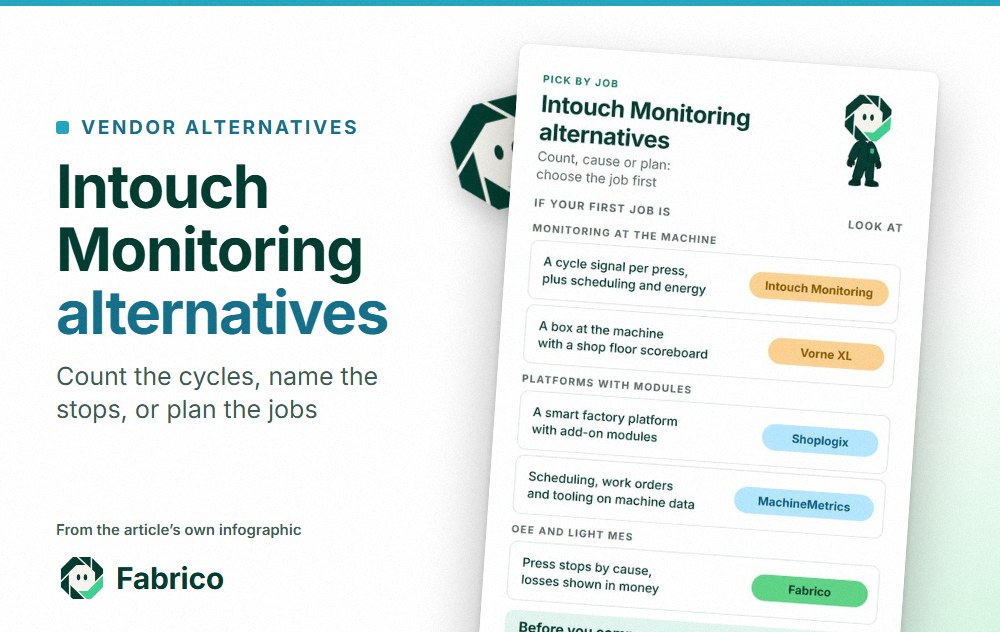
Intouch Monitoring Alternatives: Cycle Signals, Stop Causes or MES

In short: the right Intouch Monitoring alternative depends on where you want the count, the stop reason and the plan to live. Intouch Monitoring, the UK production monitoring company, reads a cycle signal from each machine and adds scheduling, downtime and scrap reports, energy monitoring and an AI layer. The alternatives here are Vorne XL, Shoplogix, MachineMetrics and Fabrico, grouped by the job they describe.
- Intouch's hardware page describes a module that takes a relay signal from each machine; its cloud software works out cycle time, active time and trailing time.
- Its site also covers a scheduling board, configurable analytics, Intouch Intelligence and an energy module.
- The useful split between vendors is where the count comes from, who adds the stop reason, and who owns planning.
- Vendor facts come from each vendor's own site as of 13.11.2026, linked in place.
Picture a moulding shop with thirty presses, a robot on most of them, a dryer per cell and an ERP that handles orders well. The production manager can see that press 12 made 2,700 parts against a plan of 3,000. The open question is where the other 300 went: a long mould change, a dryer alarm, a faulting robot, or slow cycles.
That gap decides which tool fits. Below: what Intouch Monitoring says it does, then four alternatives grouped by job. We make Fabrico, one of the four, and the page sets the options side by side. One note on names: Intouch Monitoring is not AVEVA InTouch HMI, which is a different product from a different company.
What Intouch Monitoring is (as of 13.11.2026, per intouchmonitoring.com)
Intouch describes itself as a production monitoring company founded in 1997, with software in more than 300 manufacturing sites (our story page). Its software is developed and supported by its own team in Northamptonshire, UK, and it has a US office in Rosemont, Illinois. The same page says Abingdon acquired Intouch in September 2026, with the founders still leading it. As of 13.11.2026, its pages say:
- The signal. The XTX016C module has 16 digital inputs and connects to Intouch's cloud service over the plant LAN. For discrete processes such as injection moulding or metal stamping, a relay closes once per machine cycle; for continuous processes such as extrusion, the signal comes from a rotary encoder. The cloud software then finds cycle time, active time and trailing time.
- Monitoring. The production monitoring page lists the questions it answers: are machines running, is the cycle speed acceptable, how many parts are made, and when the job will finish.
- Scheduling. A scheduling board designed to integrate with ERP systems, per the Intouch home page; the scheduling page names changeover times, delays and clashes, and stock forecasts.
- Analytics. Configurable dashboards, plus archived data for comparing periods and KPIs by machine, tool or operator, and real-time OEE calculations (analytics page).
- Intouch Intelligence. AI that reads machine status, cycles, downtime reasons and scrap, writes a summary at the top of a report, ranks what to fix, and offers a chat assistant called Ask Intouch. Its reports cover OEE, downtime, scrap and tool changes (Intelligence page).
- Energy. An energy monitoring module, described as an add-on of the production monitoring system, with anomaly and peak load analysis (energy page).
- Screens. Its Intouch FAQ says third-party tablets can serve as an HMI if they run a modern web browser, and the system opens in a phone browser.
Intouch's pages also quote customer results; those are vendor-reported, so we leave them out.
Worth asking Intouch: which screen operators use to enter downtime reasons and scrap at the press, and how a late job shows up on the scheduling board.
When a cycle-signal system makes sense
- Your machines are cyclic, like presses, and one relay per cycle tells you most of what you need.
- Output, run time and job finish times are the questions your production team asks most often.
- Scheduling sits close to monitoring in your plant, and you want both from one supplier.
- Energy per machine matters to your costs as much as uptime. Our article on energy monitoring vs OEE shows how the two differ.
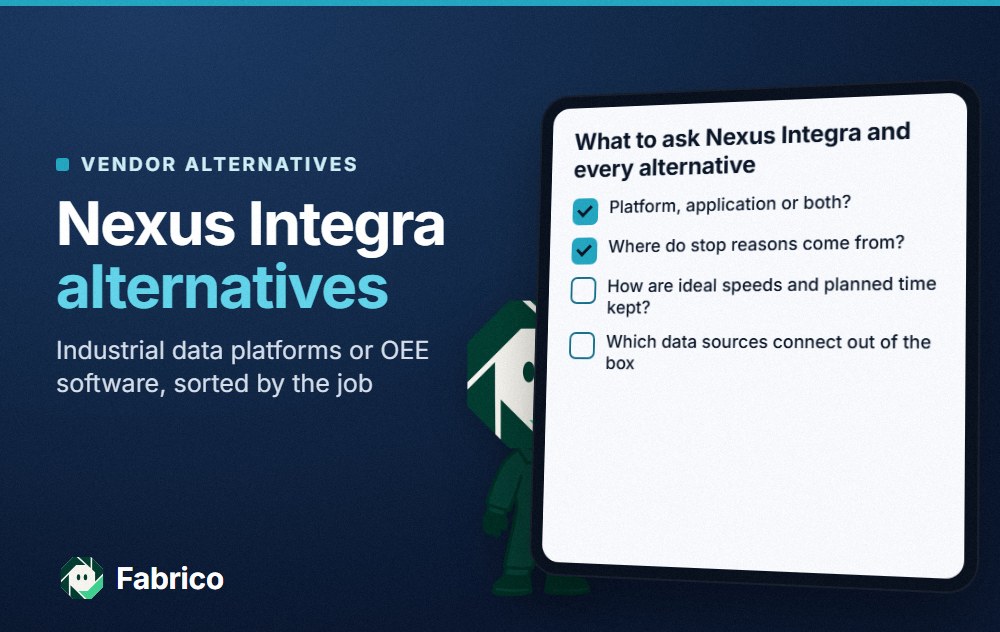
If those fit, a cycle-signal system is a sound route. Whichever route you take, compare how each option records the stop reason and puts a cost on it.
Where the count and the stop reason come from
Every tool on this page starts from a machine signal of some kind: a relay, a sensor, a PLC or, at Fabrico, also the camera add-on at a manual station. The signal is good at counting and timing. It does not know that a stop was a mould change rather than a dryer alarm. That part comes from an operator on a tablet, a barcode scan, or a rule set by the vendor or the plant. Our guide to MES vs machine monitoring covers where each layer ends.
Intouch Monitoring and four alternatives at a glance
This is our reading of each vendor's site on 13.11.2026; the links sit in each section below. No row outranks another. Intouch is the reference row, and Fabrico comes next because this page is ours.
| Option | Machine data, per its site | Also on its site | Ask the vendor |
|---|---|---|---|
| Intouch Monitoring (reference) | Relay cycle signal into an XTX module | Scheduling board, energy, AI reports on downtime and scrap | How are stop reasons entered? |
| Fabrico | PLC, IoT device with sensors, or camera add-on | Light MES, losses in money, work orders | How are reason codes set up? |
| Vorne XL | One or two sensors, or an existing photo-eye, relay or PLC | Scoreboard, barcode reasons, built-in reports | Where is the data kept? |
| Shoplogix | Connects to any machine | Add-on modules, Pulse AI assistant | Which modules come first? |
| MachineMetrics | Machines old and new, plus ERP and CMMS | Scheduling, work orders, tooling, quality | Which machine connections come first? |
Want to see stop causes and losses in money next to a cycle count? Walk through your press list in a demo.
Fabrico: press stops by cause, with losses in money
We make Fabrico, so read this as our own description, checked against our overview page and our light MES guide. For the moulding shop in the opening, the count is rarely the hard part. The hard part is turning 72 stopped minutes into named causes, adding the slow cycles and the start-up scrap, and putting a cost on each.
Connecting the presses. Where a press or its robot has a usable PLC, Fabrico reads cycles, stops and output from it, over the protocols on our connectivity page. An older press without a usable controller gets a Fabrico IoT device with external sensors. A manual degating or packing bench with no signal can have its output counted by the camera add-on; video for a chosen moment of the shift is streamed when someone opens it and, in the standard setup, not stored in Fabrico (camera add-on page). All three sources feed the same OEE calculation.
From stopped minutes to causes. A stop on a connected machine is recorded with the time it started and how long it lasted. Micro-stops are picked up from the machine signal, including ones too short for anyone to write down, and the operator tags the cause on a tablet or phone. Good parts and scrap can be entered on a tablet where no sensor counts them, so the first shots after a mould change land in the quality factor rather than vanishing.
What the production manager reads. Availability, performance and quality by press and shift, downtime by cause, and the losses shown in money. Our overview describes a rollout in four moves: connect one representative line, measure its losses in money, act on the highest-value ones, and prove the recovered value. When a stop needs a repair, a technician opens a work order from that stop on the same machine record.
What stays in the ERP. Fabrico is a light MES. Job dispatching, BOMs, routings and genealogy stay in the ERP, and a connection to SAP or another ERP is scoped per customer through REST APIs. That split follows the ISA-95 enterprise-control integration standard: IEC 62264-1, its international edition, describes manufacturing operations management as Level 3 and the enterprise domain as Level 4. Data also leaves through webhooks and Excel or CSV export. EU customers are hosted on AWS in Frankfurt.
For moulding detail, see OEE for injection moulding and MES for plastics injection moulding.
Vorne XL: a box at the machine with a scoreboard
Vorne sells XL as a device that sits at the line. Its XL product page says, as of 13.11.2026:
- XL wires to one or two sensors, such as a photocell or proximity sensor, or taps into an existing photo-eye, relay, PLC or proximity switch, and generates over 100 metrics from counts and cycles.
- Any size TV or monitor can act as an operator scoreboard over HDMI.
- Operators scan down and reject reasons with a barcode scanner over USB.
- Reporting and configuration run in the browser over Ethernet, with data stored behind the plant's firewall.
- Built-in reports include a shift timeline, downtime Pareto by reason, OEE and TEEP, plus email reports and email or text alerts.
Compared with Intouch: both start from a simple signal at the machine. Vorne's page puts reason entry on a barcode scanner and the display on a scoreboard at the line, with data kept on the plant network; Intouch's pages describe a cloud service behind its modules.
Shoplogix: a smart factory platform with add-on modules
Shoplogix describes a smart factory platform for manufacturers. The Shoplogix home page says, as of 13.11.2026:
- It connects to any machine on the shop floor to find bottlenecks and cost-saving opportunities that production teams can act on.
- Pulse AI is an assistant built inside Shoplogix that answers questions about OEE, downtime, quality, shifts or jobs from live data, with numbers cited.
- Add-on modules include maintenance reliability, team communication, quality management, production and labour efficiency, batteryless IoT sensors and machine health monitoring.
- Industry pages cover food and beverage, CPG and FMCG, automotive, packaging and building materials.
Compared with Intouch: both pair machine monitoring with an AI assistant on the same data. Shoplogix lists maintenance, quality and labour as add-on modules; Intouch lists scheduling and energy. Our Shoplogix alternatives page goes further.
MachineMetrics: an operations platform for discrete manufacturing
MachineMetrics presents MaximaOS as an operations platform running on real-time machine data. The MachineMetrics home page says, as of 13.11.2026:
- It is purpose-built for discrete manufacturing and calls itself a next-gen MES.
- It connects machines old and new, plus the ERP, the CMMS and documented knowledge, into one model.
- Its execution layer covers scheduling, work orders, labour, tooling and quality on that model.
- Max AI runs beneath MaximaOS, drawing on live machine data and ERP context.
Compared with Intouch: both put scheduling next to monitoring. MachineMetrics frames the whole set as an MES for discrete plants; Intouch frames it as production monitoring with scheduling and energy alongside.
Which Intouch Monitoring alternative fits
- A cycle signal per press, with downtime and scrap reports, scheduling and energy from one supplier: Intouch Monitoring.
- A device per line, a scoreboard and barcode reasons, data kept on site: Vorne XL.
- Monitoring first, then maintenance, quality or labour modules added later: Shoplogix.
- Scheduling, work orders and tooling on machine data in a discrete plant: MachineMetrics.
- Press stops by cause and losses in money, with repair work orders on the same machine record and orders left in the ERP: Fabrico.
Plants weighing the camera add-on for manual benches can read our computer vision for plastics injection moulding guide first.
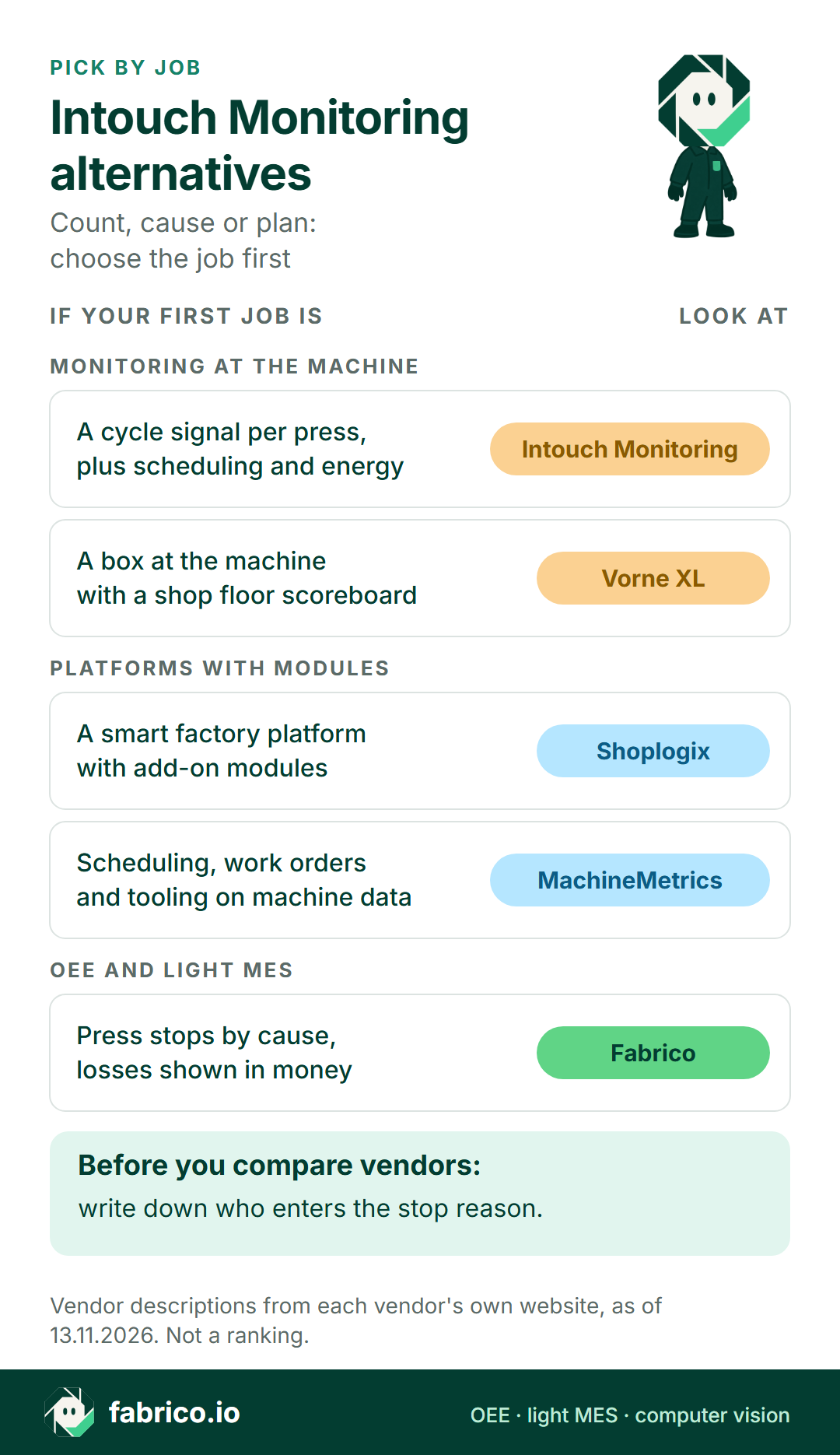
Text version of this infographic
Pick-by-job card for Intouch Monitoring alternatives: a cycle signal per press with scheduling and energy (Intouch Monitoring), a box at the machine with a scoreboard (Vorne XL), a platform with add-on modules (Shoplogix), scheduling and tooling on machine data (MachineMetrics), and press stops by cause with losses in money (Fabrico).
Worked example: one press shift, counted and explained
Made-up numbers for one 450 minute shift on a four-cavity press with an ideal cycle of 30 seconds, so 8 parts a minute at best. No customer data and no product screen.
Availability. The press stopped for 72 minutes: a 45 minute mould change, a 15 minute dryer alarm and eight short gripper faults adding up to 12 minutes. Run time is 450 minus 72, or 378 minutes, so availability is 378 / 450 = 84.0%.
Performance. In 378 minutes the ideal is 378 x 8 = 3,024 parts. The press made 2,700, so performance is 2,700 / 3,024 = 89.3%. The cycle had drifted to about 33.6 seconds, which a cycle signal shows clearly.
Quality. 72 parts were scrapped, most of them first shots after the mould change, leaving 2,628 good. Quality is 2,628 / 2,700 = 97.3%.
OEE. 84.0% x 89.3% x 97.3% = 73.0%. As a check, 2,628 good parts at 8 a minute need 328.5 minutes, and 328.5 / 450 = 73.0%.
A cycle signal alone tells you that the press lost 72 minutes and ran slow. The causes, the scrap and the cost need the second half of the diagram above. See OEE calculation for the formula and our OEE software guide for the wider category.
Questions for any vendor on this list
Ask the same things of every option, us included.
- Where does the count come from? Relay, sensor, PLC or camera, and what happens on a press with none of them.
- Who enters the stop reason, on which device, and what happens to unexplained minutes?
- How is scrap counted? By sensor, by tablet entry, or from the ERP after the shift.
- How is OEE defined? Mould changes, breaks and the ideal cycle per tool.
- Where is the data kept, and how does it leave: API, exports or an ERP link?
- Which modules are needed for the first press group, and which can wait?
Our light MES vs full MES article helps if planning and execution are on the same list.
What people ask next
Is Intouch Monitoring the same as AVEVA InTouch?
No. Intouch Monitoring is a UK production monitoring company founded in 1997. AVEVA InTouch HMI is a different product from a different company. This page is about Intouch Monitoring.
What does Intouch Monitoring measure?
Per its hardware page, an XTX module takes a cycle signal from each machine, and its cloud software finds the cycle time, active time and trailing time to show output in real time. Its analytics pages add dashboards, archived data for comparing periods and real-time OEE calculations, and its Intelligence page says the reports also read downtime reasons and scrap.
Does Intouch Monitoring include scheduling?
Yes, its site describes a scheduling board that is designed to integrate with ERP systems, with pages on reducing changeover times, spotting delays and clashes and forecasting stock requirements.
How is Fabrico different from Intouch Monitoring?
Fabrico is a cloud OEE and light MES platform. Stops and counts come from a PLC, a Fabrico IoT device with external sensors or the camera add-on, operators tag the cause on a tablet or phone, and losses are shown in money. Job dispatching, BOMs and routings stay in the ERP.
What should I ask about stop reasons on a cycle signal system?
Ask who enters the reason, on which device, how long after the stop, and what happens to minutes nobody explains. A cycle signal shows that a press stopped and for how long; the reason comes from a person or a rule.
Why can a press look busy and still have a low OEE?
Because availability is one of three factors. Slow cycles lower performance and start-up scrap lowers quality, so a press that rarely stops can still lose a quarter of its shift. The worked example on this page shows the arithmetic.
See a press shift split into causes and money in a demo, or send a question through our contact page.
Related articles



Real Fabrico tiles, sample data.