


 Login
 Blog
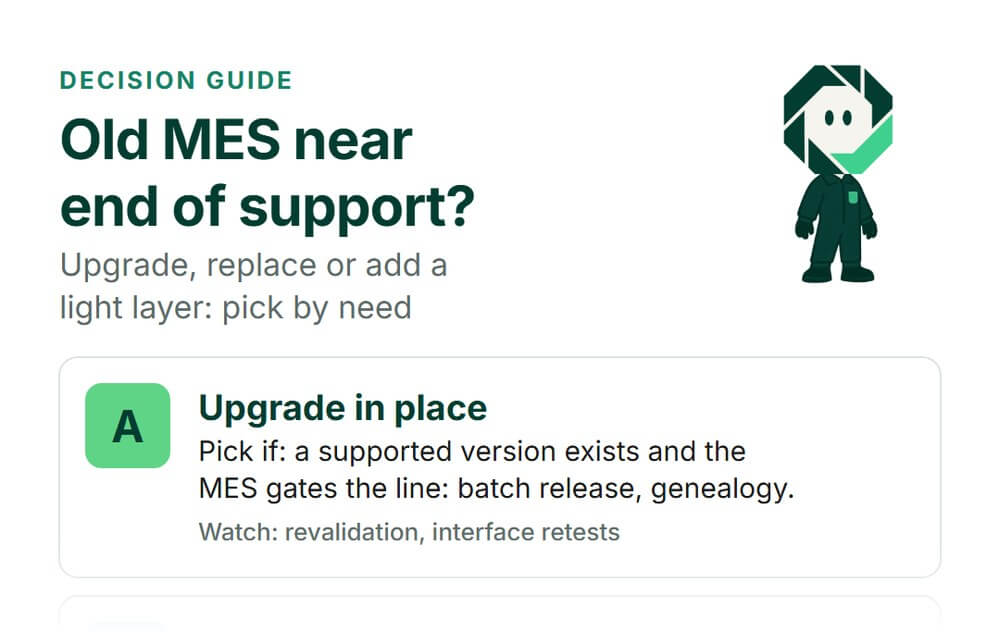
Legacy MES Near End of Support: Upgrade, Replace or Add a Light Layer?

In short: when an old on-premise MES nears end of support, upgrade it if it gates the line and a supported version exists, replace it if it mostly makes reports, and contain it while a light layer covers the lines and OEE data it never reached. Many plants end up with a mix.
- The deadline is the earliest end date of three things: the MES version, its operating system and its database.
- Split the old system by function: what gates production, what records data, what only reports.
- Containment buys time. It is a bridge with an end date, not a strategy.
- Migrate master data, archive the history read-only, and run old and new side by side before cutover.
Your MES has run the plant for ten years or more. Now a support letter has arrived, or IT has flagged the server it runs on. This guide is for plant managers, engineering and IT/OT leads who have to choose a path and defend it to finance and to the people on the line.
We sell Fabrico, a light MES and OEE platform, so we have a side in this. Test what we say here like any other vendor's claims.
Why the end-of-support date forces the choice
An MES is a stack. The application sits on an operating system and a database, and each has its own support calendar. The earliest date is your real deadline.
If your MES went in around the middle of the 2010s, check which server and database versions it runs on today. For the 2016 generation the dates are close or already past. Microsoft's lifecycle page for Windows Server 2016 lists extended support until January 2027, with Extended Security Update (ESU) years listed until January 2030. The page for SQL Server 2016 shows that extended support ended in July 2026, with ESU years listed until July 2029. Windows Server 2012 R2 ended extended support in October 2023, and its last listed ESU year ended in October 2026.
Microsoft's ESU FAQ calls these updates a paid, last-resort bridge: security fixes only, no new features, no general technical support. They do nothing for your MES vendor's support. Check all three layers for your exact versions.
Public guidance points the same way. In their Product Security Bad Practices guidance (version 2.0, January 2025), the US agencies CISA and FBI write that software makers should clearly communicate the period of support for their products at the time of sale. If your MES vendor never gave you that date, ask for it now, in writing.
Three paths, and the mix most plants pick
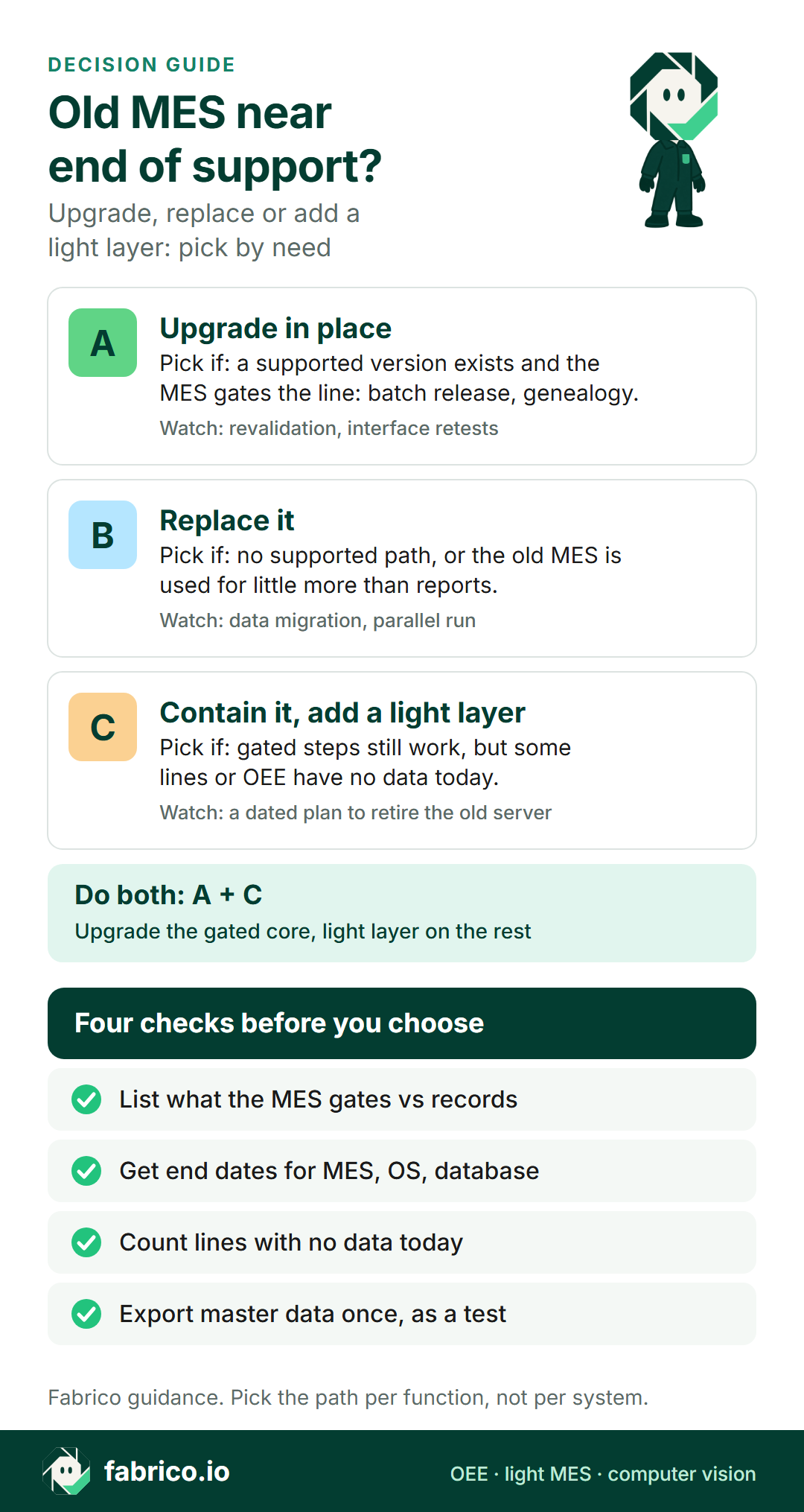
There are three clean paths and one common mix.
| Path | What you do | Main risk | Fits when |
|---|---|---|---|
| A. Upgrade in place | Move to the vendor's supported version | Revalidation, interface rework | The MES gates the line and a path exists |
| B. Replace | New MES, full or light, takes over | Migration, long parallel run | No supported path, or little real use |
| C. Contain, add a light layer | Isolate the old MES, cover gaps with a light layer | Old server stays a known risk | Gated steps work, coverage is the gap |
| A + C | Upgrade the gated core, light layer on the rest | Two systems to keep aligned | Mixed plant, mixed needs |
A light layer here means a light MES: machine data collection, production monitoring, OEE and downtime analytics. See what a light MES covers, and light MES vs full MES if the real question is which depth you need next.
Start with an inventory, not a vendor list
Before you call anyone, list what the old MES actually does today. Not what it was bought to do. Interview the people who use it and pull the usage logs if they exist. Sort each function into one of three groups.
- Gates the line. The line waits for it: batch or lot release, label and material checks, genealogy records that a customer or an audit requires. These carry the most risk in any change.
- Records data. Counts, stops, stop reasons, scrap, orders and shifts. Valuable, but the line keeps running if it pauses.
- Reports only. Shift reports, OEE dashboards, exports to spreadsheets. Often the biggest part of real use, and the easiest to move.
Add three more columns: which lines each function covers, who owns it, and which interfaces it depends on (ERP orders, label printers, scales, PLCs). Check the packing, palletising and manual stations in particular: an MES scoped around the process lines may never have reached them.
If your machines have HMIs but no clean signal to read, HMI data collection for OEE covers the options for the uncovered lines.
Upgrade, replace or contain: how to decide
Pick an upgrade if the MES gates production, the vendor offers a supported version, and someone in the plant still owns the configuration. You keep validated processes and trained users. Plan for revalidation and interface retests as if it were a new project, because a jump of several versions often is.
Pick a replacement if there is no supported path, if heavy custom code has no owner, or if the inventory shows the MES is used mostly for reports. In that last case, a light MES may replace it at lower effort. If you need a full MES again, compare options with our MES alternatives review, and read why MES implementations fail before you scope it.
Contain it and add a light layer if the gated steps still work but the gaps are elsewhere: lines with no data, no OEE, reports nobody trusts. Isolate the old server on its own network segment, limit access, take a read-only export, and set an end date. Then put the light layer where the value is.
Do both if the plant is mixed. Upgrade the core that gates the line, and cover the remaining lines and OEE with a light layer. Give each function one owner, and use the same order, SKU and shift IDs in both systems.
| Situation | Lean toward | Why |
|---|---|---|
| Batch release or genealogy runs in the MES | A, or A + C | Those steps stop the line if they fail |
| Vendor offers no supported version | B | Containment only buys time |
| MES used mainly for shift reports | B to a light MES | You pay to keep a report engine alive |
| Packing or manual lines have no data | C, or A + C | Coverage is the gap, not the core |
| Deadline in under a year | C now, A or B next | Isolate first, then do it properly |
| Heavy custom code nobody owns | B | Upgrades break code without an owner |
Want to see a light layer next to an existing MES? Book a demo and bring your function inventory.
Worked example: four paths for one plant
Illustrative, sample data. A plant has 8 lines. The old MES covers the 5 processing and filling lines, including batch release. The 3 packing lines have no data. The table counts internal staff hours only: IT, OT, quality and engineering. Vendor fees are left out because they depend on each quote.
- A. Upgrade in place: version and data migration 160 h, revalidation 240 h, interface retests 120 h, new server, operating system and database 160 h. Total: 160 + 240 + 120 + 160 = 680 h. Lines with data: still 5 of 8.
- B. Replace with a new MES: requirements and selection 200 h, data migration 320 h, interfaces 240 h, validation 320 h, training 160 h. Total: 200 + 320 + 240 + 320 + 160 = 1,240 h. Lines with data: 8 of 8.
- C. Contain and add a light layer: isolate and harden the old server 120 h, read-only archive export 80 h, light layer on the 3 packing lines 160 h. Total: 120 + 80 + 160 = 360 h. Lines with data: 8 of 8, but the old server still runs past support.
- A + C: the upgrade plus the light layer on the packing lines. Total: 680 + 160 = 840 h. Lines with data: 8 of 8.
Read it this way. C needs the fewest hours to get all 8 lines measured, but it does not remove the risk of an unsupported server; it gives you time to do A or B properly. A + C costs 160 h more than A alone, or 23.5% more (160 / 680 = 0.235), and closes the data gap on 3 lines. B costs 400 h more than A + C (1,240 minus 840) and only makes sense if the gated core also needs a new home.
Replace each figure with your own estimate, then multiply by your internal hourly cost and add the vendor quotes for the same line list.
Data migration: move the master, archive the history
Most migration pain comes from trying to move everything. Split the data in two.
- Master data moves: products and SKUs, lines and machines, stop reason trees, shift patterns, users and roles. Clean it on the way. A reason tree with 200 codes that nobody uses is a good moment to cut to the 20 that matter.
- History stays readable: export years of transactions to an open format (CSV or a database copy) and keep it read-only for audits and trend questions. Migrate only the periods someone will actually report on, often the last 12 months.
- IDs stay the same: order numbers, SKU codes and shift names must match across old and new, or nobody can compare before and after.
Test the export in week one, not at cutover. Our OEE data exit plan lists what to ask for, and switching OEE software covers the change when only the OEE layer moves.
Run old and new side by side
Never cut over a plant on one weekend. Pick one line, keep its gated steps in the old MES, run old and new in parallel, and compare per shift: good count, stop minutes, number of stops, scrap. Our guide to switching OEE software shows that per-shift comparison step by step. Agree the allowed difference in advance, for example counts within 1%. When the line passes for two weeks, switch it and move to the next.
Check the uncovered lines differently: there is nothing to compare against, so compare the new counts with a hand tally for a few shifts, and the stop log with what the line leader remembers.
Questions to put to your MES vendor and your own team
- What is the support end date for our exact version, and for the operating system and database under it?
- Is there an upgrade path, and how many versions do we have to jump?
- Which functions gate the line today, and what happens if each one is down for a shift?
- Which custom code and interfaces do we have, and who can still change them?
- Which lines and stations have no data in the MES today?
- Can we export all master data and history in an open format, and how long does it take?
- How many internal hours does each path need, counted the same way?
- If we contain the old system, who isolates it, who watches it, and by which date is it retired?
- How will old and new share order, SKU and shift IDs during the parallel run?
Where Fabrico fits
Fabrico is a light MES and OEE platform. It is a candidate for the light layer in paths B, C and A + C. It runs in the cloud; EU customers are hosted on AWS in Frankfurt.
- Machine data: Fabrico reads cycles, stops and output from the line's PLC. On older machines, a Fabrico IoT device with external sensors collects the production signal.
- Camera add-on: at manual stations or machines with no usable signal, the camera add-on counts output, and you can open the camera video for a stop at a camera station. In the standard setup the video is streamed when someone opens it, not stored in Fabrico. Stop-reason suggestions from the camera are roadmap. See computer vision for OEE and computer vision for FMCG manufacturing.
- At the line: operators tag the cause of a stop on a tablet or phone, and a technician can open a work order from the stop.
- Analysis: OEE by machine and shift, downtime by cause, losses shown in money, and push, in-app and email notifications. See the solution overview and our guide to OEE software.
- Next to other systems: a REST API and webhooks, a connection to your ERP scoped per customer, Excel or CSV export, and bulk import from Excel, which helps when you move master data out of an old MES.
Production planning and scheduling are not part of Fabrico today. For the steps that gate your line in the old MES, ask in the demo how Fabrico would sit next to them.
Devices connected in about a month; full rollout in 3 to 4 months. For sector detail, see MES for mid-size FMCG plants and MES for food manufacturing.
What people ask next
How do we know our MES is near end of support?
Ask the MES vendor in writing for the support end date of your exact version. Then check the dates for the operating system and database it runs on, because the earliest of the three sets your deadline.
Can we keep running an MES after support ends?
You can, but you carry the risk. Without security updates, the usual step is to isolate the server on its own network segment, limit who can reach it, and set a dated plan to retire or upgrade it.
Is an upgrade cheaper than a replacement?
Often in licences, not always in effort. A big version jump can mean new interfaces, revalidation and retraining, close to a new project. Count internal hours for both paths before you compare.
What data should we migrate from the old MES?
Move master data: products, lines, stop reason trees, shifts and IDs. Archive the transaction history read-only in an open format, and migrate only what someone will actually report on.
Can a light MES run next to the old MES?
Yes, if each function has one owner. Keep the steps that gate the line where they run today, add the light layer on uncovered lines or for OEE, and share the same order, SKU and shift IDs.
How long should old and new run in parallel?
Long enough to compare counts and stops shift by shift until they match within a limit you set in advance. Cut over line by line, not the whole plant on one weekend.
Book a demo and bring your function inventory.
Related articles
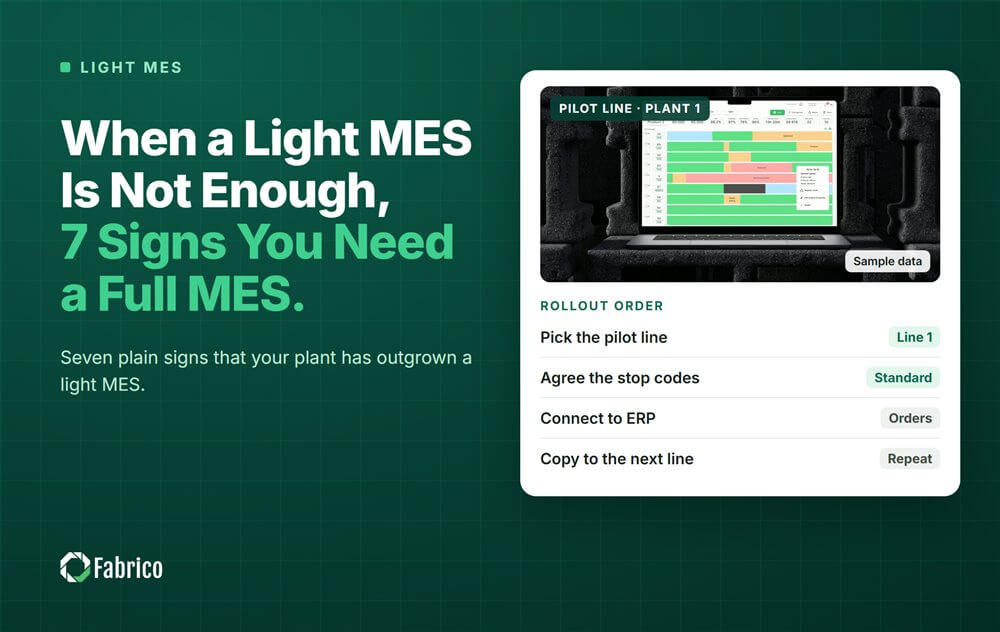
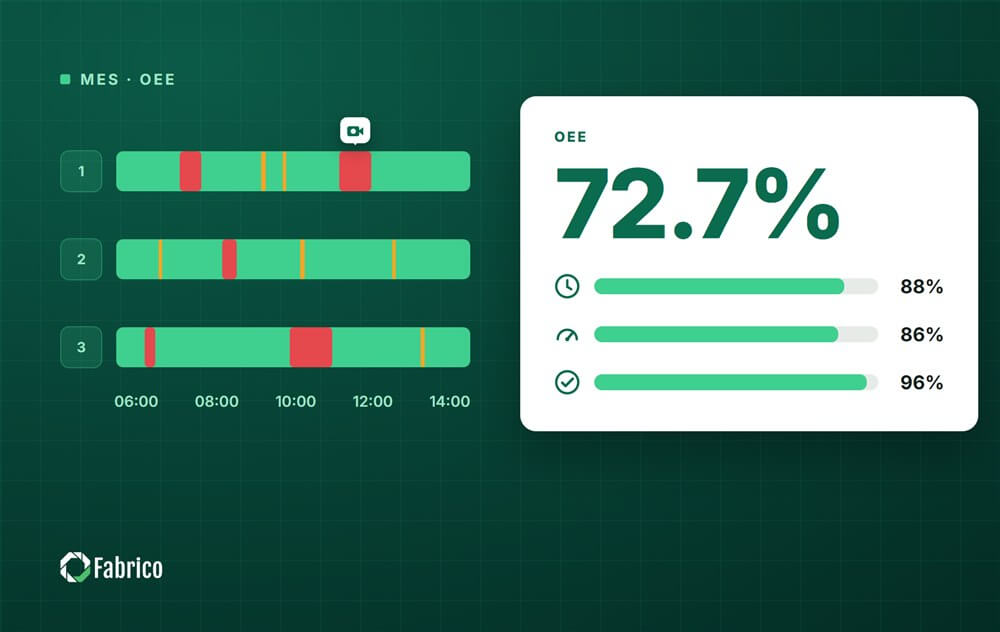




Real Fabrico tiles, sample data.