


 Login
 Blog
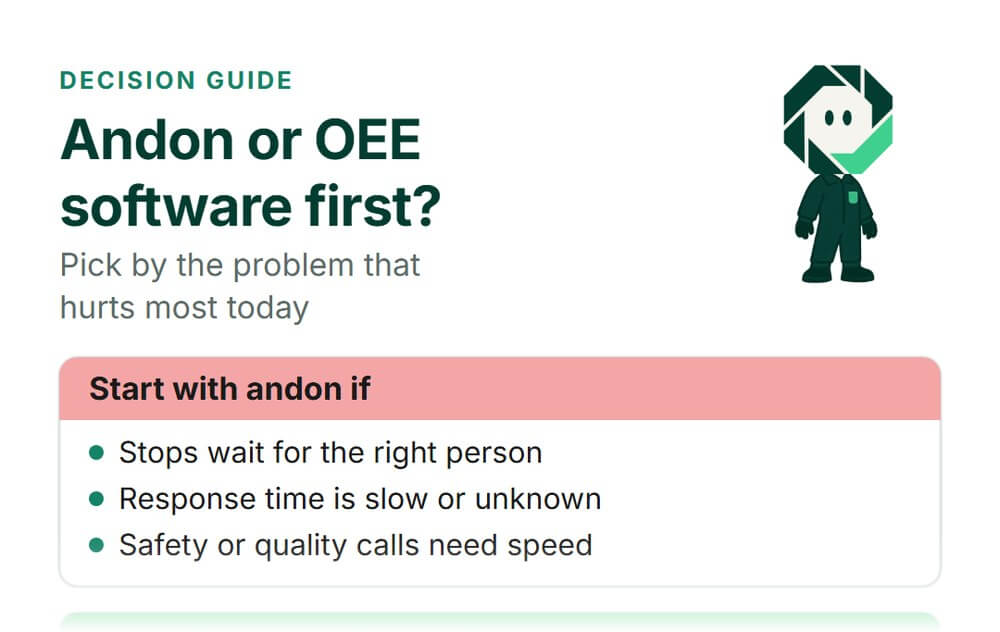
Andon System or OEE Software: Which Should Your Plant Buy First?

In short: Buy an andon system first if stops wait too long for the right person, and OEE software first if you cannot say which losses cost you the most. Most plants end up needing both, and the two should share one stop log.
- Andon answers "who helps, and how fast?" OEE software answers "where did the time go, and what do we fix first?"
- Waiting for help is part of the stop, so it sits inside OEE availability. Track it as a split of downtime, not as a new loss.
- In our sample shift, cutting the wait from 6 to 2 minutes a stop lifts availability from 62.2% to 71.1%.
- Pick by the problem you feel today, then ask any vendor the eight checks below.
You know the line loses time. The question is which tool to buy first: an andon system to call for help, or OEE software to measure losses. Both get sold as the fix for downtime, and both land on the same budget line.
This guide is for plant, CI and engineering managers making that call: what each tool is for, when each comes first, how they share data, and what a slow reply costs in availability.
We sell Fabrico, a cloud OEE and light MES platform, so read this as a vendor's view and test what we say like any vendor's claims.
Andon system vs OEE software: two different jobs
An andon is a call for help. Toyota describes it plainly: "When equipment stops, the andon (problem display board) lights up to notify workers of the abnormality" (Toyota Production System). The Lean Enterprise Institute adds the point that matters for buyers: "The illuminated number summons a quick response from the team leader" (LEI lexicon, andon). The andon's whole value is in the minutes after a problem starts.
OEE software works on a longer clock. It records when the line ran, when it stopped and why, and how many good units came out, then ranks the losses by line, shift and cause. Its value shows up over weeks of data, in the loss review.
| Question | Andon system | OEE software |
|---|---|---|
| Main job | Call for help now | Measure and rank losses over time |
| Time frame | Seconds to minutes | Shifts, weeks, months |
| Main user | Operator, team leader, mechanic | Plant, CI and maintenance leads |
| Key number | Time to respond | OEE and its losses |
| Input | A button, cord or tap | Run signal, count, stop reason |
| Fails when | Nobody owns the reply | Stops stay unclassified |
So the two are not rivals. One shortens the stop you are in. The other tells you which stops to remove for good. The choice is about order, not about which one wins.
For the deeper story on each, see our sibling pages: andon systems in manufacturing covers how an andon works, and OEE software covers what to expect from a measurement tool.
Pick andon first, pick OEE software first, or do both
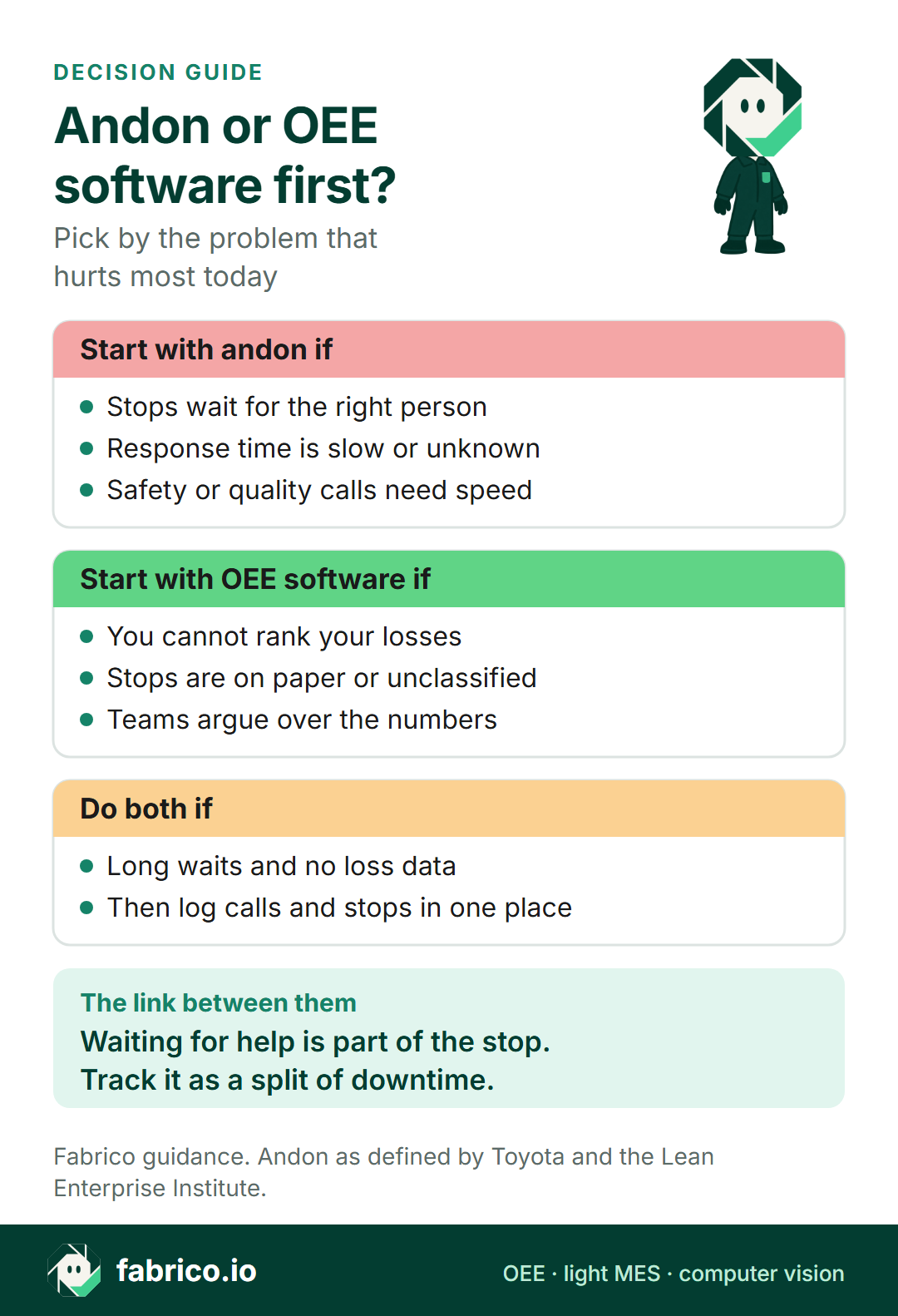
Pick an andon system first if:
- Operators say they wait for a mechanic, a quality check or material, and nobody can tell how long.
- Safety or quality problems need someone at the line in minutes, not at the next meeting.
- You already know your top losses, and slow replies are one of them.
Pick OEE software first if:
- You cannot rank your losses, or each department ranks them differently.
- Stops are logged on paper, late, or not at all, and a large share has no reason.
- You plan improvement projects and need a baseline to judge them against.
- Most of the downtime is long breakdowns or changeovers, not waiting for help.
Do both if:
- Waits are long and you also lack loss data. Then make both write to one stop log, so a call and a stop are the same event, not two records that never meet.
- You run an andon today with no measurement behind it. Add OEE software and log response time as a split inside the stop record.
| Your situation | Start with | Why |
|---|---|---|
| Stops wait for the right person | Andon | The wait is the loss you can see |
| Safety or quality calls must be fast | Andon | Speed of reply matters first |
| Nobody can rank the losses | OEE software | You need the Pareto first |
| Paper logs, numbers disputed | OEE software | One trusted count ends the debate |
| Long waits and no loss data | Both | Share one stop log |
| Andon already runs, no OEE | OEE software | Add response time as a split |
A plain rule: if you can name the top three losses with numbers, the gap is probably the reply. If you cannot, start by measuring. The numbers will tell you whether a faster call path is worth it.
Want to see stop data, reasons and alerts working together? Book a demo and bring your station list.
How andon and OEE software share data
An andon call and an OEE stop are often the same event seen from two sides. The andon sees "help needed at station 4, mechanic". The OEE record sees "line down 14 minutes, reason: jam". Join them and you get the piece neither has alone: how much of those 14 minutes was waiting, and how much was the fix.
R.C. Hansen's OEE method draws the same line. Repair time runs from when the mechanic arrives. Restore time runs from the end of production to the next production, and includes deciding, calling and travel. Availability counts the full restore time, so the wait is already inside it.
Three rules keep the shared data honest:
- No double counting. Waiting for help is not a new loss category. It is a split inside the stop, under the same cause. Add it again on top and your losses pass 100%.
- Same words in both lists. If the andon call types and the stop reasons use the same names, you join them without a mapping table.
- One clock. Both systems should use the same time source, so a call at 10:02 and a stop at 10:02 match.
Research on smart lean systems treats the andon as one part of a wider data flow. One paper in Sensors describes a design where "Operators can trigger different types of SLAE-ABOX buttons manually according to the abnormality of station to execute corresponding Andon functions", with team, quality and equipment calls as separate types (Ma, Wang and Zhao, Sensors, 2017). Typed calls like these are what make the join to stop reasons easy.
Our sibling guide on digital andon inside MES and OEE platforms covers the data trail in detail, and the escalation matrix for downtime covers who gets called and when. This page stays with the buying order.
What a slow reply costs in availability: worked example
Here is one shift on a line, with numbers chosen to show the arithmetic. Illustrative, sample data.
- Shift of 480 minutes with a 30-minute break and no relief crew. The break is excluded, so planned production time is 450 minutes.
- One planned changeover of 30 minutes.
- 10 stops that need help. Each one waits 6 minutes for the right person, then takes 8 minutes to fix.
- Ideal rate 60 units a minute. Performance 85% and quality 98%, held the same in both cases.
Before. Downtime is 10 x (6 + 8) = 140 minutes. Run time is 450 minus 30 minus 140, which is 280 minutes. Availability is 280 / 450 = 62.2%. OEE is 0.622 x 0.85 x 0.98 = 51.8%.
After a faster call path. The wait drops to 2 minutes a stop and the fix stays at 8. Downtime is 10 x (2 + 8) = 100 minutes. Run time is 320 minutes. Availability is 320 / 450 = 71.1%. OEE is 0.711 x 0.85 x 0.98 = 59.2%.
Check it a second way, from good units. Before: 280 x 60 x 0.85 x 0.98 = 13,994 good units. At the ideal rate that is 233.2 minutes of perfect output, and 233.2 / 450 = 51.8%, the same OEE. After: 15,994 good units, about 2,000 more a shift from the same machine and the same repairs.
The losses must add up to 100% with OEE. In the before case they do:
| Loss | Minutes | Share of 450 |
|---|---|---|
| Changeover (planned stop) | 30 | 6.7% |
| Downtime: waiting for help | 60 | 13.3% |
| Downtime: repair | 80 | 17.8% |
| Speed loss | 42 | 9.3% |
| Quality loss | 4.8 | 1.1% |
| OEE | 233.2 | 51.8% |
51.8 + 6.7 + 13.3 + 17.8 + 9.3 + 1.1 = 100.0%. The wait is 60 of 140 downtime minutes, so 43% of downtime here is waiting, not fixing. That is the number an andon attacks and an OEE tool can show. For the full method, see our page on OEE calculation.
Two cautions. The extra units only become money if this line is the constraint and you can sell the output, so value the minutes at the constraint. And your own split may differ: if the wait is a small share and the fix is the problem, a faster call path helps little.
Measure your wait share first. Before you buy either, log the call time and the arrival time for the stops that need help for one week, even on paper. As a rule of thumb, not a benchmark: if waiting is more than about a third of downtime, the call path is your first lever. If it is small, start with the loss data.
Checklist: eight questions before you buy either one
Put these to any vendor, and to your own team. They work for andon tools, OEE software and platforms that claim both.
- Does a stop record keep the wait and the fix as separate times, under one cause?
- Can the andon call types and the stop reasons share one list?
- Who gets an alert, by which channel, and what happens if nobody replies?
- Where does the stop signal come from: the machine, a sensor, a person, or a camera count?
- How does an operator add a reason, and how many taps does it take at the line?
- Can you see response time by shift, line and call type, not just an average?
- How does data leave the system: API, webhooks, file export?
- Who on our side owns the reply to a call, and who owns the weekly loss review?
The last question is for your team. An andon nobody answers trains people to stop pulling it. An OEE report nobody reviews becomes a screen on the wall.
If you are comparing products, our buyer pages go deeper: digital andon system software, OEE software reviewed, machine monitoring software and daily management system software.
Where Fabrico fits
Fabrico is OEE and light MES software. Here is what it does today, and what it does not.
- Stops and counts come from the line's PLC, or from a Fabrico IoT device with external sensors on older machines. The operator tags the stop reason on a tablet or phone.
- Losses show by stop cause and in money, so the weekly review starts from the biggest loss.
- Alerts: the product overview lists push, in-app and email notifications, with rules for who is told about what.
- Data out: a REST API, webhooks and Excel or CSV export, so stop data can sit next to an andon you already run.
- Camera add-on: AI cameras (an add-on) count output at manual steps or machines with no usable signal. Video is streamed on request, not stored in the standard setup. See the computer vision add-on.
If you need light towers, call buttons or escalation tiers, ask in the demo how alerts and andon calls are handled, and test it on a real call. Camera-detected stops are on the roadmap, not a feature today.
If your plan is to measure first and add a faster call path later, our page on light MES shows how the pieces fit in one system. For FMCG lines with manual packing, see computer vision for FMCG manufacturing.
What buyers ask next
Can OEE software replace an andon system?
Not on its own. OEE software tells you where time went after the fact. An andon gets the right person to the line now. Some OEE and light MES tools send alerts when a line stops, which covers part of the andon job. Check that the alert reaches a named person fast enough, and that someone owns the reply.
Is response time part of OEE availability?
Yes. Waiting for help happens while the line is down, so it sits inside the downtime of that stop. Track it as a split of the stop, wait and repair, not as a separate loss. If you add it again on top, you count the same minutes twice.
Should andon calls and OEE stop reasons use the same list?
Use one list where you can. If the andon call type is mechanic, quality or material, and the stop reason list uses the same words, the two data sets join without a mapping table. Keep the andon list short, because operators pick it under pressure.
Which one pays back sooner?
It depends on where your minutes go. If long waits are a big share of downtime, a faster call path frees time quickly. If you do not know where the minutes go, OEE software comes first, because you cannot rank what you do not measure. Work it out with your own shift data, not a vendor average.
How does Fabrico handle andon calls and alerts?
Fabrico's product overview lists push, in-app and email notifications, with rules for who is told about what. If you need light towers, call buttons or escalation tiers, ask in the demo how alerts and andon calls are handled, and test it on a real call.
Do we need new hardware for either one?
Not always. A basic andon can be a button or a tablet screen. OEE software needs a run signal and a count from the machine, from a PLC, a sensor or a counter. On manual steps, a person or a camera count can fill the gap.
Want to see stops, reasons and alerts on a line like yours? Book a demo.
Related articles


Latest from our blog






Real Fabrico tiles, sample data.