


 Login
 Blog
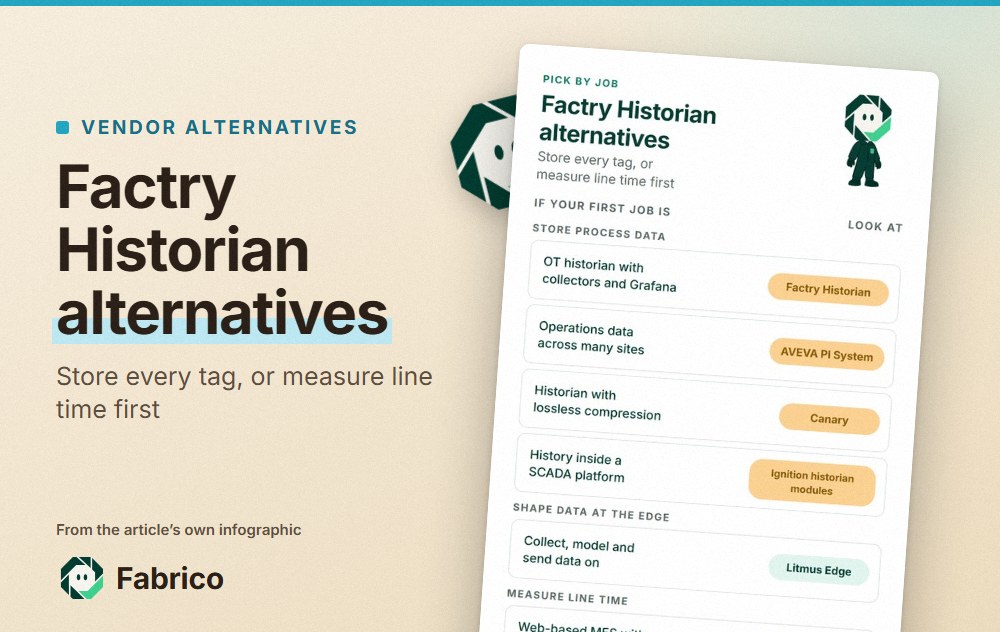
Factry Historian Alternatives: Historians, Edge Data or OEE First

In short: the right Factry Historian alternative depends on whether you need to store process data or measure line time. To collect and keep time-series tags from PLCs, sensors and SCADA, compare Factry Historian with AVEVA PI System, Canary and the Ignition historian modules, or an edge platform such as Litmus Edge. If the first question is OEE and lost minutes per line and shift, Factry's own FactryOS or a light MES such as Fabrico starts there.
- Factry, based in Gent, Belgium, sells Factry Historian, which it calls an open solution for OT data, and FactryOS, a web-based modular MES with OEE tracking.
- Historians store the signal; an OEE layer turns stops and counts into shift losses. Many plants run both.
- Every vendor fact links to the vendor's own page, read on 13.11.2026.
Take a dairy plant with three filling lines, a CIP system and a cold store. The process engineers want every temperature, flow and pressure tag kept for years, with batch context, so they can trace a quality deviation back to a pasteurizer. The plant manager wants something narrower: why line 2 loses an hour a shift, and which causes cost the most. A Factry proposal can touch both, through Factry Historian and FactryOS.
This page sets out what Factry's pages say, then five alternatives grouped by the job they lead with. We make Fabrico, one of them, so hold our section to the same standard as the others.
What Factry sells, per its own pages (as of 13.11.2026)
Factry's address on its Factry home page is in Gent, Belgium. The home page says Factry Historian collects, stores, structures, processes and analyses data from OT systems, and that its APIs follow the OpenAPI standard. The Factry Historian product page adds:
- Collectors. Data from machines, sensors and edge devices comes in through Factry's collectors, with high availability and store-and-forward.
- Data out. Data can be pushed and pulled through a REST API, MQTT pipelines or native database access.
- Where it runs. The page calls it modular and scalable, deployed on premises, in a central data center or in the cloud.
- Events. It captures moments such as batch completions, product changes and unplanned downtime.
- Grafana. A Grafana plugin lets users browse assets, load metadata and view batch-specific data.
Next to the historian, the FactryOS page describes a web-based, modular MES with standard modules such as order execution, OEE tracking, checklists and recipe management. It says FactryOS detects, classifies and analyses downtime, waste and performance losses, and integrates with ERP, LIMS, SCADA and PLC systems and label printers through its message queue.
Worth raising with Factry: which data sits in the historian and which in FactryOS, and how downtime events link the two.
Historian, edge platform or OEE layer?
These are three different jobs. A historian stores time-series tags with context, for engineers and quality teams. An edge platform collects and shapes data near the machines and passes it on. An OEE layer, or light MES, counts output, records stops and their causes, and shows losses by line and shift. In ISA's ISA-95 levels for plant systems, the OEE layer and MES sit at Level 3, above line control; the international edition is IEC 62264-1:2013 from the IEC. For the OEE figure, ask each vendor to show its formula against the OEE definition in ISO 22400-2.
Factry and five alternatives at a glance
Each line paraphrases the vendor's own page as read on 13.11.2026, with the links further down. Factry Historian comes first as the subject and Fabrico second because we wrote the page; the rows after that follow no order.
| Tool | Main job, per its site | Named features | Question to ask |
|---|---|---|---|
| Factry Historian (reference) | OT data historian | Collectors, store-and-forward, Grafana plugin | Which events link to FactryOS? |
| Fabrico | Light MES and OEE | Stops and counts from the signal, causes from operators | How is a manual station counted? |
| AVEVA PI System | Operations data management | Sub-second data, asset models, multi-site cloud | Which connectors does our plant need? |
| Canary | Historian for industrial automation | Lossless compression, Views, Axiom | How are downtime events defined? |
| Ignition historian modules | Historian inside Ignition | Core Historian, SQL Historian Module | SQL database or the built-in store? |
| Litmus Edge | Industrial edge data platform | Local time-series storage, built-in KPIs | Which systems will it publish to? |
To see the line-time side, bring one filling line's stop notes from last week to a Fabrico demo.
Fabrico: lost minutes per line, next to the historian
We make Fabrico, a cloud light MES and OEE platform. It is not a process historian: temperature, flow and pressure tags stay in your historian. For the dairy plant above, it takes the plant manager's question, per our MES and OEE overview:
- Fillers and case packers. Line PLCs already hold cycles, cup counts and stoppages; Fabrico reads them (machine connectivity) and records a stoppage with its start and duration. Short jams at the case packer that never reach a shift log are taken from the same signal and kept apart from long stops.
- Older equipment. A sleever or palletiser without a readable controller gets a Fabrico IoT device with external sensors, so the PLC program is left alone.
- Manual packing tables. Where people pack by hand, the camera add-on counts packs. In the standard setup the video is streamed when someone opens a moment of the shift and is not stored in Fabrico (how the camera add-on works).
- Reasons at the filler. Line operators tag the reason on a tablet or phone from the plant's own list, and if a filler stop needs a fitter, the technician opens a work order from it on the machine record.
- Loss view per filling line. OEE splits into availability, performance and quality by line and shift, and groups with several sites compare them in the multi-plant view. The interface is available in English, German, French, Polish and Bulgarian.
- Next to historian data. The REST API, webhooks and Excel or CSV export let shift results sit beside historian trends in your own reports, and a link to SAP or another ERP can be scoped per customer. EU customers are hosted on AWS in Frankfurt.
Not in Fabrico: process tags such as pasteurizer temperatures and CIP flows belong in the historian, and dispatching, BOMs, routings and genealogy stay in the ERP or MES. Production planning and scheduling are on Fabrico's roadmap, not in the product yet.
Sample: one 12 hour shift on a cup filling line
These numbers are invented to show the method; no customer site or product screen sits behind them. The shift has 690 planned minutes after a 30 minute break. The filler's ideal rate is 100 cups a minute.
Stops took 73 minutes: a 40 minute CIP overrun, an 18 minute film reel change and 22 short stops at the case packer that added up to 15 minutes. Run time is 617 minutes, so availability is 617 over 690, 89.4%. At 100 cups a minute, 617 minutes allow 61,700 cups. The line filled 56,000, so performance is 90.8%, and the 5,700 missing cups are 57 minutes of slow running.
The checkweigher rejected 1,100 cups, leaving 54,900 good: quality is 98.0%. OEE is 89.4% x 90.8% x 98.0% = 79.6%, the same as 54,900 good cups over the 69,000 the full 690 minutes allow. As a check, 73 + 57 + 11 = 141 lost minutes, and 549 productive minutes at 100 a minute is 54,900.
The historian would show the CIP temperatures and the filler speed curve; the OEE layer shows that slow running cost more than the CIP overrun. The formula is worked through in OEE calculation, and the guide to computer vision for FMCG manufacturing covers counting on food and packaging lines.
AVEVA PI System: operations data management at scale
AVEVA's AVEVA PI System page describes a suite of integrated, operational data management software. As of 13.11.2026, it says:
- It collects and stores real-time data from operating assets with sub-second granularity.
- Vendor-neutral connectivity lets it manage operations data from just about any source.
- Reusable asset models, events and analytics can be configured without programming, and data from several sites can be aggregated in the cloud.
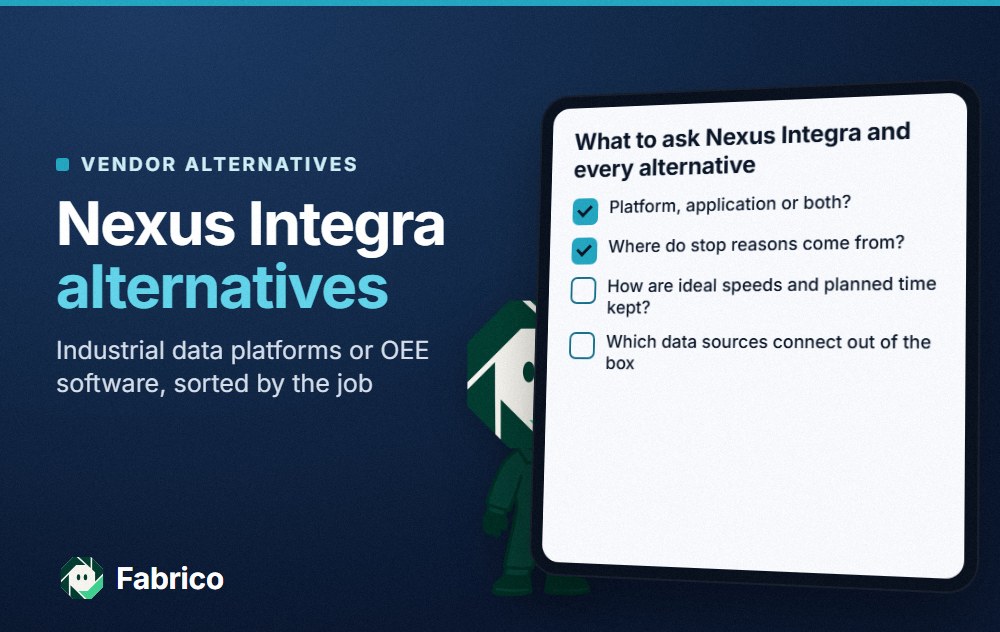
Next to Factry Historian: both collect and store OT time-series data with asset context. AVEVA's page leads with enterprise scale across many sites. Our page on Nexus Integra alternatives also covers PI System.
Canary: a historian for industrial automation
Canary's Canary System page describes a historian for time-series data. As of 13.11.2026, it says:
- It collects data from devices and stores it with lossless compression, with collectors for OPC DA/UA, MQTT and SQL databases.
- Virtual Views organise tags into asset models; Axiom builds dashboards, charts, trends and reports.
- An Events service covers batches, downtime and shifts.
Next to Factry Historian: both are historians with collectors, store and forward and asset context. Canary's page puts its own visualisation tool, Axiom, beside the historian.
Ignition historian modules: history inside a SCADA platform
Inductive Automation's Ignition historian modules page describes two routes, as of 13.11.2026:
- The Core Historian, an out-of-the-box industrial historian backed by QuestDB.
- The SQL Historian Module, which combines Ignition with external SQL databases and supports compression, partitioning, interpolation and aggregation.
- History on a tag is stored with the click of a mouse.
Next to Factry Historian: both store tag history. Inductive Automation's page presents both routes as modules of Ignition, which it calls a platform for SCADA and more.
Litmus Edge: collect and shape data at the edge
The Litmus Edge page says it sits at the operational boundary between machines and enterprise systems. As of 13.11.2026, it lists:
- Multi-protocol data collection across legacy and modern environments.
- Local time-series storage and history, and built-in industrial KPIs.
- Publishing of structured data to cloud platforms, enterprise applications, databases and message brokers.
Next to Factry Historian: both collect OT data from many protocols. Litmus's page leads with the edge layer that feeds other systems. See Litmus Edge alternatives.
Factry's two products and five alternatives on one card
The card sorts Factry Historian, FactryOS and the five alternatives by the job each leads with, as its vendor describes it.
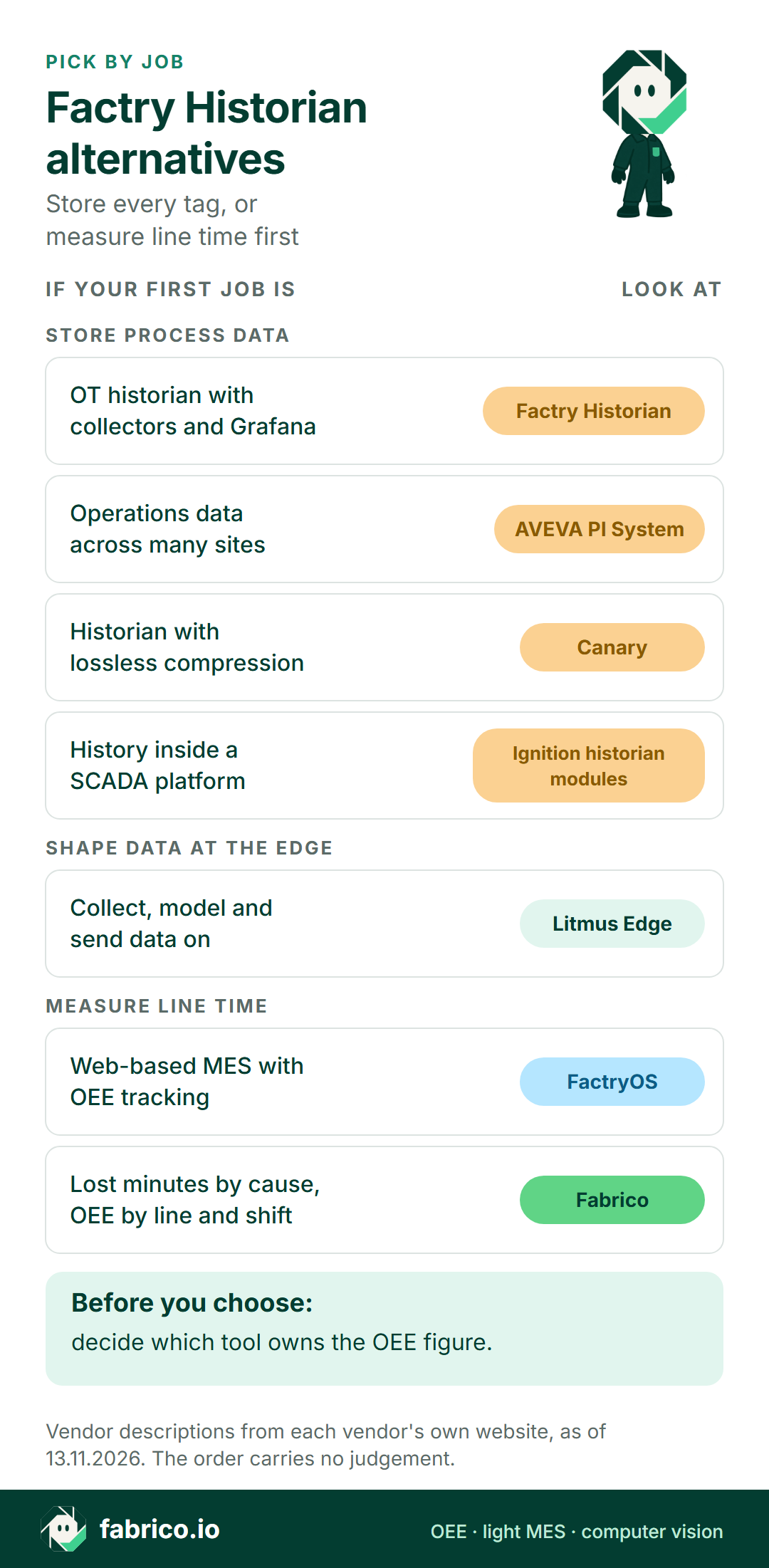
Text version of this infographic
- Pick by job: Factry Historian alternatives. Store every tag, or measure line time first.
- Store process data. OT historian with collectors and Grafana: Factry Historian.
- Operations data across many sites: AVEVA PI System.
- Historian with lossless compression: Canary.
- History inside a SCADA platform: Ignition historian modules.
- Shape data at the edge. Collect, model, send on: Litmus Edge.
- Measure line time. Web-based MES with OEE tracking: FactryOS.
- Lost minutes by cause, OEE by line and shift: Fabrico.
- Before you choose: decide which tool owns the OEE figure.
- Vendor descriptions from each vendor's own website, as of 13.11.2026. The order carries no judgement.
Questions for Factry and each alternative
Pick one filling line and one manual packing station, and send every vendor, Fabrico included, the same list.
- Where does a downtime event come from? A tag rule, a PLC state or an operator entry, and who maintains the rule.
- How are short stops and slow running counted? Ask for the OEE rule in writing.
- Who enters the cause, and where on the line?
- Which system owns the OEE figure, and how does it reach the historian or the ERP?
What people ask next
What is Factry Historian?
Per Factry's own pages, it is a historian that collects, stores, structures, processes and analyses data from OT systems. It uses collectors with store-and-forward, offers a REST API, MQTT pipelines and native database access, and runs on premises, centrally or in the cloud.
Is FactryOS the same as Factry Historian?
No. Factry describes FactryOS as a separate web-based, modular MES with modules such as order execution, OEE tracking, checklists and recipe management. Factry Historian is its data historian.
Is Fabrico a historian?
No. Fabrico is a light MES and OEE platform. It records stops, counts and causes by line and shift; process tags such as temperatures and pressures belong in a historian.
How is Fabrico different from FactryOS?
Both describe OEE and downtime tracking. Fabrico counts from the line PLC, an IoT device with sensors or the camera add-on, takes reasons from operators on a tablet or phone, and leaves dispatching, routings and genealogy in the ERP or MES.
Can Fabrico run next to Factry Historian?
Yes. Temperatures, flows and batch context stay in Factry Historian; Fabrico holds line stops, reasons and shift minutes and exports them through its REST API, webhooks or CSV, so a single report can show both.
Book a demo to see a filling line shift split into CIP overruns, short stops at the packer and slow running.
Related articles


Latest from our blog


Real Fabrico tiles, sample data.