


 Login
 Blog
Tecnomatix vs DELMIA: Siemens and Dassault Digital Manufacturing

In short: Siemens Tecnomatix and Dassault Systèmes DELMIA both let a manufacturing engineer plan, simulate and validate a line before it is built, and their own pages cover much the same jobs: flow simulation, process planning, robot programming, virtual commissioning and ergonomics. Much of the choice rests on the data backbone each sits on and on which tool a team needs first.
- Flow and throughput: Tecnomatix Plant Simulation; DELMIA Virtual Factory.
- Robots, people and assembly in 3D: Tecnomatix Process Simulate; DELMIA Robotics, Ergonomics and Process Engineering.
- Backbone: Tecnomatix with Teamcenter and NX; DELMIA on the 3DEXPERIENCE platform beside CATIA.
- Facts from siemens.com and 3ds.com, as of 14.11.2026, linked where used.
A manufacturing engineer comparing Tecnomatix and DELMIA usually has a new line, a new product or a robot cell to prove before money is spent on steel. Both suites promise the same thing in broad terms: build the line in software, find the problems there, and arrive at the floor with fewer surprises. The useful comparison is tool by tool, against the job in front of you, and that is how this page is laid out. Searches that add PTC are asking a three-way question; this page answers the Siemens and Dassault part from the two vendors' own pages.
Key takeaways
- Both suites cover flow simulation, process planning, robotics, virtual commissioning and ergonomics, each under its own product names.
- DELMIA is a brand with several products; this page compares its Industrial Engineering side, not DELMIA Apriso, DELMIA Quintiq or DELMIAWorks.
- Your existing CAD and PLM backbone (NX and Teamcenter, or CATIA on 3DEXPERIENCE) shapes how much data you re-key.
- A model predicts a line; measured run, stop and count data shows whether the built line matches it.
- Prove each claim on one real line or cell in a pilot before a wider rollout.
Fabrico, a cloud OEE and light MES vendor, is covered in one section toward the end.
Tecnomatix vs DELMIA in one table
Every cell comes from the two vendors' pages as read on 14.11.2026; the links follow in the next two sections.
| Question | Tecnomatix (Siemens) | DELMIA (Dassault Systèmes) |
|---|---|---|
| Own summary | Digital manufacturing software | Plan, manage, optimize and execute operations |
| Flow and throughput | Plant Simulation | Virtual Factory, Factory Simulation Engineer role |
| Process planning | Teamcenter Easy Plan, Manufacturing Planning | Process Engineering: MBOM, routings, work plans |
| Robots | Process Simulate robotics and offline programming | DELMIA Robotics, offline programming |
| Virtual commissioning | Real PLC code via TIA Portal, PLCSIM Advanced or OPC UA | Work cells connected to a PLC; Virtual Commissioning Analyst role |
| People | Virtual humans, ergonomics analysis | Ergonomic assessment, four manikin sizes |
| Backbone | Teamcenter and NX | 3DEXPERIENCE platform, CATIA, SIMULIA |
| Live data link | Optimize my plant, with Mendix | Closed-loop connection in the virtual twin |
What Tecnomatix gives a manufacturing engineer
The Tecnomatix page calls it "Tecnomatix digital manufacturing software" and says it lets you model, simulate and optimize a digital twin of manufacturing processes, "including robots, automation, material handling systems and people". It sits beside Teamcenter and NX in what Siemens calls its digital manufacturing software. As of 14.11.2026, the product pages say:
- Plant and line flow. The Plant Simulation page describes modelling production systems and logistics processes "to optimize material flow and resource utilization", from global facilities down to single lines. Built-in analysis covers automatic bottleneck detection, throughput, machine, resource and buffer utilization, energy consumption and cost, with experiment management and optimization by genetic algorithms. The same page models discrete and continuous processes and lists interfaces including JSON, MQTT, ODBC, OPC UA and SQL.
- Process and assembly in 3D. The Process Simulate page covers planning, simulating and validating "human tasks, robotics processes and automation" from concept to production, including assembly and disassembly sequences with collision detection and clearance checks.
- Robots. The robotics programming and simulation page covers workcell design, robot path planning, and "offline robotics programming packages for all major robot brands", with programs downloaded to and uploaded from the physical controller.
- Virtual commissioning. Process Simulate can "Simulate real programmable logic controller (PLC) code with the hardware" using Siemens TIA Portal and PLCSIM Advanced or OPC UA software, together with the actual robot programs.
- People at the line. The human-centered design page describes scaling virtual humans to match worker populations and testing for injury risk, reachability, line of sight, energy expenditure and fatigue limits.
- Planning data. The Tecnomatix page lists Teamcenter Easy Plan for the manufacturing bill of materials and bill of process, Teamcenter Manufacturing Planning, Assembly Line Planner X and Line Designer X for layouts in NX.
- Live data. Plant Simulation's page lists "Optimize my plant", which connects the digital twin of production to enterprise and shopfloor systems "using Mendix and Plant Simulation as a service".
What DELMIA gives a manufacturing engineer
The DELMIA page describes DELMIA as "a Dassault Systèmes brand" that "connects the virtual and real worlds", powered by the 3DEXPERIENCE platform. DELMIA is a brand with several products. Its portfolio names DELMIA Apriso, DELMIA Augmented Experience, DELMIA Ortems, DELMIA Quintiq and DELMIAWorks, and its Manufacturing and Operations page covers MES, MOM and DELMIAWorks ERP for small and midsize manufacturers. Those are execution and planning products. The counterpart to Tecnomatix is the DELMIA Industrial Engineering side, which the vendor says helps "Optimize your plant operations through virtual simulation of manufacturing processes and accurate planning". As of 14.11.2026, its discipline pages say:
- Plant and line flow. The Virtual Factory page describes creating and simulating "a 3D virtual twin of entire factories", from machine layout to work cells and production lines, and performing "factory flow simulation analyses to optimize material flows and improve productivity". Its roles include a Factory Simulation Engineer, who simulates material flow and resource utilization.
- Process planning. The Process Engineering page covers creating the MBOM from the product design, designating "work plans and routings with manufacturing sequences and cycle times", validating product buildup in 3D, and defining work instructions. It says planning data can be reused "for simulation, virtual commissioning, execution, and scheduling".
- Robots. The DELMIA Robotics page says DELMIA Robotics "validates production systems and robot programming within a 3D collaborative environment", supports offline programming without stopping production, and generates collision-free paths.
- Virtual commissioning. The Virtual Factory page describes connecting work cells to a PLC to "virtually commission work cells or production lines", with a Virtual Commissioning Analyst role. The Robotics page lists broad PLC compatibility across leading PLC vendors.
- People at the line. The Ergonomics page describes automatic postures, assessments on "four manikin sizes", and ergonomic assessment against EN 1005 and ISO 11228.
- Backbone. The Process Engineering page says DELMIA connects CATIA for design and SIMULIA for advanced simulation natively, as one source of truth.
- Live data. The Virtual Twin for Manufacturing page lists a "Closed-loop connection" and calls the virtual twin "a dynamic, data-driven representation of reality, providing bidirectional feedback".
If the MES side of the brand is what you are weighing, the DELMIA Apriso alternatives page covers that comparison; it is a different purchase from process simulation.
Tecnomatix vs DELMIA, job by job
Flow, buffers and throughput. Plant Simulation and Virtual Factory both model material flow and resource use, and both pages mention bottlenecks. Plant Simulation's page goes into its analysis outputs (buffer utilization, energy, Sankey and Gantt charts, experiment management). Virtual Factory's page puts the flow model inside a 3D twin of the whole factory. Ask each to model one existing line you already measure, so the model can be checked against known numbers.
Process plans and the MBOM. On the Siemens side the plan lives in Teamcenter tools (Easy Plan, Manufacturing Planning) with layouts in NX. On the Dassault side DELMIA Process Engineering holds the MBOM, routings, cycle times and work instructions on 3DEXPERIENCE. Where your engineering BOM already lives matters more here than any single feature.
Robot cells. Both describe offline programming, path planning and collision checks. Siemens names "all major robot brands"; DELMIA describes specific modules for spot, curve and surface processes. Run the same cell, with the same robot model, through both.
Virtual commissioning. Both connect a simulated cell to PLC logic. Siemens names its own TIA Portal and PLCSIM Advanced plus OPC UA; DELMIA describes broad compatibility across PLC vendors and a dedicated commissioning role. Your PLC estate decides which test to run first.
People and ergonomics. Both scale virtual humans and assess reach and strain. DELMIA's page names the standards it assesses against; the Siemens page lists the factors it tests. Bring one manual station with a known ergonomic complaint.
Live data back into the model. Both describe a link from the model to running systems: Siemens through "Optimize my plant" with Mendix, DELMIA through the closed-loop connection of its virtual twin. Neither link is useful without trustworthy measured data from the line, which is where OEE comes in.
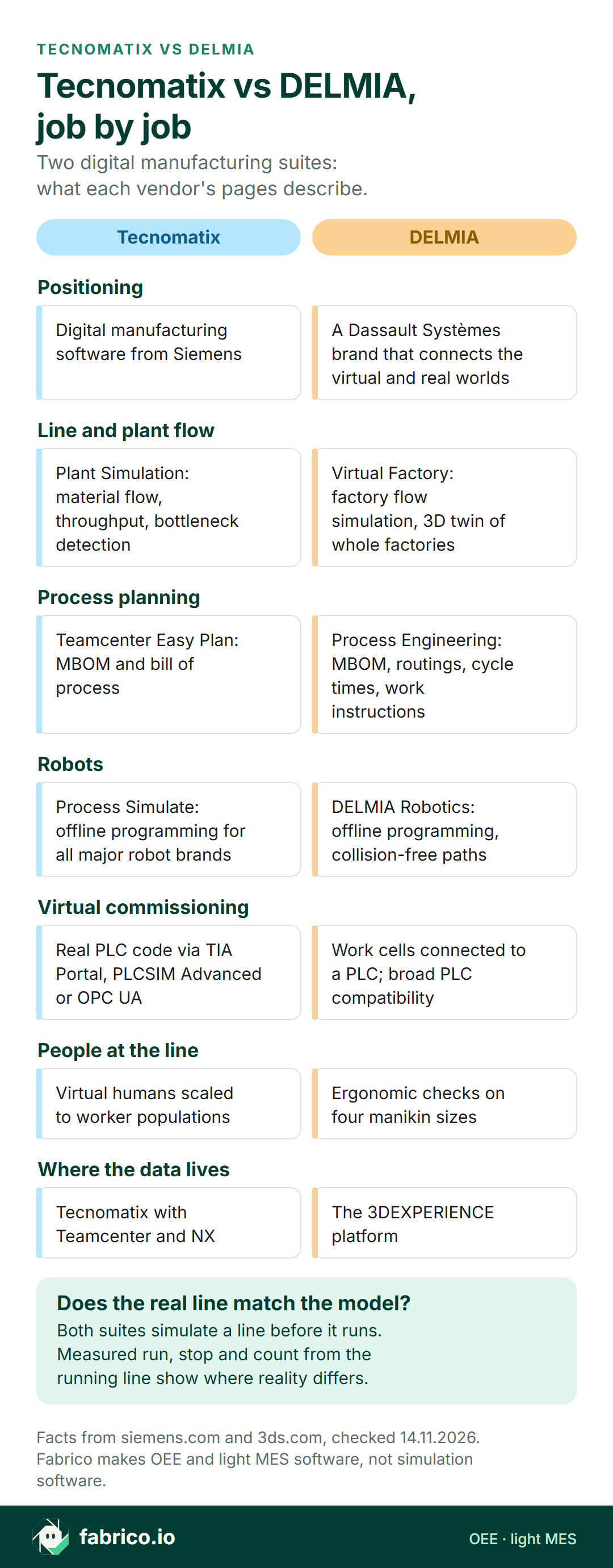
Text version of this infographic
- Positioning. Tecnomatix: digital manufacturing software from Siemens. DELMIA: a Dassault Systèmes brand that connects the virtual and real worlds.
- Line and plant flow. Tecnomatix: Plant Simulation for material flow, throughput and bottleneck detection. DELMIA: Virtual Factory for factory flow simulation and a 3D twin of whole factories.
- Process planning. Tecnomatix: Teamcenter Easy Plan for the MBOM and bill of process. DELMIA: Process Engineering for the MBOM, routings, cycle times and work instructions.
- Robots. Tecnomatix: Process Simulate offline programming for all major robot brands. DELMIA: DELMIA Robotics offline programming and collision-free paths.
- Virtual commissioning. Tecnomatix: real PLC code via TIA Portal, PLCSIM Advanced or OPC UA. DELMIA: work cells connected to a PLC, broad PLC compatibility.
- People at the line. Tecnomatix: virtual humans scaled to worker populations. DELMIA: ergonomic checks on four manikin sizes.
- Where the data lives. Tecnomatix: with Teamcenter and NX. DELMIA: the 3DEXPERIENCE platform.
- Does the real line match the model? Both suites simulate a line before it runs. Measured run, stop and count from the running line show where reality differs.
Decision matrix: Tecnomatix or DELMIA for your plant
Match the first job, not the longest feature list. Each row routes a common situation to the tool whose own page speaks to it, and ends with a test you can run in a pilot. Where both qualify, the row names both vendors.
| If this is you | Look first at | Why (vendor page) | Prove it in the pilot by |
|---|---|---|---|
| Product data already lives in NX and Teamcenter | Tecnomatix | Tecnomatix with Teamcenter and NX | Opening one real MBOM in the planning tool without re-keying |
| Design already lives in CATIA on 3DEXPERIENCE | DELMIA | Native link to CATIA and SIMULIA | Changing one part and watching the process plan update |
| First job is buffer sizing and throughput on a new line | Both | Plant Simulation; Virtual Factory | Modelling an existing line and comparing its output with a month of real counts |
| Robot cells from several robot brands | Both | All major robot brands; DELMIA Robotics | Downloading one simulated program to a real controller and logging every manual edit |
| Virtual commissioning on Siemens PLCs | Tecnomatix | TIA Portal and PLCSIM Advanced | Running the real PLC program against the model of one cell |
| Virtual commissioning on mixed PLC brands | Both | OPC UA software; Broad PLC compatibility | Testing each PLC brand on your list, one cell each |
| Manual assembly with strain complaints | Both | Virtual humans; EN 1005 and ISO 11228 | Assessing one station against the standard your safety team uses |
| Work instructions straight from the process plan | DELMIA | Work instructions for execution | Issuing one instruction to a station and changing it once |
| Model fed by live shop-floor data | Both | Optimize my plant; Closed-loop connection | Naming the data source, refresh rate and owner of the mapping |
| Is the built line hitting the modelled rate? | An OEE or light MES layer | Measured run, stop and count, not a model | Comparing one week of measured OEE with the model's prediction |
Four rows name a single vendor because that vendor's page speaks to the exact situation, not because the other cannot do it. Ask the other vendor to show the same test.
Where OEE fits beside a simulation suite
A simulation model is a set of assumptions: ideal cycle times, buffer sizes, failure rates, changeover times, operator walking paths. Plant Simulation and Virtual Factory are built to explore those assumptions before the line exists. Once the line runs, the assumptions meet reality, and the measure of how well they held is the line's OEE: availability, performance and quality from real run time, real stops and real good counts. For the formula itself, see OEE calculation; the ideal rate a model and an OEE system should share is covered in ideal cycle time.
Standards bodies draw the same distinction. NIST's essential elements page (accessed 14.11.2026) says a digital twin "is not a static model but a dynamic, data-driven virtual representation that must accurately replicate, connect, and synchronize with its physical counterpart in real-time", and that this relies on "robust, high-frequency sensor technology for dynamic data collection". NIST's definitions page (accessed 14.11.2026) also warns that "The lack of a single, unified definition creates ambiguity across different industries and research fields", so ask each vendor what its twin is synchronized with, and how often.
The planning tools and the measuring tools also sit at different levels. On ISA's ISA-95 page (accessed 14.11.2026), Level 3 holds MES and SCADA, systems "that manage manufacturing operations", while "Level 4 describes all the activities related to running a business". The IEC 62264-1 abstract (accessed 14.11.2026) aims "to increase uniformity and consistency of interface terminology" between those levels. OEE recording belongs at Level 3, on the running line; process simulation sits upstream, in engineering. See the ISA-95 guide for the full model.
In practice, the stops that break a model are rarely the ones it planned for. Feeders jam more often than the failure rate in the model, material arrives late, and changeovers run long. Those are the minutes an OEE layer records with a reason attached, and the minutes worth feeding back into the model. If the simulated line keeps beating the real one, the model's stop assumptions are usually the first thing to check, before blaming the layout. For finding the constraint on a running line, bottleneck analysis goes further.
Where Fabrico fits beside Tecnomatix or DELMIA
Fabrico sits on the measuring side of the loop. Its job is OEE measurement, run from the cloud, together with a light MES; both are described in the OEE and MES solution overview. Fabrico does not sell simulation, digital twin, process planning, robot programming, SCADA, HMI or inspection vision software, so it replaces neither suite.
- Machine signals in. Running, stopped and counted states arrive from the line's PLC, a sensor or a counter. People at the line tag why it stopped, using a tablet or phone.
- Figures to hold against the model. Availability, performance and quality per line and per shift, downtime by reason, and the lost time priced in money, on web, phone and tablet screens (iOS and Android).
- Counting at steps without a signal. Manual stations and older machines often give nothing usable; there the camera add-on counts output. Where a camera covers the line, the video for the minute of a stop can be opened from the shift timeline; it is streamed on request and not stored. Stop-reason suggestions from a camera remain a Roadmap item, not a live feature (see the computer vision add-on).
- Work orders. A work order opens from a logged stop in one tap, and you can set chosen stop reasons to create that work order automatically as soon as the reason is logged.
- Getting the minutes into a model. Fabrico exposes data through a REST API and webhooks, and exports to Excel or CSV, which is the simplest way for a simulation engineer to load measured stop minutes.
Beside Tecnomatix or DELMIA: Plant Simulation's page lists interfaces including JSON and ODBC, and DELMIA's virtual twin page describes a closed-loop connection. Fabrico claims no ready connector to either suite, so prove that hand-off in a pilot, starting with a CSV of one week's stops from a single line. For the wider field of twin tools, see the digital twin software overview.
Want measured OEE to check a line model against? Book a demo.
Worked example: a dishwasher door line, model against measured
Sample data, made up for this page, with no real plant and no product screen behind it. An appliance plant has simulated a new dishwasher door assembly line before building it: screw-driving, a robot that places the inner panel, sealing and a final check. The model was built in a flow simulation tool of the kind both vendors offer. The line now runs two shifts of 600 minutes with a 30-minute break, so each shift has 570 planned minutes. The ideal cycle is 40 seconds a door, 1.5 doors a minute, so a shift could make 570 x 1.5 = 855 doors.
| Sample data: stop | Model (min) | Measured (min) |
|---|---|---|
| Screw feeder jams | 8 | 24 |
| Robot gripper faults | 7 | 17 |
| Waiting for inner panels | 4 | 20 |
| Variant changeover | 11 | 25 |
| Total stopped | 30 | 86 |
What the model predicted. With 30 minutes of stops, run time is 540 minutes and availability 540 / 570 = 94.7%. The model assumed about 96% of ideal speed and 1% rejects, and predicted 778 doors made and 770 good. Model OEE is 770 / 855 = 90.1%.
What the line measured. Stops add up to 86 minutes, so run time is 484 minutes and availability is 484 / 570 = 84.9%. In 484 minutes the ideal is 726 doors; the line made 653, so performance is 653 / 726 = 89.9%. The reject count was 13, leaving 640 good doors, so quality is 640 / 653 = 98.0%. OEE is 84.9% x 89.9% x 98.0% = 74.8% with rounded factors, or 640 / 855 = 74.9% exactly.
Where the gap comes from. The line made 130 fewer good doors than the model predicted (770 minus 640). The extra 56 stop minutes explain 84 of them at the ideal rate: feeder jams 16 minutes (24 doors), gripper faults 10 minutes (15 doors), waiting for panels 16 minutes (24 doors) and changeover 14 minutes (21 doors). The other 46 doors come from slower cycles and rejects.
The gap in money. Assume each good door earns a contribution margin of EUR 12 (sample figure). The 130-door gap is 130 x EUR 12 = EUR 1,560 per shift. Two shifts a day over 21 working days make 42 shifts, so EUR 65,520 per month. Twelve such months make 504 shifts, so EUR 786,240 per year. Waiting for inner panels alone, 24 doors a shift, is EUR 288 a shift, or EUR 145,152 a year.
What to do with it. Two things change. On the floor, waiting for panels and feeder jams are the largest gaps, so the material supply route and the feeder go first. In the model, the measured stop minutes replace the assumed ones, and the next line or the next variant is planned on figures that came from the floor. In Plant Simulation or Virtual Factory that means updating failure and changeover inputs from a week of measured stops, then rerunning the experiments. For appliance plants with steps that give no signal, computer vision for household appliance manufacturing covers counting with the camera add-on, and changeover time covers the 14-minute changeover gap.
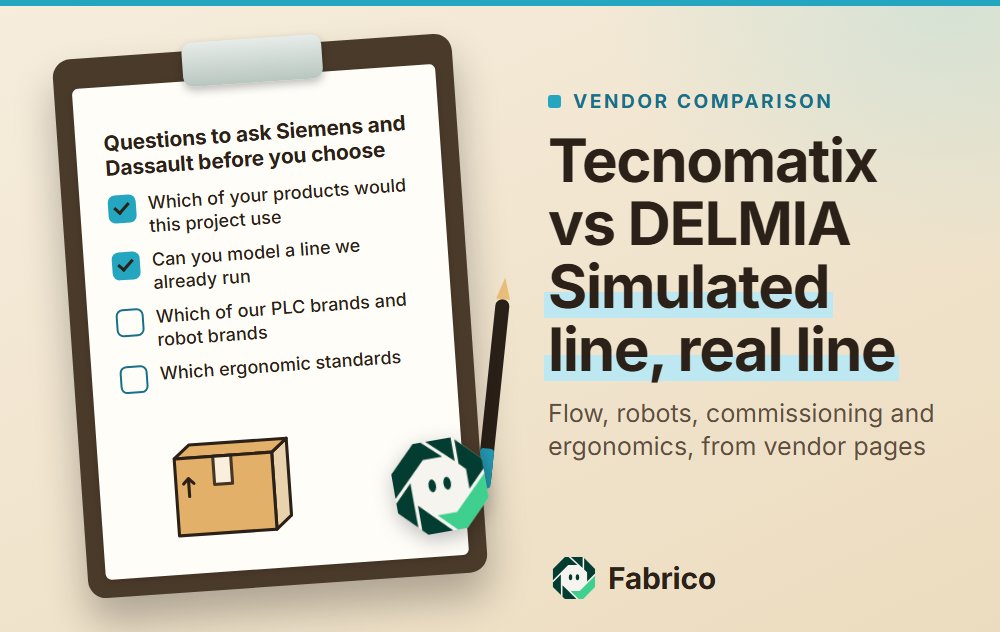
Questions to ask Siemens and Dassault before you choose
Give both vendors the same existing line, the same robot cell and the same manual station, then ask:
- Which of your products would this project use, by name, and which data backbone do they need?
- How does our engineering BOM get into the process plan, and what has to be re-keyed?
- Can you model a line we already run and show how close its predicted output is to our measured counts?
- Which of our PLC brands and robot brands have you commissioned virtually, and what needed manual work?
- Which ergonomic standards does the assessment use, and can our safety team check the result?
- What does the live data link need from us: which systems, which signals, how often, and who maps them?
- Where do measured stop minutes enter the model, and how is a failure rate updated from them?
- Who in our plant will maintain the model after the line is running, and with what training?
Choosing how to measure the running line is a separate decision: OEE software sets out what to check in a measuring tool, and light MES vs full MES covers how far execution software needs to reach. For packaged goods, the camera counting case is set out in computer vision for FMCG manufacturing.
What to do this week
- Name the first job. Flow and buffers, a robot cell, virtual commissioning, ergonomics or process plans. One line each, with the decision it must support.
- List your backbone. Which CAD and PLM systems hold the product and the BOM today, and which PLC and robot brands are on the floor.
- Pick one existing line to model. Choose a line you already measure, so both vendors' models can be checked against real counts, not against each other.
- Pull one month of stop data. Stop minutes by reason, good count and reject count per shift, so the model's assumptions have something to meet.
- Send both vendors the same brief. Use the questions above and the decision matrix, and ask each to name the exact products in its answer.
- Set the pass mark. Agree how close predicted output must come to measured output before either model is trusted for the next line.
What people ask next
How does Tecnomatix differ from DELMIA?
Both are digital manufacturing suites that plan and simulate production before it runs: flow simulation, process planning, robot programming, virtual commissioning and ergonomics. Tecnomatix is Siemens software that works with Teamcenter and NX. DELMIA is a Dassault Systèmes brand whose engineering tools run on the 3DEXPERIENCE platform beside CATIA and SIMULIA.
Which Siemens and Dassault products compare for line simulation?
For material flow and throughput, Tecnomatix Plant Simulation and DELMIA Virtual Factory, with its Factory Simulation Engineer role. For robots, people and assembly in 3D, Tecnomatix Process Simulate and the DELMIA Robotics, Ergonomics and Process Engineering disciplines.
Is DELMIA Apriso the same as DELMIA simulation?
No. DELMIA is a brand with several products. DELMIA Apriso, DELMIA Quintiq, DELMIA Ortems and DELMIAWorks are listed in its portfolio, and its Manufacturing and Operations pages cover MES, MOM and DELMIAWorks ERP. The simulation and planning tools sit under DELMIA Industrial Engineering.
Do Tecnomatix and DELMIA support virtual commissioning?
Both say so. Process Simulate simulates real PLC code with Siemens TIA Portal and PLCSIM Advanced or OPC UA software. DELMIA Virtual Factory connects work cells to a PLC for virtual commissioning, and DELMIA Robotics describes broad PLC compatibility across leading PLC vendors.
Can a simulation model tell you the real OEE of a line?
A model predicts what the line should do under its assumptions. Real OEE comes from measured run time, stops and good counts on the running line. Comparing the two shows which assumptions were wrong, such as stop minutes or speed.
Can Fabrico run beside Tecnomatix or DELMIA?
Yes, as the layer that measures the running line. Machine states and counts come from the line's PLC, a sensor or a counter, people at the line tag the stop reason, and the figures can be exported to CSV or Excel or pulled by REST API and webhooks. No ready connector to either suite is claimed; test the hand-off on one line in a pilot.
Want to check a line model against measured OEE? Book a demo.
Related articles


Latest from our blog


Real Fabrico tiles, sample data.