Login
 Blog

5 Best Manufacturing Video Analysis Software Tools (2026 Review)

Key Takeaways
-
The "He Said, She Said" Problem: Downtime meetings can burn their time arguing about what actually happened. Was it a jam? Was the operator late?
-
Visual Data vs. Sensor Data: Sensors tell you when the machine stopped. Only video tells you why.
-
The 2026 Standard: The best tools don't just record 24/7 footage (like a security camera). They integrate with the PLC to automatically "clip and tag" the exact moments of downtime for instant review.
"I think the bottle fell over."
"No, I think the gripper failed."
How many morning meetings end with this debate?
In manufacturing, Root Cause Analysis (RCA) often relies on memory. But human memory is flawed, especially during a stressful 2 AM breakdown.
Legacy cameras (CCTV) are useless for process improvement because no one has time to scrub through 8 hours of footage to find a 2-minute stop.
In 2026, Manufacturing Video Analysis Software has changed the game. It connects the Camera to the Machine Controller (PLC).
-
Trigger: The machine faults (Error 505).
-
Action: The software saves a short clip of that moment.
-
Result: You have a replay of the stop, ready to watch on your tablet.
What is video analytics in manufacturing?
Video analytics in manufacturing is software that turns footage from industrial cameras into events and numbers: counts, machine states, stops and timestamps. You work from those, not from hours of video. Four kinds are often mixed up:
- OEE video analytics: ties clips and counts to line stops and OEE.
- Motion analysis: studies the steps of manual work.
- Vision inspection: looks for defects on the product.
- Security video: makes site footage searchable.
Before you compare tools, ask which of the four you need, and what each camera will film. See cameras without surveilling people.
Here are the 5 best tools to help you stop guessing and start seeing.
The Comparison Matrix (2026)
| Tool type | Fits | What starts a clip | Ask |
|---|---|---|---|
| OEE video analytics, such as Fabrico, our product | Lines where stops and slow running are the loss | A stop on the OEE timeline | Show a clip next to its machine data |
| Motion analysis | Manual assembly | Steps of the work | How do you handle privacy? |
| Knowledge and training video | Training and handovers | A person records it | What happens with stops nobody films? |
| Security video | Site visibility | Motion or continuous recording | How do you find one stop in the footage? |
| Enterprise data platform | Process data science | Data correlation | Who uses it on the shift? |
1. Fabrico: The "Inefficiencies Zoom-In" Engine
Verdict: A fit for manufacturers who want to link Video Evidence directly to OEE and Maintenance.
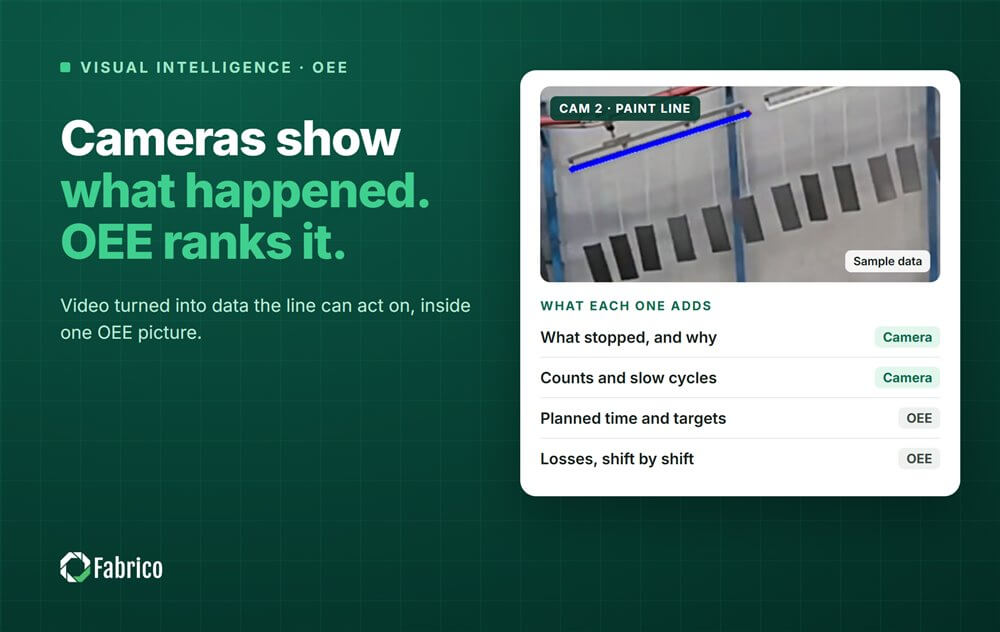
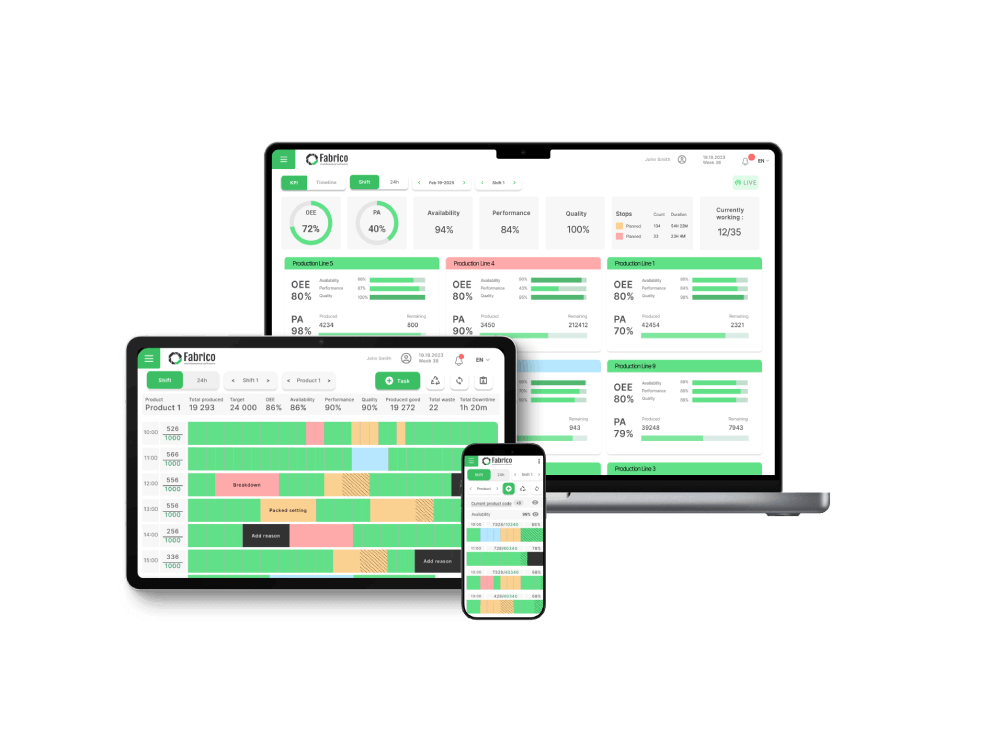
Fabrico is our product. Its "Inefficiencies Zoom-In" module synchronizes camera footage with machine and timeline data, so you can zoom in on the moment a line stopped and review what happened.
How It Works on Video:
-
The "Game Tape" Approach: Just like a sports coach watches game tape to fix a player's form, Fabrico lets you watch "Downtime Tape" to fix your line's performance.
-
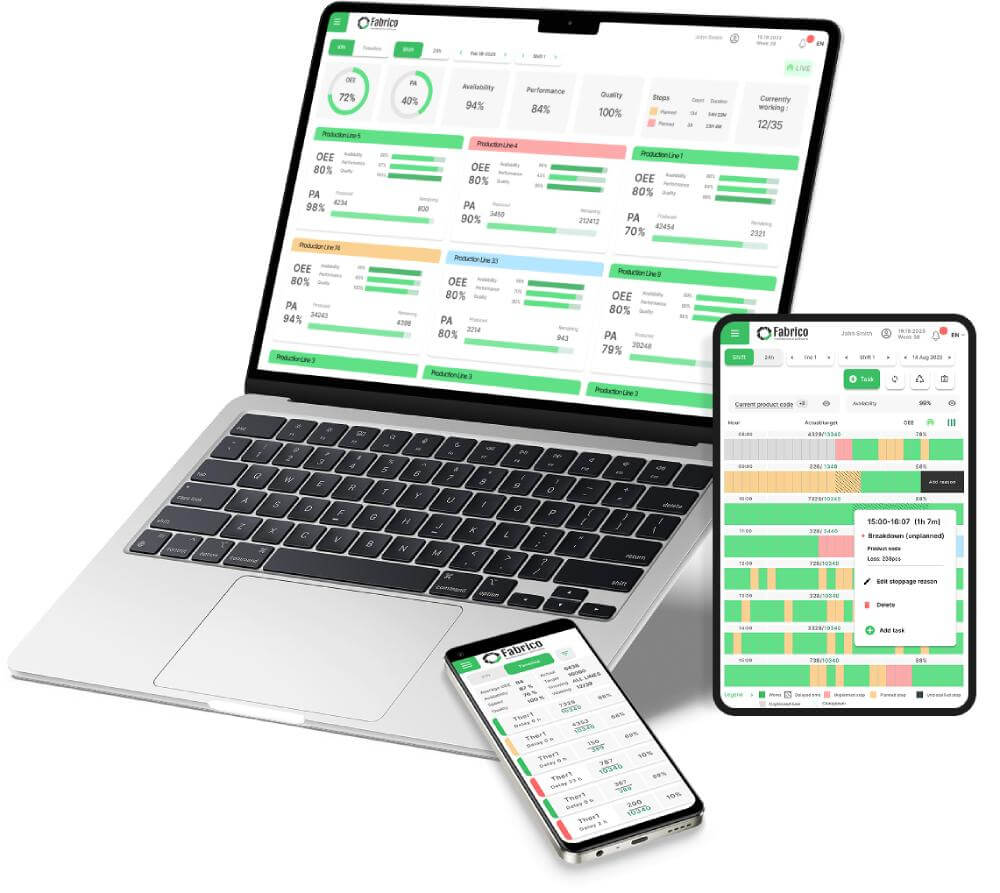
From Video to Action: Because stops and maintenance sit in one system, a technician can open a work order from the stop.
Best For: Automated production lines (Bottling, Packaging, Converting) where speed makes visual inspection impossible.
2. Drishti: The "Motion Study" Specialist
Verdict: Analyzes human motion on manual assembly lines.
Drishti uses AI to digitize the old "Time and Motion" study. It watches an operator's hands to ensure they are following the Standard Work sequence.
Pros:
-
Cycle Time Pacing: It tells you how long each step (Pick, Place, Screw) took.
-
Error Proofing: If an operator misses a step (e.g., forgets to install a washer), Drishti can alert them instantly.
Considerations:
-
Scope: Ask how it fits fast machines inside a guard.
-
Privacy: Requires careful change management to ensure workers don't feel "spied on."
Best For: Automotive manual assembly and intricate electronics work.
3. Poka: The "Social" Video Platform
Verdict: A tool for capturing video knowledge, rather than analyzing live process video.
Poka is not positioned as an automated camera system; it is a tool for workers to use their iPads to film problems. "Hey guys, look at this belt, it's fraying."
Pros:
-
Knowledge Sharing: Used for building a library of "How-To" videos for new hires.
-
Collaboration: Workers can comment on videos, tagging maintenance or engineering for help.
Considerations:
-
Trigger: Ask what starts a recording, and what happens with stops nobody films.
-
OEE: Ask how video lines up with machine performance data.
Best For: Training, shift handovers, and capturing tribal knowledge.
4. Spot.ai (or Verkada): The "Smart Security" Camera
Verdict: Often used for general facility visibility.
Spot.ai is a modern "Video Intelligence" platform often used for security. It lets you search through footage.
Pros:
-
Searchability: You can type "Forklift" or "Person in red vest" and find all clips instantly.
-
Ease of Install: Works with almost any IP camera you already have.
Considerations:
-
PLC: Ask how it finds a machine fault in the footage.
-
Focus: Ask how it fits OEE work next to safety and security.
Best For: Safety audits and facility security.
5. Sight Machine: The Data Correlator
Verdict: A data platform that can ingest video streams to correlate with massive datasets.
Sight Machine is an enterprise analytics tool. It can take video data (like thermal imaging) and overlay it with process parameters.
Pros:
-
Deep Science: Great for complex correlations (e.g., "When the thermal camera shows >100°C, yield drops 2%").
-
Enterprise Scale: Handles massive data lakes.
Considerations:
-
Users: Ask who uses it on the shift, and for what.
-
Scale: Ask what a first phase on one line needs.
Best For: Complex process industries (Glass, Steel) using thermal or spectral imaging.
Conclusion: The Eyes of the Factory
You cannot improve what you cannot see.
-
If you need to analyze Manual Assembly, choose Drishti.
-
If you need Training Videos, choose Poka.
-
If you want video linked to line stops and OEE, look at Fabrico. Finding the root cause stays a job for your team. See how computer vision OEE software compares.
See Fabrico live. Request a demo.
Request a demoRelated articles