


 Login
 Blog

5 Best Manufacturing Cycle Time Tracking Software Tools (2026 Review)

The cycle time tracking software that fits your lines depends on where the cycle signal comes from: PLC or controller data on automated machines, a sensor on older ones, or operator apps on manual stations. Fabrico, our product, is a cloud-based OEE and light MES platform with maintenance (CMMS) built in: it takes machine data from the PLC or a Fabrico IoT device and shows slow running as performance loss in real-time OEE, per line and shift.
Key Takeaways
Stopwatch studies are a snapshot: a manual time study shows the cycles someone watched; slow cycles on other shifts stay out of view.
Speed loss is part of OEE: performance compares actual output with the ideal rate. Illustrative example: a machine running at 90% of its ideal rate makes 10% fewer parts in the hours it runs.
The signal source decides the tool: PLC or controller data for automated machines, sensors for older ones, and operator apps for steps without a machine signal; in Fabrico, AI cameras (an add-on) count output there.
"What is the standard cycle time for this part?" If the answer is one number but the real cycle varies by operator, shift or product, you have a cycle time visibility problem. A stable cycle matters as much as a fast one.
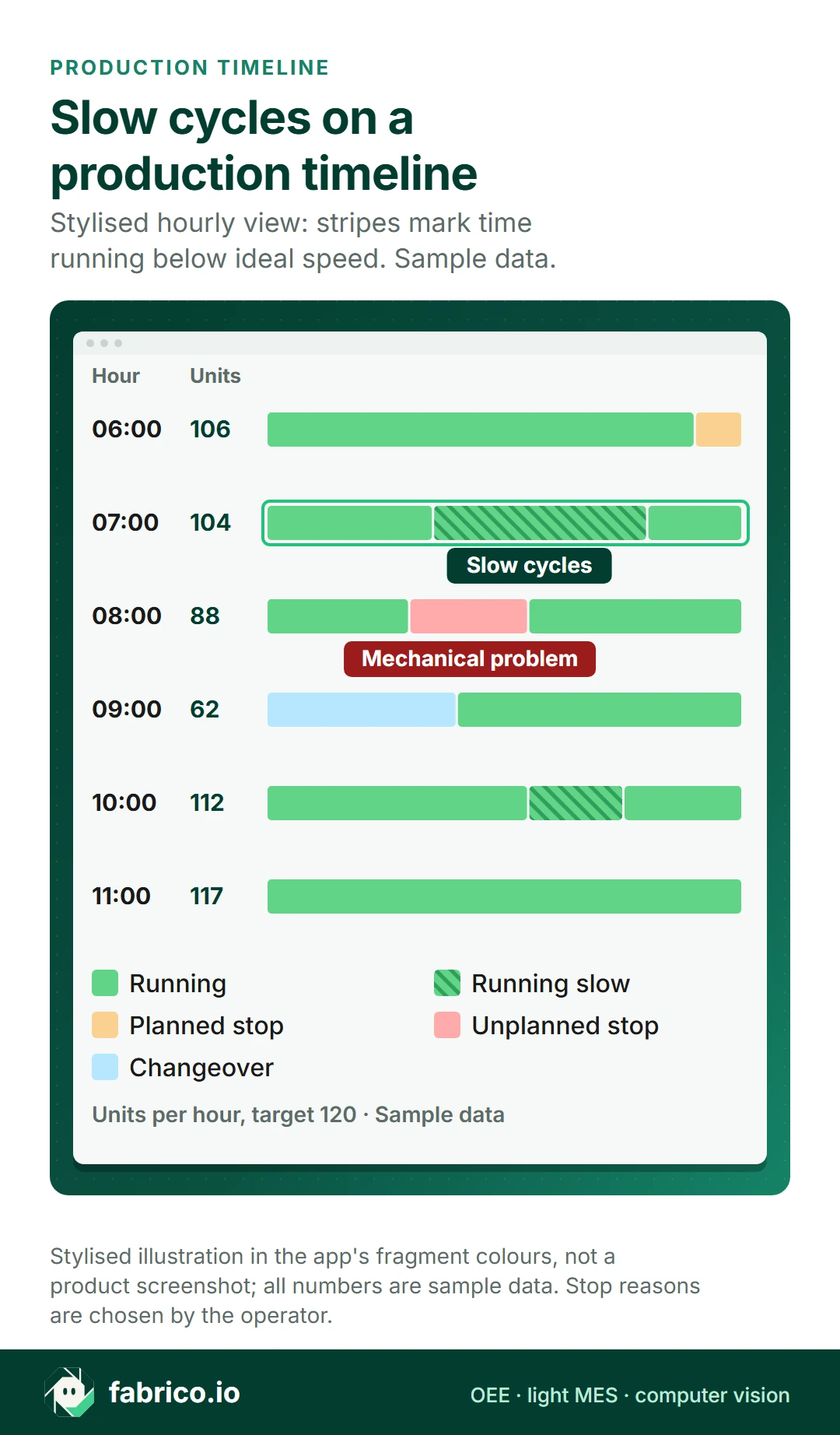
Stopwatch studies record a few cycles while someone watches. Cycle time tracking software records cycles from a machine signal or an operator app across shifts, so slow cycles and short stops show up as speed loss, one of the Six Big Losses of OEE.
How cycle time becomes OEE performance
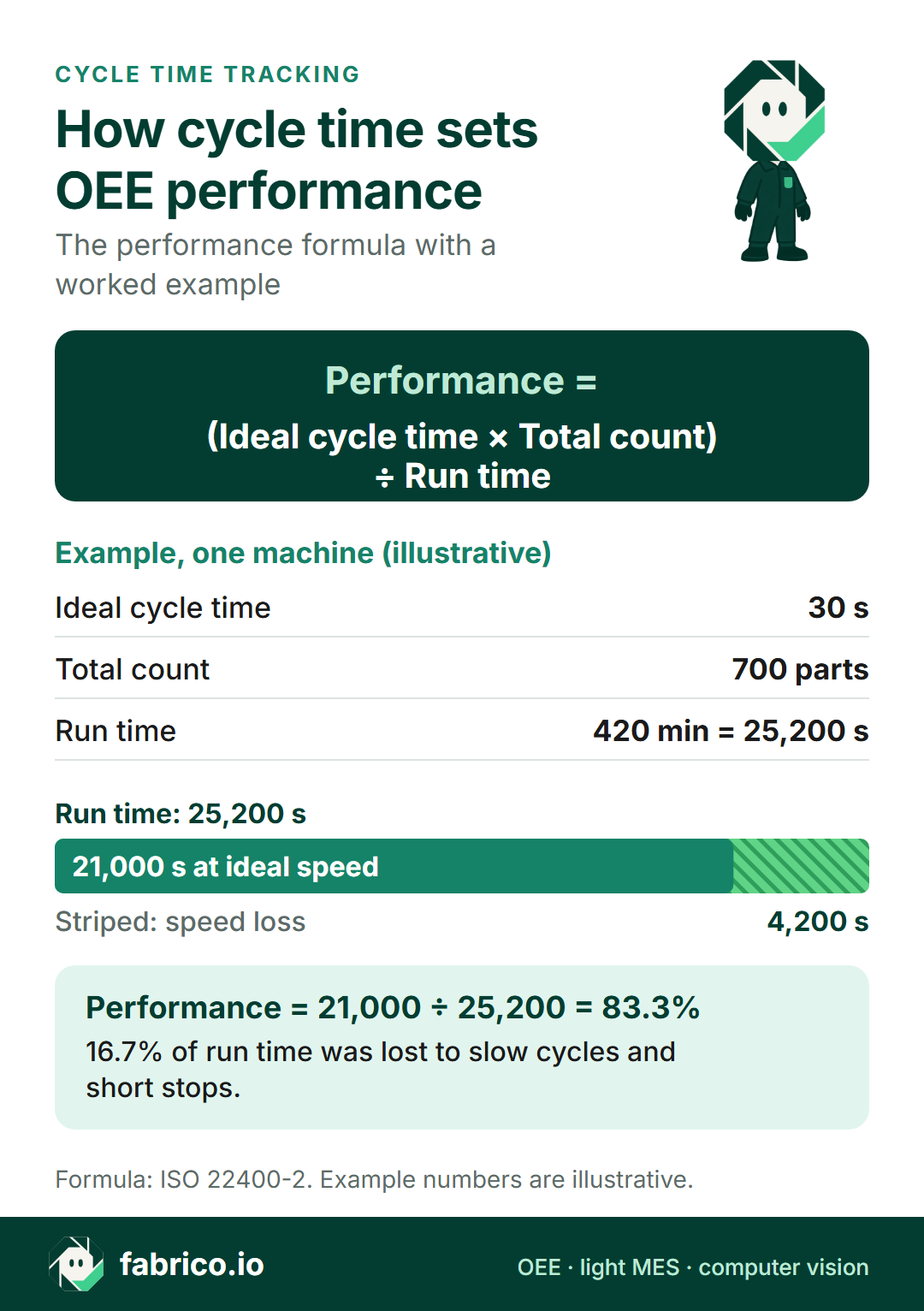
OEE performance compares what the line made with what it could have made at the ideal cycle time in the time it ran: performance = (ideal cycle time x total count) / run time, which is the same as actual rate / ideal rate. Illustrative example: with an ideal cycle time of 30 seconds, 100 minutes of run time allow 200 parts, so 160 parts means 80% performance. The full formula is in OEE calculation.
Here are 5 cycle time tracking tools for 2026 and where each takes its cycle data from.
Cycle Time Tracking Software: The Comparison Matrix (2026)
This is what each vendor's own site says, in our words or quoted. It is not a ranking, and a gap means only that we did not find it on the pages we read, so ask each vendor directly.
| Software | Where the cycle data comes from | Speed loss and OEE, from its own site |
|---|---|---|
| 1. Fabrico (ours) | PLC; Fabrico IoT device with external sensors on older machines; AI cameras (an add-on) count output where there is no machine signal | Real-time OEE per line and shift; micro-stop detection; the six big losses made visible |
| 2. MachineMetrics | Machine controllers; "Older equipment connects through sensors and IO adapters." | "Performance compares actual cycle time to the ERP standard for that part, matched automatically" |
| 3. Tulip | Machines over OPC UA and MQTT; operator apps on manual lines | On manual lines, "Tulip automatically captures step-level timing, cycle times, and completion rates in the background." |
| 4. Vorne XL | "one or two sensors or tap into an existing photo-eye, relay, PLC, or proximity switch" | "automatic run detection, which continuously monitors the cycle input"; its loss report names "Slow cycles. Small stops." |
| 5. Worximity | "Connect any machine or production process" | "Compare actual vs. ideal run speeds to identify where your production is underperforming" |
1. Fabrico: OEE and light MES with speed loss in real time
What it is: Fabrico, our product, is a cloud-based OEE and light MES platform with maintenance (CMMS) built in. Machine data comes from the PLC or from a Fabrico IoT device with external sensors on older machines; AI cameras (an add-on) count output where there is no machine signal (machine connectivity).
Speed loss in OEE: real-time OEE (availability x performance x quality) per line and shift, on a live OEE dashboard, with micro-stop detection and the six big losses made visible.
Stops between cycles: connected machines report their own stops, including short stops too brief to log by hand. Operators add the stop reason on a tablet or phone.
Cost of the loss: revenue at risk and profit impact per loss, in real time.
Follow-up: a work order is opened from the stop in one step, linked to the line.
Fits: plants with a mix of automated and older machines that want speed loss, stops and their cost in one OEE view, next to the ERP. See the OEE and MES overview.
2. MachineMetrics: The Spindle Tracker
How it describes itself: "The AI-powered operating system for discrete manufacturing."
Cycle time: "Performance compares actual cycle time to the ERP standard for that part, matched automatically".
Counts: "Counts come from the spindle, not the clipboard."
Stops: "Events are detected the moment they happen, straight from machine data, with no operator input and no minimum duration."
Reports: "Utilization, OEE, downtime, and setup reports come out of the box."
Older machines: "Older equipment connects through sensors and IO adapters."
Ask MachineMetrics: how manual steps away from the machine, such as deburring or packing, are timed.
Best For: machine shops that want cycle data from the controller.
Sources: MachineMetrics MaximaOS, OEE software, downtime tracking, Connect and home pages, checked 7 November 2026.
3. Tulip Interfaces: The "Digital Stopwatch"
How it describes itself: "Tulip is a composable frontline operations platform used to implement a composable MES."
Manual lines: "Tulip automatically captures step-level timing, cycle times, and completion rates in the background."
Machines: "OPC UA and MQTT connections are native, so most modern machines and PLCs connect directly." For older equipment, "run state, cycle counts, and stop events still land in the same tables that feed OEE and downtime."
Apps: "Create apps, add logic, build connectors, and more with no-code editing."
Ask Tulip: who builds and maintains the apps for each product variant.
Best For: manual assembly with many steps.
Sources: Tulip pages on electronics, OEE tracking and the app editor, checked 7 November 2026.
4. Vorne XL: The "Pacer"
How it describes itself: "XL is a standalone device that includes I/O to communicate with your process, a scoreboard for your operators, and built-in reporting for your managers."
Cycle signal: "One of the most popular features in XL is automatic run detection, which continuously monitors the cycle input to detect if the process is running or down."
Connection: "Hook up one or two sensors or tap into an existing photo-eye, relay, PLC, or proximity switch."
Losses: its loss report names "Every down reason. Slow cycles. Small stops."
Reasons: "Operators simply scan down reasons, and optionally, add comments."
Ask Vorne: how far you can drill from the hourly view into single slow cycles.
Best For: lines that want a pacer and scoreboard at the line.
Sources: Vorne home page, XL page and XL release notes, checked 7 November 2026.
5. Worximity: Run Speed Against Ideal
How it describes itself: "OEE and real-time production monitoring that boosts efficiency, improves profitability".
Speed loss: "Compare actual vs. ideal run speeds to identify where your production is underperforming".
Connection: "Connect any machine or production process".
Reasons: "Justify unplanned downtime in just three clicks or schedule planned stops directly in your shifts."
Ask Worximity: how ideal run speeds are set per product and who maintains them.
Best For: lines that want run speed against ideal on a live view.
Sources: Worximity home page, OEE monitoring and Measure pages, checked 7 November 2026.
What to check before you choose cycle time tracking software
Where each machine's cycle signal comes from: PLC or controller, an added sensor, or an operator app, and how the oldest machines are handled.
How the ideal cycle time is set: per product, by whom, and how it is kept up to date, since performance depends on it.
Slow cycles and short stops: whether they are shown apart, and how short a stop has to be before it counts as one.
Manual steps: how they are timed without slowing the operator down.
From cycle to action: whether cycle data feeds OEE per line and shift, and whether a stop can turn into a work order.
ERP link: how the tool gets product and order data from your ERP.
Conclusion: Speed is Money
Every second of speed loss is output the line does not get back.
If you want cycle data straight from CNC controllers, look at MachineMetrics.
If your steps are manual and you want to build operator apps, look at Tulip.
If you want a pacer at the line, look at Vorne XL or Worximity.
If you want one OEE view of speed loss, stops and their cost across machines of any age, with maintenance built in, look at Fabrico.
Book a demo to see speed loss and stops in real-time OEE on lines like yours, or contact us.
See speed loss and OEE on lines like yours.
Book a demoContact usRelated articles




Latest from our blog
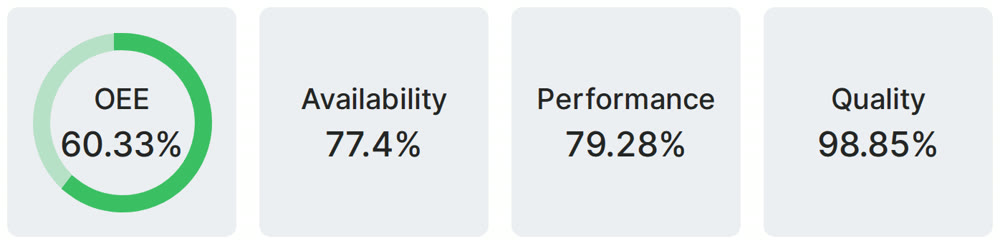
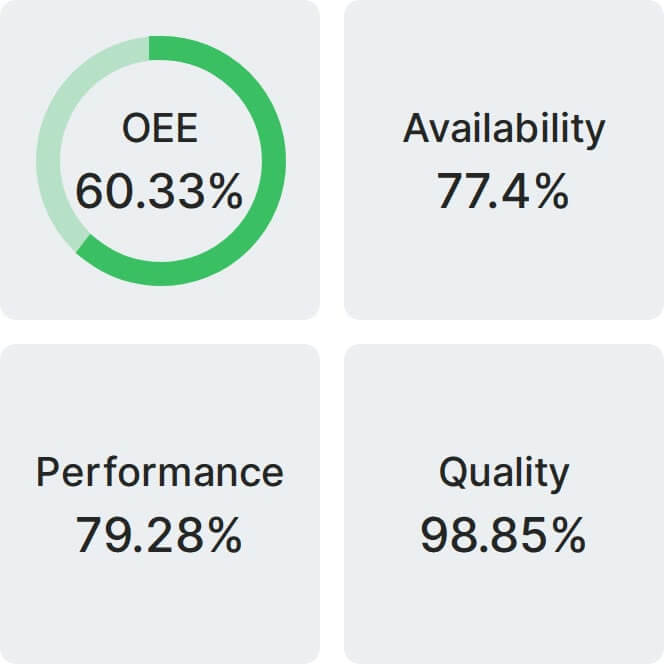
Real Fabrico tiles, sample data.