


 Login
 Blog
Kanoa MES Alternatives: Other Ignition Routes, OEE Devices or Cloud

In short: Kanoa MES alternatives fall into four groups: another MES layer on Ignition, such as Sepasoft's OEE Downtime module; your own build in Ignition; an OEE device at the machine, such as Vorne XL; or a cloud light MES with OEE, such as Fabrico. The right one depends on where you want the OEE logic to live and who will keep it running.
- Kanoa MES is a productized MES that installs into Inductive Automation's Ignition, with Kanoa Ops as its foundation for OEE, downtime, scheduling and work execution.
- Kanoa describes itself as the middle path between buying a closed MES and building one from scratch.
- The alternatives differ most in who extends and maintains the system after go-live, not in whether they calculate OEE.
- Every vendor fact below is taken from that vendor's own pages, read on 13.11.2026 and linked where used. We quote no prices and rank nobody.
A controls engineer at a juice plant has run Ignition for five years. The SCADA screens are hers, and she knows every tag. Kanoa's live demo looks like a fast way to add OEE, scheduling and downtime coding on the same gateway.
The operations director asks a different question: when she is on holiday and a reason code breaks, who fixes it? That question, more than any feature list, separates the routes below. Below: what Kanoa MES is by its own account, the plants it suits, and four other routes. Fabrico is one of those routes and wrote this page, so check our claims as hard as anyone else's.
What Kanoa MES is (as of 13.11.2026, per kanoa.ai)
Kanoa's about page says the company was founded in October 2018 and frames the product as an answer to one problem: if you can't buy a perfect MES and don't want to build one from scratch, there should be a third choice. Its MES overview calls Kanoa MES a modular MES built on the Ignition platform. Read on 13.11.2026, Kanoa's pages describe:
- Three parts. An Ignition module, a SQL Server data layer called kanoaCore, and a configurable Ignition Perspective application called kanoaAPP (kanoa.ai).
- Kanoa Ops first. Ops is the required base: production visibility, OEE, downtime, scheduling and work execution live there. Trace, Quality, Maintenance and Inventory come as optional Kanoa add-ons.
- Loss coding. Its Kanoa Ops page lists downtime, scrap and loss coding, and says loss coding reveals speed loss and minor stops. It also says Kanoa Ops needs three tags for complete OEE KPIs.
- Scheduling. Work orders can be managed in the app or connected to the ERP, and schedulers drag work orders onto assets and plan changeovers and maintenance as non-production modes.
- Open to your developers. The Kanoa module adds more than 650 system functions to Ignition. Its documentation says Kanoa's screens are standard Ignition projects that your team can inspect, troubleshoot and extend with normal Ignition skills, while Kanoa ships fixes and upgrades.
- Learning and partners. A self-paced Kanoa Ops course ends in a certification exam, and a partner program lists systems integrators at three levels.
Kanoa's Ignition page describes Kanoa as an off-the-shelf Ignition solution for common manufacturing operations needs.
Ask in the demo: which three tags Kanoa Ops expects on a line like yours, and how an upgrade reaches screens your team has extended.
When Kanoa MES fits
Going by its own pages, Kanoa belongs on the shortlist when most of these hold:
- Ignition is already your plant's platform, with Perspective and someone who knows the Designer.
- You want OEE and scheduling in the same system, with work orders from the ERP or entered in the app.
- Your team wants to own the code, adding screens, reports and integrations themselves or through a Kanoa partner.
- Your IT team is comfortable running Microsoft SQL Server, which Kanoa's docs list as required.
- Traceability, quality or maintenance may follow, as Kanoa add-ons on the same data model.
If your plant has no Ignition, or no one to own an Ignition project, look at the other routes.
Three places your OEE logic can live
Every tool here turns machine signals into OEE. They differ in where that logic runs and who maintains it. Our OEE vs MES guide covers what each layer should own.
| Job after go-live | Kanoa on Ignition, per kanoa.ai | Fabrico, per fabrico.io |
|---|---|---|
| Add a screen or report | Your team, in the Ignition Designer | Dashboards set up for your lines, shifts and KPIs |
| Connect a machine | Ignition tags from PLC and SCADA | PLC, IoT device with sensors, or camera add-on |
| Plan the shift | Production and shift scheduling in Kanoa Ops | Planning and scheduling on the roadmap |
| Trace lots | Kanoa Trace add-on | Genealogy stays in the ERP |
| Fix after a stop | Kanoa Maintenance add-on | Work order opened from the stop |
Comparison table: Kanoa MES and four alternatives
Rows paraphrase each vendor's site as read on 13.11.2026, with links in the sections that follow. Row order carries no rank: our own product sits first because this is our page.
| Tool | What it is, by its own account | Where OEE runs | Who extends it |
|---|---|---|---|
| Kanoa MES (for reference) | MES module, database and app for Ignition | Your Ignition gateway | Your team or a Kanoa partner |
| Fabrico | Cloud OEE and light MES | Fabrico's cloud | Configured with Fabrico; REST API, webhooks |
| Sepasoft OEE Downtime | OEE module built with Ignition's module SDK | Your Ignition gateway | Your team or an integrator |
| Ignition on its own | Industrial application platform | Your Ignition gateway | Your developers, in the Designer |
| Vorne XL | Standalone production monitoring device | The device at the machine | Built-in reports and custom dashboards |
Curious how stop causes would rank on a packing line like yours? Book a demo; a week of handwritten stop notes is enough to start.
Fabrico: OEE and downtime as a cloud service
This is our product. Fabrico is a cloud OEE and light MES platform: it records what each machine did and where the time went, and leaves orders to the ERP. Per our MES and OEE overview:
- Signals three ways. Fabrico reads cycles, stops and output from a PLC; older machines get a Fabrico IoT device with external sensors; manual steps can use AI cameras, an add-on, that count output. See machine connectivity.
- Stops with causes. Stops on connected machines are recorded with their start and duration, and operators tag the cause on a tablet or phone. Micro-stops are detected from the machine signal.
- OEE and losses in money by line and shift, on the web and in iOS and Android apps.
- Maintenance built in. When a stop needs a repair, a technician opens a work order from the stop on the same machine record.
- Camera add-on. With the camera add-on, video opens for any moment on the shift timeline, and in the standard setup it is streamed on request, not stored in Fabrico. A camera add-on that detects stops or proposes a reason is roadmap, not live. More on the computer vision page.
- Data out. REST API, webhooks, and Excel or CSV export. A connection to SAP or another ERP can be scoped per customer.
- Rollout. Devices connected in about a month; full rollout in 3 to 4 months.
- Not included: job dispatching, BOMs, routings and genealogy, which stay in the ERP. Roadmap: production planning and scheduling.
Fits plants that want stops ranked by cause and priced, without running an MES server or owning MES code, and that keep orders in the ERP. EU customers are hosted on AWS in Frankfurt. For the camera add-on at manual packing steps in food and drink plants, see our computer vision for FMCG guide.
Ask in the demo: how a machine with no PLC reports a stop, and how Fabrico data could reach an Ignition screen through the API.
Sepasoft OEE Downtime: a second OEE layer for Ignition
Inductive Automation's partner page for Sepasoft says Sepasoft's MES modules are built with Ignition's module SDK. Its OEE Downtime page goes deep on line logic. As of 13.11.2026, it says:
- A key reason algorithm lets the key cell sit anywhere in the line and weighs backup or starved conditions when it assigns the cause of a downtime event.
- Equipment status is held in two parts: the local state, running or down with a fault, and the logistical mode, such as changeover, production or maintenance.
- Downtime events can be overridden or split, and operators can add free-text notes.
- A store-and-forward design keeps data during network interruptions, with built-in MQTT and OPC UA support.
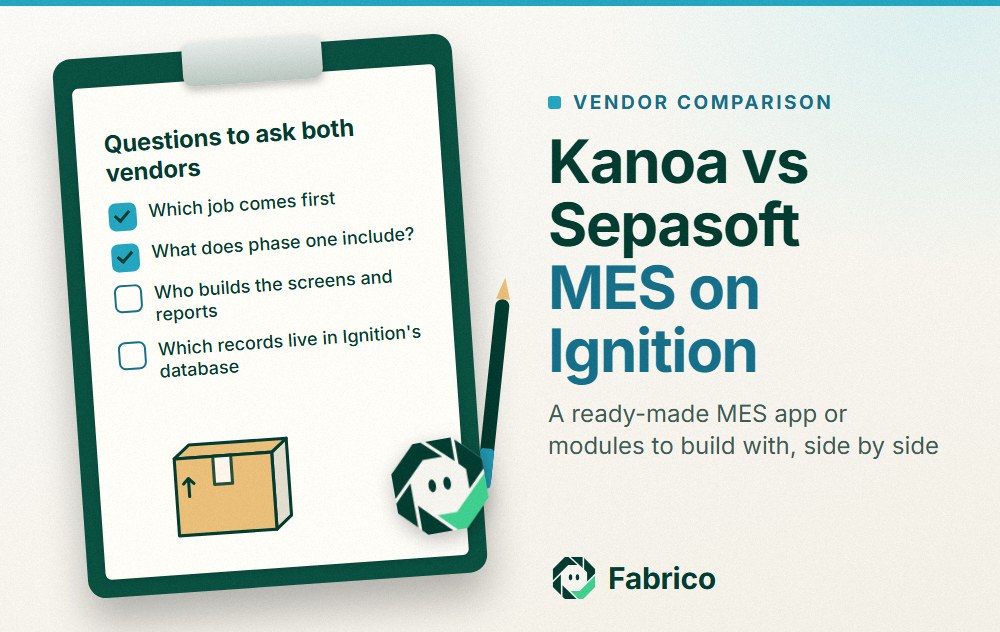
Compared with Kanoa: both run inside Ignition. Kanoa starts from a ready MES application with scheduling and work execution in Ops; Sepasoft's OEE page centres on detailed downtime logic across multi-cell lines, with other modules sold beside it. Ask each to model your trickiest line in the demo. If Sepasoft is already installed and you are weighing a move, our Sepasoft alternatives page looks at that decision from the other side.
Fits plants that run Ignition and have lines where several cells interact, so the cause of a line stop is not obvious.
Ignition on its own: build the OEE screens yourself
Some Ignition plants skip a packaged MES and build. Inductive Automation's Ignition page calls Ignition server software that acts as the hub for the plant floor, built on SQL, Python, OPC UA and MQTT, with the Ignition Designer as its development environment. Its homepage lists MES uses such as tracking production and calculating OEE.
- What you get: full control of the data model, the screens and the logic.
- What you own: the OEE rules, the reason tree, the reports, testing and upgrades, plus the knowledge of how it all works.
Kanoa's about page argues that in-house systems age as their developers move on. Weigh that against the freedom a build gives. Our Ignition OEE review covers this route in depth.
Fits plants that have Ignition developers with time to spare and requirements no product matches.
Vorne XL: OEE from a device at the machine
Vorne describes XL as a standalone device with I/O to talk to your process, a scoreboard for operators and built-in reporting for managers. Its XL product page says, as of 13.11.2026:
- You wire one or two sensors, or tap an existing photo-eye, relay, PLC or proximity switch, to capture counts and cycles.
- A barcode scanner lets operators scan down and reject reasons.
- Reports and configuration open in a browser, and data is stored behind your firewall. XL Enterprise, the cloud component, is optional.
- Built-in reports include OEE, downtime, TEEP, changeover, top losses and a production timeline, with export to Excel.
Compared with Kanoa: XL keeps the OEE logic in a box at the machine, while Kanoa keeps it on your Ignition gateway and adds scheduling, work execution and add-ons for trace and quality on top of OEE.
Fits plants that want an operator scoreboard and OEE reports at the machine, with data kept on site.
Which Kanoa MES alternative fits your plant
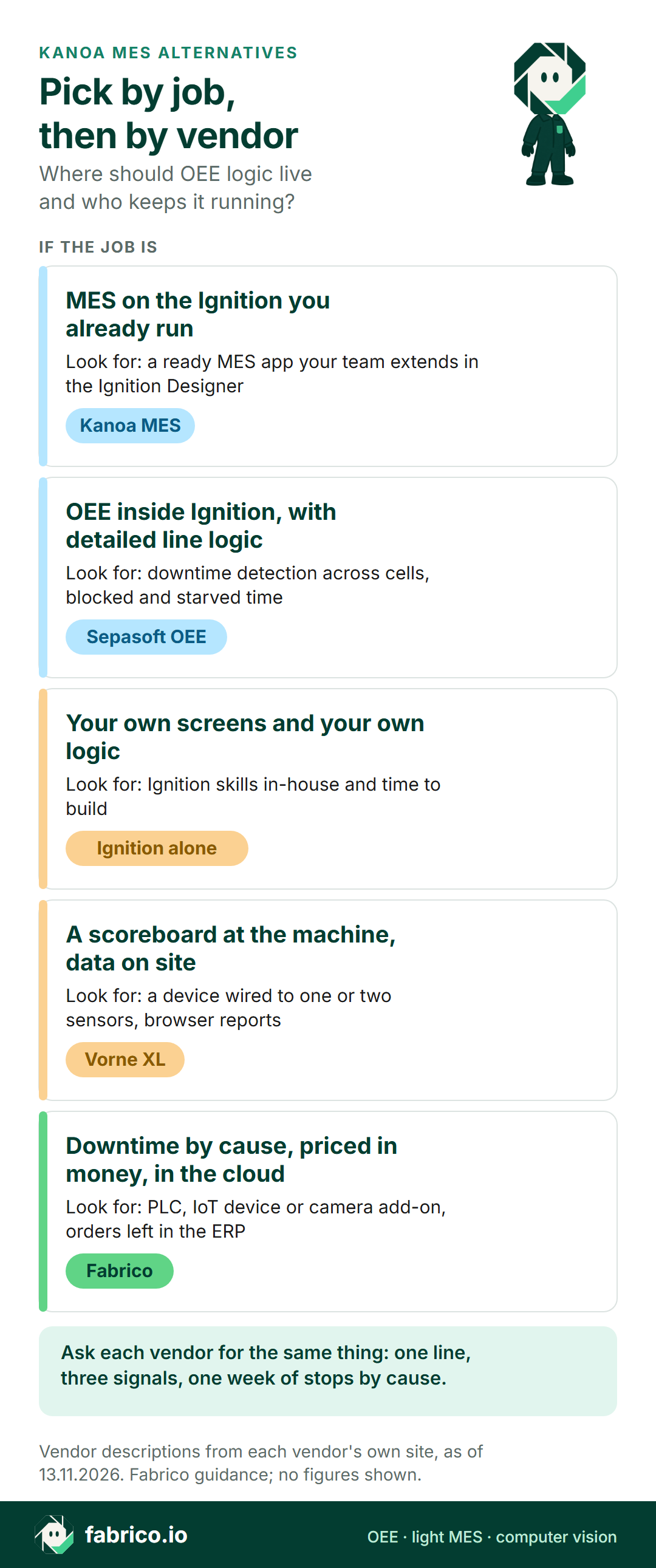
- A ready MES app on the Ignition you run, extended by your own team: Kanoa MES.
- Detailed downtime logic for multi-cell lines inside Ignition: Sepasoft OEE Downtime.
- Your own screens and rules, built by in-house Ignition developers: Ignition on its own.
- A scoreboard and OEE reports at the machine, data on site: Vorne XL.
- Stop causes ranked and priced by a cloud service, with orders kept in the ERP: Fabrico.
Not sure you need a full MES at all? Read light MES vs full MES, then when a light MES is not enough. For more systems, see our MES software comparison.
Worked example: three signals, one shift
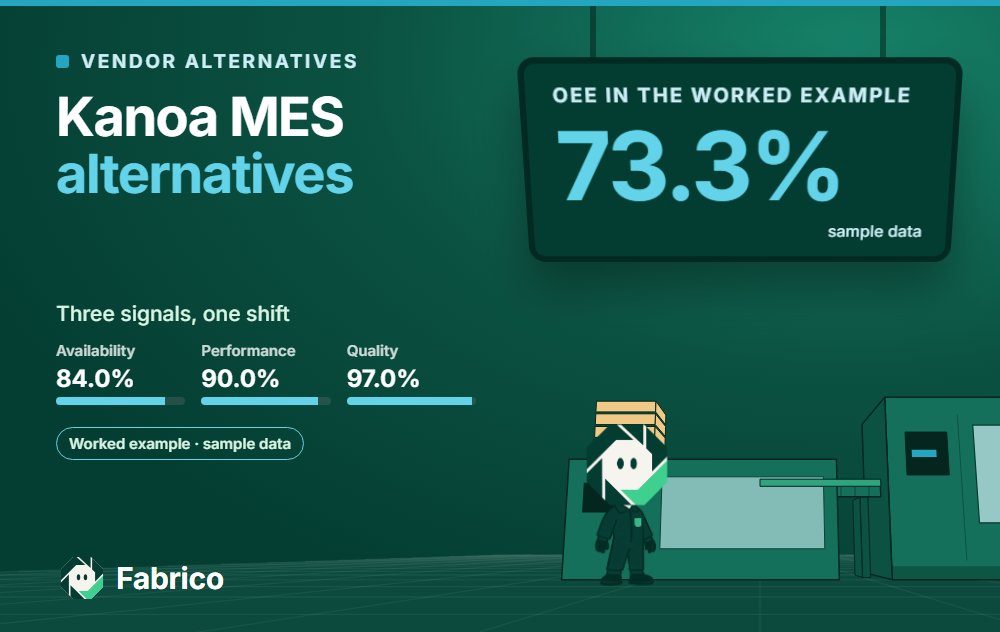
Kanoa says three tags give complete OEE KPIs. The arithmetic shows why three is enough for the number, and why it is not enough for the fix. The figures are invented sample data for one shift on a juice carton packer (no real plant, no screenshot): 450 planned minutes and an ideal rate of 30 packs a minute.
Signal one, run state. The line stopped for 72 minutes, so it ran for 378. Availability is 378 of 450, or 84.0%.
Signal two, total count. In 378 minutes the ideal is 11,340 packs. The counter read 10,206, so performance is 90.0%. The gap, 37.8 minutes at the ideal rate, is speed loss and short stops.
Signal three, reject count. 306 packs were rejected, leaving 9,900 good: quality is 97.0%. OEE is 84.0% x 90.0% x 97.0% = 73.3%, the same as 9,900 good of 13,500 possible.
None of the three signals says why the line stopped. The split into jams, material, changeover and splices comes from operators picking a reason, in any of these tools. Ask every vendor how many taps that takes. For the formula, see OEE calculation; for short stops, see micro-stops.
What to ask each Ignition, device or cloud vendor
Use one real line and the same list for every vendor, us included.
- Which signals does OEE need from this line, and where do they come from: tags, sensors or a camera?
- Who changes a reason code or adds a report after go-live: an operator lead, an engineer or a developer?
- What happens at upgrade time to screens or scripts your team has changed?
- Which servers and databases does your IT team run, back up and patch?
- Which records stay in the ERP, such as orders, BOMs and genealogy, and which data flows back?
- Which items will the quote cover, from devices to integration and training? Send every vendor one identical scope.
What people ask next
What is Kanoa MES?
Per its own site, Kanoa MES is a modular MES that runs on Inductive Automation's Ignition platform. It combines an Ignition module, a SQL Server database and a Perspective application, with Kanoa Ops as the foundation and Trace, Quality, Maintenance and Inventory as add-ons.
Do I need Ignition to run Kanoa MES?
Yes. Kanoa's documentation says Kanoa MES is built on and for Ignition, installs as a module on an Ignition Gateway and lists Microsoft SQL Server as required. If your plant has no Ignition, plan for that platform as part of the project.
How is Kanoa different from Sepasoft?
Each one extends Ignition with MES features. Kanoa starts from a ready MES application, with OEE, downtime, scheduling and work execution in Kanoa Ops. Sepasoft's OEE Downtime page centres on downtime logic for multi-cell lines, with other modules beside it. Ask each to model the same line.
Is building OEE in Ignition yourself a real alternative?
It can be, if you have Ignition developers with time to build and maintain it. You get full control of screens and rules, and you also own testing, upgrades and the knowledge of how it works.
How is Fabrico different from Kanoa MES?
Kanoa runs on your Ignition gateway and your team extends it. Fabrico is a cloud OEE and light MES: machine signals from a PLC, an IoT device or a camera add-on, stop causes from operators, and OEE losses priced per line and shift. Orders, BOMs and genealogy remain in the ERP.
Can Fabrico run next to an Ignition SCADA?
Yes, as a separate layer. Fabrico reads machine data through a PLC or its own IoT device, and its REST API and webhooks can send results to other systems. Settle which system is the source of record for OEE before linking the two.
Want to compare the cloud route with your Ignition plans? Book a demo or contact our team.
Related articles



Real Fabrico tiles, sample data.