


 Login
 Blog

OEE Dashboard With Video Context: What It Adds and What to Check

In short: Opening the camera video for a minute beside an OEE number shows what could be seen when a line stopped. It helps most on stops people argue about, and it does not tell you why the stop happened.
- The machine signal gives the stop time. The operator adds the reason. The camera video for that minute gives the scene. Your team finds out why.
- It pays on disputed stops, unknown stops and stations with no machine signal.
- It pays little on faults hidden inside a machine, or if nobody has time to watch.
- Settle camera framing, access and any recording with your works council before you install.
- In a demo, test the path from the number to the video for that minute with a kind of stop you know well.
- Video for older stops needs your plant's own recording. In the standard Fabrico setup the video is streamed, not stored.
An OEE dashboard tells you the line lost 90 minutes on Tuesday. It does not show you what those 90 minutes looked like.
That is the gap video is meant to fill. This guide helps a plant manager decide if it is worth having, and how to test it.
Fabrico makes OEE and light MES software, including the camera option. Below, we say where video adds little.
What video context means on an OEE dashboard
Video context means camera video you can open for a point on the OEE timeline. You click a stop and look at that minute, without searching through hours of footage.
CCTV shows a place. Video context shows a loss.
Three things must line up for it to work:
- A stop or slow period, from the machine signal, or a part count that comes up short.
- Camera video for the same minute, on the same clock.
- A reason, added by a person.
What the video adds to the number
The OEE calculation does not change. The video changes the conversation about the loss behind it.
- A shared picture. Production and maintenance look at the same scene, instead of two memories.
- Help for the reason. An operator who can open the video for that minute can add the reason with more care.
- A clue to the sequence. You may see what happened just before the stop, if it happened in frame.
- Stops nobody writes down. A 40 second stop rarely reaches the clipboard, and in OEE it usually hides in the performance loss. The machine signal can log it, and the video for that minute may show what it was.
Where it pays, and where it does not
Do not buy video for the whole plant by default. Check where your losses sit first.
| Your situation | Value of video | Why |
|---|---|---|
| Shifts disagree on what causes the same stop | High | Both sides see the same scene |
| Large share of stops tagged "other" or left unknown | High | The video can help people add the reason |
| Short, repeated jams at a visible point | High | A pattern may show up across the minutes you open |
| Line looks "on" but no product moves | High | A run signal can miss it; the part count and a view of the line can show it |
| Manual stations with no machine signal | High | The camera count may be your only signal there |
| Faults inside a closed machine, or a view blocked by guards or steam | Low | The camera cannot see in |
| Losses driven by temperature, pressure or torque | Low | You need a sensor reading |
| Stops with a clear machine alarm and an agreed fix | Low | You already know what happened |
| No one owns the top losses | Low | More evidence will not create an owner |
You cannot watch it all: an example
Video costs attention. All numbers here are example data.
- A line has 40 stops a shift and runs 2 shifts, 5 days a week: 400 stops.
- Each video takes 2 minutes to watch: 800 minutes, or more than 13 hours a week.
Nobody will do that.
Instead, pick the top 3 causes on your downtime list and watch 5 stops of each, across different shifts. That is 15 stops, or 30 minutes a week.
One limit: in the standard setup, Fabrico streams the camera video and does not store it. If this review needs video from earlier in the week, you need your plant's own recording, not Fabrico.
For each stop, ask two questions: does the scene fit the reason the operator added, and does it look like the other stops with that reason?
If 5 of your 15 stops do not fit, you have learned something useful. Your reason list or your tagging needs work, so the ranking may be wrong too.
What the video does not prove
Video is evidence, not a finding, and it is easy to over-read.
| The video shows | It does not prove |
|---|---|
| A carton jam at the infeed | Why it jammed: a worn guide, a bad lot or the wrong speed setting |
| An empty conveyor | Who or what upstream caused the gap |
| An operator away from the station | Any fault by that person. They may have been fetching material or helping on another line |
| A machine standing still | What went wrong inside it |
| The first thing you can see going wrong | The first thing that did go wrong. That may be out of frame, or hours earlier |
Three more traps are worth knowing:
- A reason is a person's view. The operator adds it, and a hurried tag can be wrong. The video for that minute lets a second person check it.
- The tag can become a habit. People may pick the same reason without looking. Check how often a reason is changed after a second look. If never, ask why.
- Picked stops can mislead. Five dramatic videos can make a small loss feel large. Use the minutes on your downtime list to rank, and the video to understand.
So do not treat video as proof of cause. Finding out why still takes people at the line, a test and a check that the fix held.
Privacy and works council questions
This is general information, not legal advice. Rules differ by country, so ask your data protection officer and local counsel.
Is production video personal data?
It can be. GDPR Article 4 covers any information about an identified or identifiable person, so a recognisable operator in frame counts.
That brings in the Article 5 principles: a stated purpose, no more data than you need, and no longer storage than you need.
Do we need an impact assessment?
Article 35 requires one before processing that is likely to bring a high risk to people. It also says to seek the views of those affected or their representatives where appropriate.
Assume you need to do this work, and let your data protection officer decide what form it takes.
Does the works council get a say?
In Germany, section 87 of the Works Constitution Act gives the council co-determination on technical devices designed to monitor employee behaviour or performance. If the two sides cannot agree, a conciliation committee decides.
Do not assume that "we only film the machine" ends the talk. Take it to the council early, with the camera positions and example frames in hand.
How long can we keep video?
This is where the use case and the rules pull apart. A weekly review of older stops needs video kept for at least 7 days. In the standard Fabrico setup the camera video is streamed, not stored in Fabrico, so any recording is your plant's own setup.
Section 8 of the EDPB video guidelines says footage should in most cases be erased after a few days. The longer you keep it, "especially when beyond 72 hours", the more you must justify it.
Their examples are security cameras, so ask your data protection officer how this applies to process cameras.
Write down the period you need and why. If you cannot justify a week, run the review more often.
Can the system read people's emotions?
It should not. Article 5 of the EU AI Act bans AI that infers emotions in the workplace, apart from medical or safety reasons.
Ask any vendor to confirm this in writing.
What to agree before installing
- Framing: what each camera sees, shown with a real frame, and what it must not see.
- Purpose: video is for process losses. Say in writing whether it may be used in any personal review or discipline.
- Access: which roles can open and export video, and whether that is logged.
- Retention: if your plant records video, how long it stays and how it is deleted.
- Openness: operators know where the cameras are, and can see the video of the line where they work.
The video should challenge the process, never rank a person. If people fear the camera, your tagging will get worse, and the numbers with it.
Which type of system to look at
There is no single best OEE dashboard with video context for plant managers. The right type depends on what you already own.
| Type | Fits when | Watch for |
|---|---|---|
| OEE or light MES software with cameras | You want stops, reasons and camera video in one place | How the camera view covers your key stations |
| Existing CCTV linked to a separate OEE tool | Cameras already view the line from a useful angle, and your plant already records them | Clock sync, and who maintains the link |
| Video time study tools | You study one job in depth, for a short time | They do not give you a running OEE number by themselves |
| Machine vision for inspection | The main problem is visible defects | Built to judge parts, so check what it records about stops |
What to check in a demo
A prepared demo always looks smooth. Bring these tests, and score each one on the call.
| Ask them to show | A good answer looks like |
|---|---|
| The path from the OEE number to the video for that minute, live | A few clicks, from number to loss to stop to video, with no file search |
| A short stop, not only a long one | A 30 second stop has video for that minute that you can use |
| The time before the stop | You can open the video from a little before the stop and see what led up to it |
| The clock | A clear answer on how video, machine data and stop times stay in sync |
| A stop with no camera in view | The dashboard says so plainly, and does not hide the gap |
| A wrong reason added | The operator changes it quickly, and the loss moves to the right owner |
| Part counts | How the camera count is checked against a hand count on a product you run |
| Stops with one reason on one line | A filter that lets you run the weekly review from the example above |
| Who opened which video | Roles, access rules and a clear answer on logging |
| Recording and deletion | A clear answer on what is stored, where, for how long and who can set it |
| Camera count for your line | A view on your process, not a generic number |
Then ask what the system does not do, and score how clearly they answer.
How Fabrico fits
Fabrico is a cloud-based OEE and light MES platform. Stops come from the machine signal: from PLCs, or from IoT devices with sensors on older machines. The AI camera is an add-on that counts parts.
With the Fabrico camera add-on, you can open the camera video for that minute from the timeline. In the standard setup the video is streamed, not stored in Fabrico.
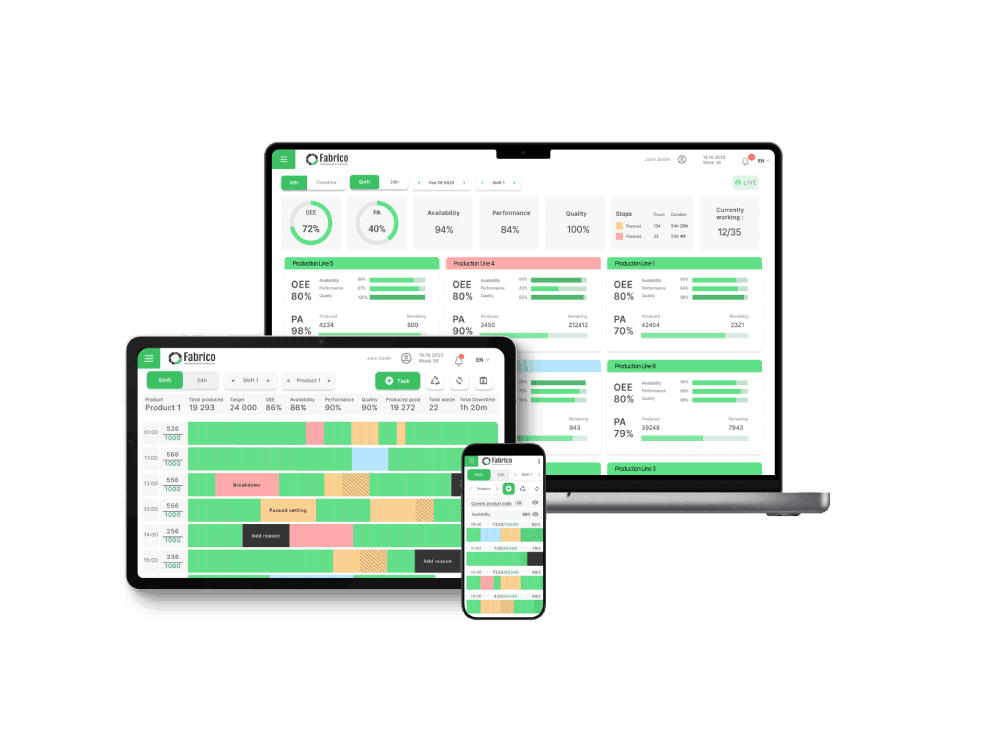
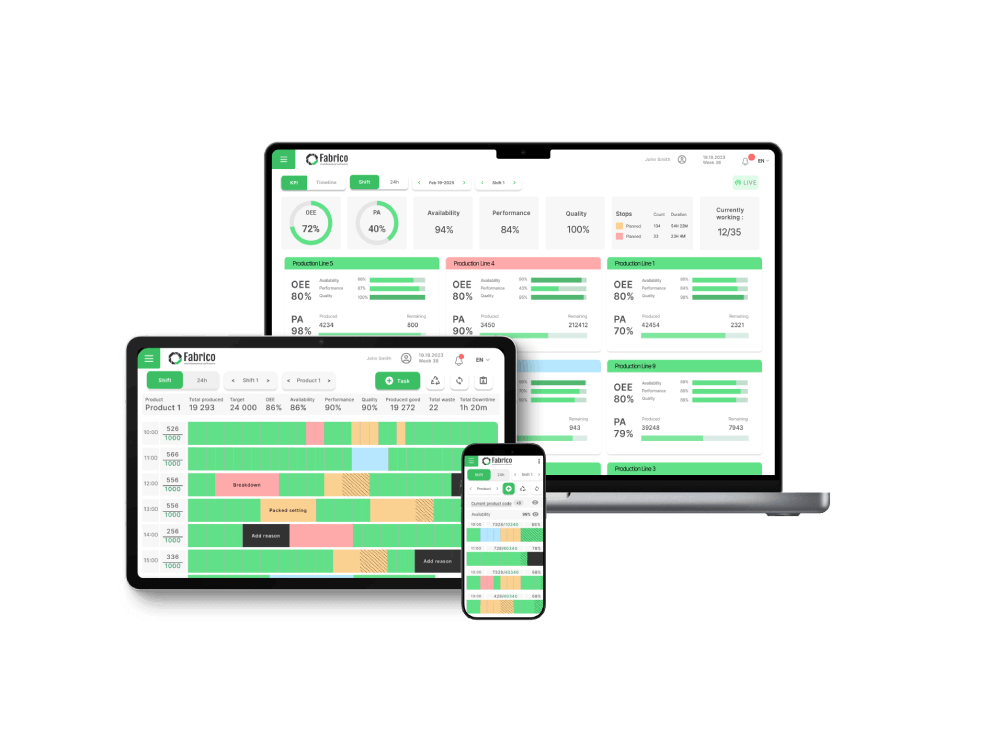
- The stop, the operator's reason and the camera video for that minute are reached from one timeline.
- The operator adds the reason, from your own reason list.
- The AI camera (an add-on) counts parts, so a count that comes up short shows as lost output.
- The number of cameras per line is agreed after a review of your process and machines.
On data: Fabrico holds ISO/IEC 27001 and hosts data on AWS in the EU, encrypted in transit and at rest. Access is role-based, and a data processing agreement sets out how data is handled under GDPR.
[delete the sentence]
What Fabrico does not do. It has no cause tree and no investigation file.
It gives your team the stop, the reason and the video for that minute to start from, and your team finds out why.
Job dispatching, BOMs, routings and genealogy stay in your ERP.
The camera page does not publish an accuracy figure. In the standard setup the video is streamed, not stored in Fabrico, so older video needs your own recording. Ask us in the demo about anything else.
Book a demo or Contact us to ask which of these tests we can run live.
What people ask next
Do we need video on all our lines?
Usually not at first. Start on the line with the most disputed or unknown stop time, and see if the weekly review changes any decision.
Where should the camera point?
At the process: the product flow and the key machine area, framed to avoid watching a person at a workstation. See production line cameras without surveillance.
How do we prepare for the works council meeting?
Define the purpose, map the data and run the impact assessment, then brief the council with a live demo. The works council approval guide walks through the order.
How does video connect to our downtime reason codes?
Build the reason list first, then line up the stop timeline and the video on one clock. See connecting line cameras to downtime codes.
What else should the dashboard show?
The live score against target, the three OEE factors, ranked downtime reasons and a short trend. See these OEE dashboard examples.
Questions about the test list? Book a demo or Contact us.
Related articles

Latest from our blog



Real Fabrico tiles, sample data.