


 Login
 Blog

Automated Visual Inspection Software for Maintenance (2026 Guide)

Key Takeaways
-
Money first: In the worked example, six maintenance faults cost a soft drinks line 820 filler minutes a week, EUR 19,680 while orders wait. The causes of 64% of that money move in front of a lens.
-
Stop video: Where a Fabrico camera add-on covers the station, the video for the minute of a stop can be opened from the shift timeline, streamed on request and not stored in Fabrico.
-
What a line camera cannot do: See wear inside a gearbox, a bearing or a motor. Vibration, oil and thermal monitoring do that; dedicated inspection systems check the product.
-
Model upkeep: Any vision model loses accuracy when the light, the lens, the camera position or the product changes. Check it against a reference count and agree who retrains it.
-
Next: On Fabrico's roadmap, not live today: a camera add-on that detects stops by itself and suggests a likely stop reason for the operator to confirm.
Automated visual inspection software helps maintenance where a fault shows outside the machine: a jam, a misfeed, a leak, a drifting guide rail.
It cannot see wear inside a gearbox or a motor, so it does not predict those failures; vibration, oil and thermal monitoring do. Inspection systems check the product. Fabrico's camera add-on counts output where a station has no usable signal, and where it covers the station, the video for the minute of a stop can be opened from the shift timeline, streamed on request and not stored in Fabrico.
Start from the loss. Maintenance faults reach OEE as stops, micro-stops and rejects; in the worked example below they cost a soft drinks line EUR 19,680 a week while orders wait. The second half covers how a vision model stays accurate.
When a machine stops, the first question is still: "What happened?"
The sensors show "Motor Overload." But they don't explain why the motor overloaded.
Was it a mechanical seizure? Or did a cardboard box get stuck in the intake?
Sensors feel the pain, but they cannot see the injury.
A camera at the intake can answer the second question if the box is in view. It cannot answer the first: a seizure starts inside the machine, where a vibration trend or a thermal image shows it first.
That split, what moves in view versus what wears inside, runs through this guide.
What a Line Camera Can and Cannot Do for Maintenance
Traditional condition monitoring listens to the inside of a machine. A 2020 NIST study of machinery maintenance describes the approach as maintenance "initiated based on predictions of failure made using observed data such as temperature, noise, and vibration"; none of those is a picture of the product flow. The one camera in that kit is a thermal camera. The US Department of Energy's Federal Energy Management Program guide defines thermography as "the process of generating visual images that represent variations in IR radiance of surfaces of objects" and names bearing failure, alignment, balance and looseness among the problems it can show.
On a packaging, food or beverage line, a stop can start outside the machine's internals:
-
A flap on a box sticks out.
-
A guide rail vibrates loose.
-
An operator places a part slightly off-center.
A vibration sensor will not report a stuck flap. A jam sensor stops the machine and the machine signal times the stop, but a view of the infeed is what shows why the flap stuck.
Six jobs near a machine, and the tool for each
| Job | Tool | What it sees | In Fabrico? |
|---|---|---|---|
| Check the product: caps, labels, codes, fill | Dedicated inspection system | The product, in fixed light | No; its reject signal can feed OEE quality |
| Watch wear inside: bearings, gears | Vibration, oil, ultrasound | Vibration, wear debris, noise | No |
| Find heat: motors, heaters, connections | Thermal camera | Surface temperature | No |
| Spot visible wear: belts, chains, suction cups | Technician on a round | Parts in reach | No |
| Count output where a station has no usable signal | Line camera | Units passing one point | Yes, the camera add-on |
| Show the minute of a stop | Line camera at the jam point | What moved in view | Yes, where a camera add-on covers the station |
Fabrico does no inspection and no failure prediction from camera images; its camera add-on does the two jobs in the product flow.
Predicting a failure means trending a condition such as vibration, heat or oil, setting a limit, and opening a work order before the part fails (see condition data inside an MES and OEE platform). A thermal camera is a condition tool; a line camera gives after-the-fact evidence for the minute of a stop.
Which failures a camera can see coming
Only when the failure shows on the outside first: heat at a bearing on a thermal image, a frayed belt on a technician's round. A line camera aimed at the product sees the effect, the tipped bottle after the rail moved, and cannot warn before the first stop. Its value starts with the second: the same stop in the same place is a pattern a person can read in the video.
Counting is the other camera job that pays. Where a station has no usable signal, such as a hand packing table, the camera add-on counts its output, so its stops can be priced like any other. The explainer below shows how.
Explainer presented by Iris, Fabrico's AI-generated presenter: how an add-on camera counts output where a machine has no signal. Book a demo.
Plays from YouTube. Google may set cookies when you press play. Privacy policy.
The Stop Video Next to the Machine Signal
Fabrico starts from the machine signal, not from the camera add-on.
1. The Stop Video
Fabrico puts the camera add-on video on the OEE Timeline.
-
The Stop: The machine signal (PLC or IoT) times the stop, and the operator picks the reason from a short list on a tablet or phone.
-
The Video: Where a camera add-on covers the station, the video for the minute of a stop can be opened from the shift timeline, streamed on request and not stored in Fabrico.
-
The Insight: The technician opens the stop on the shift timeline and watches the video for that minute. If the jam started in view, they see what moved first. If nothing in view moved, the cause is elsewhere.
2. Solving the "Micro-Stop" Mystery
A breakdown is remembered; thirty short stops a shift are not, yet in the worked example below the labeller's micro-stops cost almost three times as many filler minutes as the one breakdown.
Operators clear them in seconds and, when asked for a reason, may log them as "Minor Stop."
-
The signal first: Fabrico times the micro-stops from the machine signal, so their count and their minutes exist even when nobody logs them.
-
The Pattern: Sorted by time, the stops may cluster after a changeover or with one supplier's bottles. That points to a setting or a material, not to a worn part.
-
The Fix: You realize it's a material quality issue, not a machine tuning issue. You save the maintenance team hours of unnecessary adjustment.
3. Ending the "Blame Game"
Production blames Maintenance ("The machine is broken"). Maintenance blames Production ("You loaded it wrong").
Video settles the part of the argument that happened in view. How the stop video fits a structured investigation is covered in visual root cause analysis.
-
Scenario: A machine crashes.
-
Video Evidence: The video for the minute of the crash clearly shows an operator bypassing a sensor.
-
Resolution: The issue is addressed through Training, not Repair. The Maintenance team is not sent on a wild goose chase.
Worked Example: Six Maintenance Faults on a Soft Drinks Line, Priced
All inputs are examples, not customer figures; replace them with the line's own.
The line. A soft drinks plant runs a PET line for 0.5 litre bottles. The filler is the constraint at an ideal 300 bottles a minute, so a lost filler minute is 300 bottles not made. It runs 3 shifts of 440 planned minutes, 5 days a week: 15 shifts, 6,600 planned minutes. The table counts only the filler minutes each fault cost in one week, after the buffers absorbed what they could.
| Fault (example) | OEE loss | Filler min a week | Bottles not made | EUR, orders waiting | What finds the cause |
|---|---|---|---|---|---|
| Labeller infeed guide rail drifts; bottles tip | Micro-stops | 300 | 90,000 | 7,200 | Stop video at the infeed |
| Worn splice roller; shrink film breaks | Stops | 225 | 67,500 | 5,400 | Stop video at the film path |
| Dirty palletizer photo-eye; false stops | Micro-stops | 120 | 36,000 | 2,880 | Signal pattern; the video shows nothing wrong |
| Filler conveyor drive bearing fails | Breakdown | 110 | 33,000 | 2,640 | Vibration trend |
| Shrink tunnel heater overheats | Stops | 50 | 15,000 | 1,200 | Thermal image, fault code |
| Worn capper chucks; loose caps rejected | Quality | 15 | 4,500 | 360 | Inspection reject count |
| Total | 820 | 246,000 | 19,680 |
The OEE loss. 820 of 6,600 planned minutes is 12.4 points of OEE: 5.8 of availability, 6.4 of performance and 0.2 of quality.
The margin. The example ex-works price is EUR 0.32 a bottle and the example margin 25% of it, EUR 0.08. For US soft drinks makers, NYU Stern data on US sector margins ("Data used is as of January 2026", Beverage (Soft), 27 firms) shows a gross margin of 54.74% and a pre-tax unadjusted operating margin of 20.53%; the example 25% sits between the two. Fabrico prices losses from the plant's own SKU price and margin instead.
While orders wait, a bottle not made is a sale lost: 246,000 x EUR 0.08 = EUR 19,680 a week. That is where maintenance losses weigh most: a NIST survey of US discrete manufacturers (food and drink were outside its scope) put 2016 losses from preventable maintenance issues at USD 119.1 billion, with USD 18.1 billion "due to downtime" and USD 100.2 billion "due to lost sales from delays and defects".
When orders do not wait, the 820 minutes are capacity: almost two extra shifts a week (820 / 440 = 1.86), priced at what a shift costs, not at margin.
Where a camera helps. The two faults whose cause moves in view hold 525 of the 820 minutes: EUR 12,600 a week, 64%. The bearing failure everyone remembers is EUR 2,640 of lost output, 13% (its repair comes on top), so buying vibration sensors first because of it goes after the smaller loss. The video does not fix the rail; it shows which part moved first, so the fix is a pinned bracket instead of another sensor swap.
How a Vision Model Stays Accurate in Production
Any camera that counts, checks or classifies runs a model trained on images from one set of conditions. On a line, those conditions change. The NIST AI Risk Management Framework puts it plainly: "AI systems may require more frequent maintenance and triggers for conducting corrective maintenance due to data, model, or concept drift."
The drop can be large. In a peer-reviewed test at ICML 2019, new test sets built by "closely following the original dataset creation processes" gave accuracy drops of 11% to 14% on ImageNet across a broad range of models. A new label or bottle colour is a change the model never saw at all.
For factories, a systematic review of industrial counting models (Sensors, 2026) names the causes: "environmental factors such as illumination and dust at production sites are complex and changeable, placing higher demands on the robustness of visual systems." On new products: "Traditional class-specific counters require re-annotation of data and retraining of models for each new workpiece, resulting in high costs and long cycles."
| What changed | What you see | The check | Who owns it |
|---|---|---|---|
| Light: dock door, new lamp, night shift | Counts drift by time of day | Reference count by day and by night | Maintenance (lamps), model owner (model) |
| Lens: dust, splash, condensation | Missed units, blurred video | Cleaning on the sanitation list, then a reference count | Sanitation or maintenance crew |
| Position: camera knocked, bracket moved | Counting line or jam point leaves the frame | Marked bracket; a still image against the approved view | Maintenance technician |
| Product: new SKU, label, colour or pack | Errors on the new product only | Reference count on its first runs; retrain if it misses | Vendor or the plant's CI engineer, per contract |
| Line: new guides, speed or layout | Units overlap or outrun the frame rate | Recheck the frame at full speed | CI engineer with the vendor |
The check that catches drift. A drifting model gives no error message; it just counts wrong. The check is a reference count (the filler's PLC counter, a checkweigher or a hand tally) over a fixed period, set against the camera's figure, after every change in the table and not only on a calendar. NIST asks the same in general terms: that a system is "monitored when in production". The test itself is in camera count accuracy, and mounting that drifts less is in camera placement and lighting.
Who owns retraining. Decide it before the camera goes up. NIST asks that roles for managing AI risks "are documented and are clear to individuals and teams throughout the organization". On a line that means three names: who cleans and re-aims the camera, who runs the reference count, and who relabels and retrains the model (the vendor or the plant's own engineer, written into the contract).
What to ask a vendor about model upkeep: who retrains the model when a SKU, label or pack changes, and how many images that takes; what triggers a retrain; how accuracy is measured on the plant's products, at line speed and at night; what happens to counts during a retrain; and whether the plant can see each model's version and when it changed.
What Is Live Today, and What Is Roadmap
Right now, Fabrico helps you See (the video for the minute of a stop).
-
Today: You watch the video to find the jam.
-
On Fabrico's roadmap, not live today: a camera add-on detecting the stop by itself and suggesting a likely stop reason for the operator to confirm.
Buy for what is live today; a roadmap item is a question for the vendor, not a reason to buy.
Comparison: Which Tool to Add First, and Who Picks
The four options are not exclusive; the money decides the order.
| Option | Choose it when | Effort | Who picks |
|---|---|---|---|
| 1. Machine signal and operator reasons | Always first: it times and prices the losses | PLC or IoT stop timing, a short reason list | Production manager |
| 2. Vibration, oil or thermal monitoring | Top losses are bearing, gearbox, motor or electrical failures on a few assets | Sensors or a thermal route per asset, and a person to read trends | Maintenance or reliability lead |
| 3. Camera add-on at one station | A station holds much of the money and its causes move in view, or it has no signal to count | One camera, mounting, network, a light check, reference counts | Plant or production manager, with the CI lead |
| 4. Dedicated inspection system | Cap, label, code or fill rejects are a top loss | A quality project with its own vendor and validation | Quality manager |
Who picks. The plant or production manager sets the order, because the budget goes against a loss in money. The maintenance or reliability lead names the faults that need a measurement inside the machine, the CI lead the stops the video must answer, the quality manager the inspection. Options 1 and 3 run in the same OEE software; 2 and 4 are separate systems. In the worked example the order is 1, then 3 at the labeller infeed and the film path, then 2 on the filler drive.
Questions to ask any vendor: is a stop timed from the machine signal or from the image; is the video stored, for how long, and who can open it; does the same camera count output where a station has no usable signal; and which features are live today and which are on the roadmap?
Want to see one line's stops ranked by money before choosing a tool? Book a demo.
A Plant-Floor Plan in Seven Steps
For a plant, production, maintenance or CI manager. The plant sets its own pace. If a camera add-on is part of the plan, run it as a computer vision OEE pilot on one line first.
-
Rank the losses: list one line's maintenance faults by filler minutes and money.
-
Sort by evidence: mark each fault inside, on the surface or in view, and give each fault family its own stop reason.
-
Capture: The machine signal times the stops and micro-stops, and the operator picks the reason from the short list.
-
Review: Where a camera add-on covers the station, the technician watches the video for the minute of the stop before starting the repair; elsewhere the fault code and a measurement come first.
-
Resolve: The fix addresses the cause (pin the rail bracket), not just the symptom (clear the jam).
-
Check the camera: after any cleaning, knock, new SKU or new light, compare the camera add-on's count with a reference count.
-
Check the money: stops, minutes and output for that reason after the fix, with lost output priced only in weeks when orders wait.
Questions Maintenance and CI Teams Ask About Line Cameras
Can computer vision predict machine failures in a factory?
Only faults that show on the outside first. A thermal camera can show heat at a bearing, a motor or a connection before it fails. A line camera aimed at the product sees the effect, such as a jam, after the cause has started.
What is machine vision model maintenance?
The upkeep that keeps a vision model accurate after it goes live: cleaning and re-aiming the camera, checking it against a reference count after every change, and relabelling and retraining it when the light, the product or the line changes.
Where should the first camera go for maintenance?
Where the money and a visible cause meet: rank one line's maintenance losses by money and mount the camera add-on where most of the visible ones happen. In the worked example, that is the labeller infeed.
Where Fabrico Fits
Fabrico is a cloud OEE and light MES platform with maintenance built in: a logged stop can open a work order. Around a maintenance fault, this is live today:
- Stops and micro-stops timed from the machine signal; the operator picks the reason from a short list.
- Counts from the camera add-on where a station has no usable signal.
- The stop video: where a camera add-on covers the station, the video for the minute of a stop can be opened from the shift timeline, streamed on request and not stored in Fabrico.
- Work orders: a maintenance work order opens from a logged stop in one tap, and chosen stop reasons can create that work order automatically when the reason is logged.
- Money: the financial impact module prices every loss from SKU price and margin and ranks stops by money.
- AI Assistant: it answers from manuals, maintenance history and recorded stops with their causes.
It fits a plant whose top maintenance losses are visible stops at a few stations; where they are bearing and electrical failures, vibration and thermal monitoring come first.
Keeping the stops, the counts and the work orders in one system rather than three is what a light MES means on a line like this.
Automated visual inspection software for maintenance, not only quality
Automated visual inspection software is built to check the product: a missing cap, a crooked label, a low fill. For maintenance, a camera on the line answers a different question: what moved in the minute before the machine stopped.
- Visible conditions. Leaks, spillage, material build-up, guards left open and misfeeds can be seen in the video for the minute of a stop, if they are in the frame.
- Repeat events. A single jam is noise. The same jam at the same station across a week is a maintenance job, and counting it is what makes the case.
- The handoff. The value is whether a repeated stop reaches a work order, not whether a camera saw it.
Fabrico's camera-based OEE software puts the camera add-on's counts and stop video next to the machine data on one OEE timeline.
Want to see one line's maintenance faults as stops, minutes and money before choosing a camera, a sensor or both? Book a demo.
Turn downtime into a number your team can actually act on.
Request a demoRelated articles





Latest from our blog
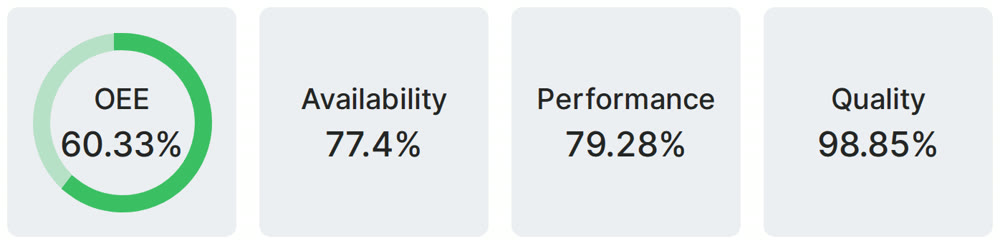
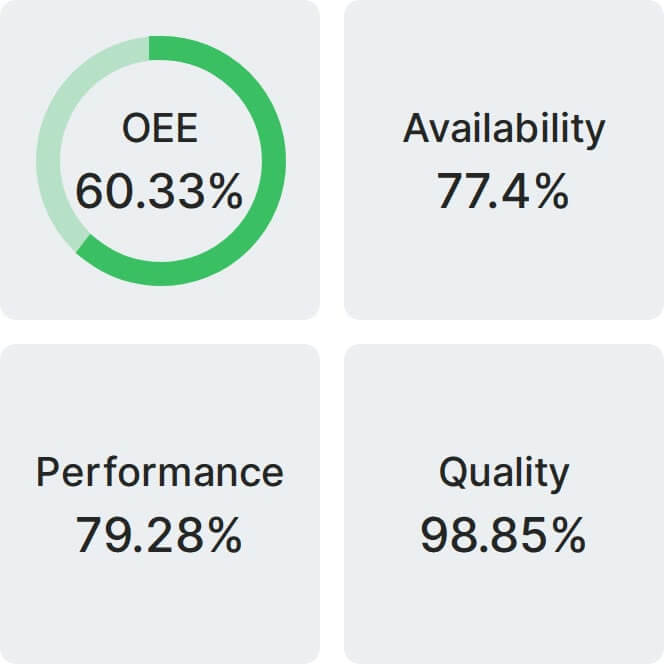
Real Fabrico tiles, sample data.