


 Login
 Blog

Beyond the Text Log: Using Computer Vision Video in Root Cause Analysis


Key Takeaways
-
The "Vague Log" Problem: The first answer in a root cause analysis is a guess when the only evidence is a logged reason like "machine jammed" or "sensor error."
-
Visual Truth: Fabrico’s Computer Vision camera add-on lets technicians open the video for the minute of a stop from the shift timeline, streamed on request and not stored in Fabrico, so they see what happened instead of guessing.
-
Reduced MTTR: Visual evidence breaks the "Could Not Duplicate" cycle for causes the lens can see, which shortens the diagnosis part of Mean Time To Repair.
-
Money first: In the worked example, removing one recurring carton jam is worth EUR 48,141 a month while orders wait, EUR 3,267 when they do not.
-
Stop to work order: A Maintenance Work Order opens from the logged stop in one tap, bridging the gap between Production data and Maintenance action.
Computer vision video helps a root cause analysis when a camera covers the station that stopped: the video for that minute answers the first why.
It does not help when the cause sits inside a motor, a sensor or a control cabinet, or outside the frame. Without it, an investigation can start from a work order request that says: "Machine stopped. Again."
You send a technician to the line. They jog the machine. It runs fine.
They stare at the PLC logs, which perhaps show a generic "Servo Fault." They ask the operator, who shrugs and says, "It just quit."
The technician marks the work order as "Could Not Duplicate" and closes it.
Two hours later, it happens again.
This cycle is the "Hidden Factory" at its worst. It lowers your OEE (Overall Equipment Effectiveness) and drives up your MTTR (Mean Time To Repair). The problem isn't the machine; the problem is the lack of context.
Legacy CMMS platforms and paper downtime logs hold text: a reason typed by a busy operator, or a PLC fault code that names the symptom, not the cause.
The missing piece is evidence from the minute the line stopped. This page calls that Visual Root Cause Analysis.
What is Visual Root Cause Analysis?
Visual Root Cause Analysis uses the video for the minute of a stop as evidence in a root cause analysis on a production line, read next to the machine signal, the operator's stop reason and the work order history.
Instead of relying on manual descriptions, the team watches the video for the minute of a stop and looks for the physical cause. In Fabrico, where a camera add-on covers the station, that video is opened from the shift timeline, streamed on request and not stored.
Fabrico's camera add-on also counts output where a station has no usable signal, such as a hand packing table, which tells an RCA how much output a problem cost there. The explainer below shows that counting job.
Explainer presented by Iris, Fabrico's AI-generated presenter: how an add-on camera counts output where a machine has no signal. Book a demo.
Plays from YouTube. Google may set cookies when you press play. Privacy policy.
The Problem: Why Text Logs Lie (Or Leave Out the Truth)
In a high-speed manufacturing environment, operators prioritize restarting production, not writing detailed essays for the maintenance team. This leads to three distinct data gaps:
-
The Context Gap: A PLC can tell you that a motor overloaded, but it cannot tell you why. Did a package enter sideways? Was there a jam upstream? Did the operator intervene manually?
-
The "Ghost" Stop: A short stop that the operator clears in seconds does not get a work order, so it is missing from the maintenance history unless the machine signal times it. Yet, if a machine stops 50 times a day for 30 seconds, you’ve lost 25 minutes of production, and you have zero data on why.
-
The "No Fault Found" Loop: If a technician cannot replicate the issue, they cannot fix it. This leads to parts changing (shotgun troubleshooting) without solving the root cause. A peer-reviewed study of No Fault Found costs at 7 UK organisations lists lost man hours at the customer among the major cost drivers, costs it calls particularly difficult to quantify because potentially serviceable equipment is returned for repair.
Four Sources Around One Stop, and What Each Can Answer
An RCA has to describe a stop before it can explain it. IEC 62740, the international standard on root cause analysis, "describes the basic principles of root cause analysis (RCA) and specifies the steps that a process for RCA should include", and it names causes as varied as "design processes and techniques, organizational characteristics, human aspects and external events". A camera at one station sees one physical event, so the stop video is one source of four. The method itself is in root cause analysis in manufacturing.
| RCA question | First source | What the stop video adds |
|---|---|---|
| When, how long, how often? | Machine signal (PLC or IoT device) | Nothing |
| What did the operator see? | Operator's reason, from a short list | Whether it matches what moved |
| What moved, in what order? | Video for the minute of the stop, from a camera add-on | Its main job |
| What was tried before? | Work order history, parts used | Whether the last fix hit what the video shows |
| What did it cost? | Counts, priced by the financial impact module | Nothing |
| Why does it keep happening? | The RCA team's method and measurements | At most the first why |
Where the four disagree, the disagreement is the finding. A reason of "jam", a video of a twisted carton and a work order that swapped a photo-eye say the last fix aimed at the wrong part. Downtime reason codes that separate infeed, discharge and transfer jams give the video something precise to confirm.
The Solution: The Stop Video Workflow
In Fabrico, the stop minute sits on the shift timeline with the machine signal, the operator's reason and, where a camera add-on covers the station, the video for that minute. The steps below follow one recurring jam on a cartoner, using computer vision for OEE, from the stop to the fix.
Here is how the stop video changes a breakdown response:
1. The Trigger
The cartoner stops on a discharge jam. Fabrico times the stop from the machine signal (PLC or IoT device), and the operator picks the reason from a short list on a tablet or phone.
2. The Video
Where a camera add-on covers the station, the video for the minute of the stop can be opened from the shift timeline, streamed on request and not stored in Fabrico. This matters because a jam can start seconds before the sensor trips, inside the same minute.
3. The Assignment
A Work Order opens from the logged stop in one tap, and chosen stop reasons can create it automatically when the reason is logged.
4. The Diagnosis
Instead of walking to the machine blind, the maintenance technician opens the Fabrico app on a tablet, finds the stop on the shift timeline and watches the video for that minute.
-
The video shows a carton twist about 45 degrees at the transfer before it hits the guide rail.
-
It shows the guide rail moving on its bracket just before the impact.
Result: The technician skips the sensor tests that ended the earlier call-outs in "Could Not Duplicate", tightens the guide rail, and adds a "Check Guide Rail Alignment" task to the weekly PM schedule.
What Fabrico Puts Next to the Stop Minute
Why not just use the CCTV footage? Because finding a 30-second stop in 8 hours of footage means scrolling, and the footage is not tied to the stop or its reason. You need to jump straight to the minute of the stop and open the repair from the stop itself.
- Event trigger: Fabrico times the stop from the machine signal (PLC or IoT), so nobody has to type it in.
- Context: Where a camera add-on covers the station, the video for the minute of the stop can be opened from the shift timeline, streamed on request and not stored in Fabrico.
- Micro stops: Short stops are timed automatically from the machine signal, and the operator picks the reason from a short list on a tablet or phone.
- Diagnosis speed: The technician watches the video for the minute of the stop before walking to the line, instead of trying to reproduce the fault.
- One platform: OEE, maintenance and computer vision work in the same system.
- Counts: at a station with no usable signal, the camera add-on counts output, so the RCA can size the loss there.
- Money: the financial impact module prices every loss from SKU price and margin and ranks stops by money.
- On Fabrico's roadmap, not live today: a camera add-on that detects stops by itself, watches jam zones or suggests a likely reason.
Where the Video Fits in Your RCA
Use the video as the first answer in a 5 Whys, then keep asking why with the maintenance history next to it. In the cartoner example, the video answers the first why: the guide rail moved on its bracket. The next whys ask why it came loose and why no PM caught it, which is how a quick tightening becomes a pinned bracket and a permanent check in the PM schedule. The full routine is in 5 Whys with the video for that minute.
Which causes the video can settle depends on what the lens can see, and the next section sorts them. Place the camera add-on where the downtime Pareto, ranked by money, says visible stops cluster.
What the Camera Can See, and What It Cannot
Sort the station's top stops by one question first: can the cause show up in the frame at all?
| Stop cause | Can the stop video show it? | Evidence that settles it |
|---|---|---|
| Carton twisted, overlapped or double fed | Yes, if in frame and lit | Video, then guide and timing settings |
| Rail, change part or bracket moving | Yes, if in frame | Video, then a torque and wear check |
| Film or label web breaking | Yes, if the break is in frame | Video, then splice and tension checks |
| A hand reaching in | Yes | Video, then why the task needs it |
| Warped or damp cartons | The effect only | Incoming material check by lot |
| Electrical, drive, sensor or PLC fault | No | Fault log, PLC trend, a measurement |
| Wear or air pressure inside the machine | No | Vibration, temperature or pressure reading |
| A cause upstream, outside the frame | The effect only | The upstream machine's signal |
Limits inside the frame. A 2026 peer-reviewed review of industrial object counting lists the challenges video adds: "target entry and exit at frame boundaries, motion blur caused by high-speed movement, occlusion and reappearance of targets, and cumulative error propagation over long video sequences." It is about counting, but frame edges, blur and occlusion limit a person reading the video too. Before the camera add-on goes up, check that the start of the jam is in frame, the light does not wash out the product and no guard blocks the view. At 600 cycles a minute and an example 25 frames a second, each cycle gets two or three frames: enough for a twisting carton, too coarse for a fault inside one cycle.
When the video shows a person. The UK Health and Safety Executive's guidance on managing human failure says incident investigations "should seek to identify why individuals have failed rather than stopping at 'operator error'". If the video shows a hand reaching in, the next why asks what made the reach-in necessary: a jam slow to clear through the guard, a missing tool, a restart target that rewards speed.
Worked Example: Pricing the Stop Minutes an RCA Removes
All inputs are examples, not customer figures; replace them with the line's own.
The line. A household products plant in Germany runs a dishwasher tablet cartoner at 72 cartons a minute, 12 to a case: 6 cases a minute. Two packers fill cases at a hand packing table with no signal, where a camera add-on counts packed cases; its view also covers the transfer from the cartoner discharge. The plant runs 2 shifts a day of 450 planned minutes, 20 days a month: 40 shifts.
Before the RCA. The cartoner stopped on a discharge jam 7 times a shift, about 3 minutes each: 21 minutes, 4.7% of planned time. Once a shift the shift lead called maintenance, and the technician spent about 45 minutes testing the discharge photo-eye and reading the PLC log. The call-outs ended in "Could Not Duplicate", and one replaced a working photo-eye.
After the RCA. The video showed the rail moving on its bracket. The team pinned the bracket and added a rail check to the weekly PM. The jam now stops the cartoner about once a shift, 3 minutes, and the operator clears it without a call-out.
| Example line item | Before | After | Removed |
|---|---|---|---|
| Discharge jam minutes a shift | 21 | 3 | 18 |
| Share of 450 planned minutes | 4.7% | 0.7% | 4.0 points |
| Lost cases a shift (6 a minute) | 126 | 18 | 108 |
| Lost cases a month (40 shifts) | 5,040 | 720 | 4,320 |
| Technician call-out hours a month | 30 | 0 | 30 |
Lost output, priced only while orders wait. The example margin is 30% of an example ex-works price of EUR 36 a case: EUR 10.80. For US household products makers, the NYU Stern margin table ("Data used is as of January 2026", 110 firms) shows a gross margin of 51.04% and a pre-tax unadjusted operating margin of 18.62%; the example 30% sits between the two. In a month when orders wait, the line cannot make up the 108 cases a shift: 4,320 x EUR 10.80 = EUR 46,656 a month.
Technician hours. Destatis puts the labour cost per hour worked in German manufacturing at EUR 49.50 for 2025. The 40 call-outs of 45 minutes are 30 hours: 30 x EUR 49.50 = EUR 1,485 a month, before counting the earlier investigations and the swapped photo-eye.
When orders do not wait, the 18 minutes a shift are capacity, not lost sales: 12 line hours a month, worth the overtime they save. A crew of 3 (the cartoner operator and 2 packers) makes that 36 hours x EUR 49.50 = EUR 1,782 a month.
The result: EUR 46,656 + EUR 1,485 = EUR 48,141 a month while orders wait, and EUR 1,782 + EUR 1,485 = EUR 3,267 when they do not. Fabrico's financial impact module prices lost output from the plant's own SKU price and margin. The camera add-on's case count at the packing table is the check: if packed cases rise by about 108 a shift after the fix, the minutes reached the pallet; if not, part of the loss was made up elsewhere, and the money is smaller.
The video shows your team the stop itself; they find the cause behind it and fix it, instead of paying for the same stop every shift. That is the difference between resetting the machine and removing the cause.
When Stop Video Is Worth Adding, and Who Decides
Stop video earns its place when a station's costly stops have causes that move in front of a lens.
| Option | Choose it when | Effort | Who picks |
|---|---|---|---|
| Signal, reason and history only | Top stops by money are electrical or inside housings | Stop timing and a reason list | Maintenance lead with production |
| Stop video at one station | One station holds the top stops by money, with causes in view | One camera add-on, mounting, network, a light check | Plant or production manager, with the CI lead |
| Stop video at several stations | Several stations share visible stops | A camera add-on and a purpose agreement each | Plant manager, with employee representatives |
| Existing security CCTV | A one-off question at a spot it already sees | Low, but found by scrolling and kept for security | CI lead, with the data protection officer |
Who picks. The plant or production manager, because the camera budget is spent against a loss in money; the CI lead names the stops the video must answer, and the maintenance lead the causes that need a measurement. Employee representatives agree each camera's purpose first; the EDPB guidelines on video devices note that "collective agreements, including ‘works agreements’, may provide for specific rules on the processing of employees' personal data in the employment context".
Questions to ask any vendor: how the team opens the video for the minute of a stop (from the stop on the timeline, or by scrolling footage); whether the video is stored, for how long and who can open it; whether the same camera counts output where a station has no usable signal; and which features are live today and which are on the roadmap.
What Fabrico does not do. The video shows you what happened; it does not tell you why it keeps happening. Fabrico does not run the analysis for you. It does not build a cause tree or a Fishbone for you, it does not produce an auditor ready investigation report, and it does not force Problem, Cause and Remedy codes before a work order can be closed.
It gives your technicians the evidence (the video for the minute of a stop where a camera covers the station, PLC stops and micro stops, the machine's work order history, parts used, MTTR and MTBF) and an AI Assistant that answers from manuals, maintenance history and recorded stops with their causes.
Want to see the stop minute and its video on one OEE timeline? Book a demo.
Steps for This Quarter
For a plant, production or CI manager. The plant sets its own pace.
- Rank the stops by money: one line's top five, from the financial impact module or the plant's own costing.
- Sort them by what a lens can see, using the table above.
- Agree each camera's purpose (stop video and counts, not watching people) with employee representatives and the data protection officer.
- Mount the camera add-on where the top visible stops cluster, and check the frame on a running shift.
- Run the next RCA from the four sources, opened before the meeting.
- Check the fix in the numbers: stop count, minutes and output for that reason, with lost sales priced only for months when orders wait.
Questions People Ask About Stop Video in an RCA
Is visual root cause analysis a separate RCA method?
No. It is the evidence step inside any RCA method, such as 5 Whys or a fishbone: the video for the minute of a stop answers the first why for causes a camera can see.
Can existing CCTV footage be used for an RCA?
Sometimes, for a one-off question, if a security camera already sees the spot and the footage still exists. It is kept for security, so check with the data protection officer first, and expect to scroll for the minute.
Where does the stop video come from in Fabrico?
From a camera add-on that covers the station. There, the video for the minute of a stop can be opened from the shift timeline, streamed on request and not stored in Fabrico.
Does the camera find the cause or pick the stop reason?
No. A person watches the video, and the operator picks the reason from a short list. On Fabrico's roadmap, not live today: a camera add-on that detects stops by itself or suggests a likely reason.
Summary: Stop Guessing, Start Seeing
An RCA that starts from text starts from memory. One that starts from the stop minute starts from evidence.
Fabrico puts the stop minute, its signal, the operator's reason, the work order history and, where a camera add-on covers the station, the video for that minute on one OEE timeline, with the loss priced in money. Use that as a test when comparing OEE software, and as the reason a light MES keeps work orders next to the stops.
The RCA still belongs to the team: the video answers the first why, and the people who know the machine answer the rest.
Stop settling for "Could Not Duplicate."
Want the stop minute, its video and the work order on one OEE timeline? Book a demo to see it on sample data.
Request a demoRelated articles



Latest from our blog
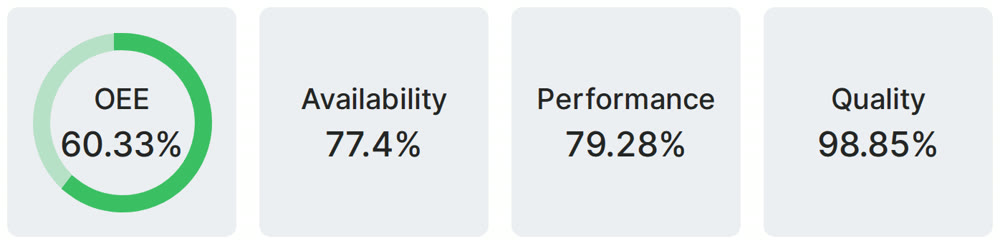
Real Fabrico tiles, sample data.