


 Login
 Blog
HighByte vs Cognite: Site DataOps Hub or Cloud Data Platform?

In short: HighByte vs Cognite sets a DataOps hub that HighByte says can run at the edge against an industrial DataOps platform that Cognite runs in cloud clusters, and a group may well use both at different layers. HighByte Intelligence Hub shapes and moves plant data near the machines. Cognite Data Fusion pulls data from many systems into one data model and knowledge graph for the company.
- Location: HighByte at the edge, in a plant data centre or in the cloud; Cognite in Azure, AWS or Google Cloud clusters.
- Shape: HighByte models of typed attributes and templates; Cognite data models with time series linked to assets.
- People: HighByte names OT teams; Cognite's homepage addresses operations, IT, digital leaders and executives.
- OEE sits beside both, and every site needs the same rules, ideal rate included, or the group figure stops meaning anything.
This pair usually reaches one shortlist through a group data team: plants want clean, named machine data near the line, head office wants one queryable model of every site and asset. HighByte speaks mainly to the first wish, Cognite to the second.
Fabrico builds cloud OEE software and a light MES, and resells neither vendor. Facts about HighByte are taken from highbyte.com and its user guide, facts about Cognite from cognite.com and docs.cognite.com, as of 13.11.2026.
HighByte vs Cognite at a glance
Each cell condenses a vendor page that is linked further down; all were read on 13.11.2026.
| Job | HighByte Intelligence Hub | Cognite Data Fusion |
|---|---|---|
| Self-description | Industrial DataOps for modelling, orchestration and governance | Industrial DataOps platform feeding a contextualised knowledge graph |
| Where it runs | Edge, plant data centre or cloud; bare metal, VM or container | Clusters on Microsoft Azure, AWS or Google Cloud |
| Reaching sources | Connections incl. OPC UA, Modbus TCP, MQTT, SQL, historians | Prebuilt or custom extractors, incl. an OPC UA extractor |
| Data shape | Models of typed attributes, instances, templates | Data models, a core data model, a knowledge graph |
| Moving data on | Pipelines with triggers and stages | Extractors stream data in; transformations reshape it |
| Audience named | OT teams | Operations and IT teams, digital leaders, executives |
What HighByte Intelligence Hub is for, per HighByte
HighByte's Intelligence Hub product page presents an Industrial DataOps solution built for data modelling, orchestration and governance, and says it was designed for Operational Technology (OT) teams. As of 13.11.2026:
- Location. The page names the edge first, then plant data centres or the cloud, on bare metal, a virtual machine or a container.
- Connections. The user guide's connections section lists types for reading and sending data, among them OPC UA TCP, Modbus TCP, MQTT, Sparkplug, SQL, historians, Kafka, Snowflake and REST Client. How the hub compares with a classic OPC server is in our HighByte vs Kepware comparison.
- Models. In the guide, a model is a collection of attributes, each with a unique name and data type, and models can nest sub models. The product page adds template import and export to repeat a dataset across assets.
- Pipelines. HighByte's pipeline guide has triggers injecting events and stages that perform I/O or transformations on them.
What Cognite Data Fusion is for, per Cognite
Cognite's documentation defines Cognite Data Fusion as an industrial DataOps platform that streams your industrial data into a structured, flexible and contextualised knowledge graph. The Cognite homepage speaks to operations teams, IT teams, digital transformation leaders and executives. As of 13.11.2026:
- Data in. The integration docs describe prebuilt or custom extractors for industrial systems, enterprise applications and cloud sources, and transformations that reshape data to fit target data models. The OPC UA extractor docs say the extractor reads time series, events and asset information over OPC UA.
- Data models. The data modelling docs call a data model an abstract representation of real-world entities, used to build a structured knowledge graph. The core data model supplies standard building blocks such as CogniteAsset, CogniteTimeSeries, CogniteEquipment and CogniteActivity, which Cognite's industry models extend.
- Contextualisation. Per the contextualisation docs, it links time series, files and diagram tags to assets (functional locations) in the knowledge graph, with rules and machine learning for matching.
- Location. The clusters and regions page lets your cloud provider decide the cluster options, across Microsoft Azure, Amazon Web Services and Google Cloud Platform, multi-tenant or dedicated.
- AI. The Atlas AI docs cover industrial AI agents that query the knowledge graph through language models, skills and tools.
HighByte vs Cognite, job by job
Reaching machines. Both name OPC UA, which the OPC Foundation describes as a platform independent service-oriented architecture. HighByte reads it at the plant; Cognite's extractor reads a server and writes to a cloud project.
Shaping data. HighByte's shape is a model per asset type, filled by instances and repeated by templates. Cognite's shape is a data model and knowledge graph that starts from its core model. Decide whether the line model is drawn at the plant and copied up, or drawn centrally and mapped down.
Adding context. HighByte adds it when a model joins raw tags into a named asset; Cognite links time series, files and drawing tags to assets across the company's data.
A shared spine. ISA describes ISA-95 as standards aimed at integrating logistics systems with manufacturing control systems, and says it deals mainly with the interface between levels 3 and 4. Its site, area and line levels make a common spine for both tools (our ISA-95 guide).
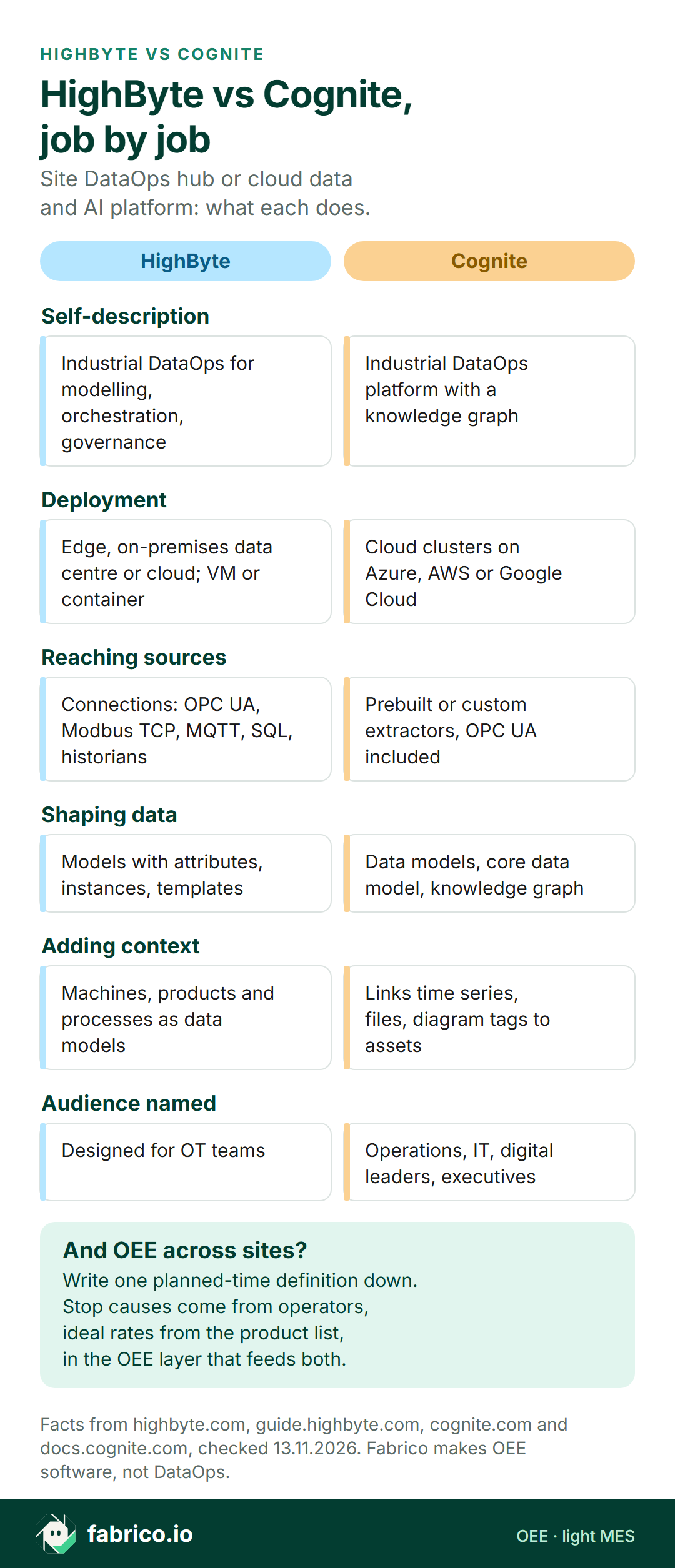
Text version of this infographic
- Self-description. HighByte: Industrial DataOps for modelling, orchestration, governance. Cognite: Industrial DataOps platform with a knowledge graph.
- Deployment. HighByte: Edge, on-premises data centre or cloud; VM or container. Cognite: Cloud clusters on Azure, AWS or Google Cloud.
- Reaching sources. HighByte: Connections: OPC UA, Modbus TCP, MQTT, SQL, historians. Cognite: Prebuilt or custom extractors, OPC UA included.
- Shaping data. HighByte: Models with attributes, instances, templates. Cognite: Data models, core data model, knowledge graph.
- Adding context. HighByte: Machines, products and processes as data models. Cognite: Links time series, files, diagram tags to assets.
- Audience named. HighByte: Designed for OT teams. Cognite: Operations, IT, digital leaders, executives.
- And OEE across sites? Write one planned-time definition down. Stop causes come from operators, ideal rates from the product list, in the OEE layer that feeds both.
Match the first job
If one project must go first, pick the job that blocks people today.
| First job on the list | Look first at |
|---|---|
| Raw PLC tags need names, units and a line structure at the plant | HighByte models and instances |
| One line type repeated across many plants | HighByte templates, next to a Cognite industry data model |
| Head office wants one graph of assets, time series and files | Cognite data models and contextualisation |
| Modelled plant data must reach several clouds and databases | HighByte pipelines and connections |
| AI agents should query plant data in plain language | Cognite Atlas AI, fed by the layer you trust |
| OEE and stop causes by line and shift, same rules at every site | An OEE application or light MES beside both |
Where OEE and stop causes fit
A HighByte model or a Cognite time series can carry a filler's run state and count. Neither value explains why the filler stopped, how long the shift was meant to run, or how fast that product should run.
| OEE input | Usual origin | Reaches the data layers when |
|---|---|---|
| Run and stop state | PLC value or sensor | A connection or extractor reads it |
| Good and reject count | Counter, or the line's reject signal | A source publishes it |
| Planned time | Shift pattern, breaks, planned changeovers | The system that owns the plan sends it |
| Ideal rate | Rated speed for each product | Someone keeps the product list current |
| Stop cause | Operator's choice from the plant's reason list | A person has entered it |
For a group, the definitions are harder than the transport. Planned time is one: if one plant books a planned changeover as planned time and another as a stop, head office compares two numbers under one name, as our Kepware vs Litmus comparison works through. The ideal rate is the other, and the example below shows it. Fix the rules once, apply them where OEE is calculated, and send them up with the figure. See our OEE calculation guide and OPC UA for OEE.
Where Fabrico fits for a data-platform buyer
Fabrico does not sell DataOps software, data platforms, SCADA, HMI or edge gateways. Fabrico is OEE software in the cloud plus light MES: beside a hub and a platform, it is where the shift plan, ideal rates and stop causes live.
Signals. Fabrico reads run, stop and count from PLCs, sensors or counters; our connectivity page lists OPC UA, Modbus, MQTT and PROFINET among its protocols. For manual steps or machines without a usable signal, the camera add-on counts output only, with stop-reason suggestion on the Roadmap; its video is streamed on request and not stored. More on the camera add-on page and in computer vision for FMCG manufacturing.
Reasons. Operators pick a reason from a list on a phone or tablet beside the machine. OEE, downtime and losses show by line and shift on web, iOS and Android, as our MES and OEE overview sets out.
Export. Our REST API, webhooks and Excel or CSV files let a data team load OEE, stop causes and planned minutes into its own pipelines. We claim no named connector to either vendor, so prove the route in a pilot.
Curious how one ideal-rate rule looks across two lines? Bring the rates each site uses today to a Fabrico demo.
Worked example: one shift, two ideal rates
Sample figures for an invented dairy plant, not a customer and not a product screen. The site team reports OEE against the rate its line has demonstrated; the corporate data platform rebuilds it from the same counts and stop minutes against the nameplate rate, and gets less.
A yoghurt cup filler runs a 490 minute shift with 30 minutes of planned breaks, so planned time is 460 minutes. Unplanned stops total 40 minutes, so run time is 420 minutes. The filler counts 18,420 pots of the 150 g cup; the checkweigher rejects 180, so 18,240 are good. The machine plate says 60 pots a minute; the best rate the site has held for that cup over a full shift is 48 a minute.
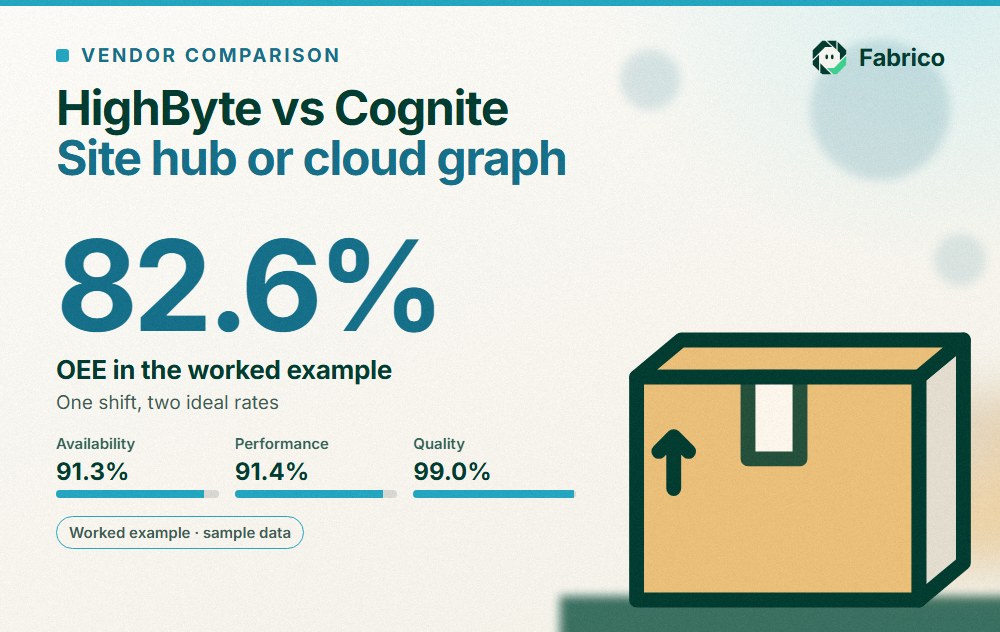
Site figure, demonstrated rate of 48 a minute. Availability 420 / 460 = 91.3%. The ideal for 420 minutes is 420 x 48 = 20,160 pots, so performance is 18,420 / 20,160 = 91.4%. Quality 18,240 / 18,420 = 99.0%. OEE is 91.3% x 91.4% x 99.0% = 82.6%, which matches 18,240 of 22,080 possible.
Corporate figure, nameplate rate of 60 a minute. Availability and quality stay at 91.3% and 99.0%. The ideal for 420 minutes is 420 x 60 = 25,200 pots, so performance is 18,420 / 25,200 = 73.1%. OEE is 91.3% x 73.1% x 99.0% = 66.1%, which matches 18,240 of 27,600 possible.
The filler did the same work in both rows. The nameplate rate shows the speed the machine was built for; the demonstrated rate shows what this line has proven it can hold. The 16.5 point gap lives in the product list, not in the pipes, so both data layers can carry the counts perfectly and it stays. The cure: one agreed source for ideal rates across the group, one owner for the product list, and the rate used sent up with each figure.
Questions for HighByte and Cognite
Give both the same source list, a sample line model and your OEE rule, then ask:
- Which of our controllers, historians and databases can you read without extra servers?
- Where is the line model designed, and how does a change at one plant reach the rest?
- How would you represent a shift, a planned changeover and a stop, with start, end and cause?
- Where is data held when a plant's internet link drops, and for how long?
- If we run both, which product owns asset names and hierarchy?
- Which route between your two products have you tested, and who supports it?
See also our OEE software guide and our page on edge vs cloud shop floor data.
What people ask next
Is HighByte a competitor to Cognite?
They meet at one word, context. HighByte describes Intelligence Hub as Industrial DataOps software that can run at the edge; Cognite's documentation describes Cognite Data Fusion as an industrial DataOps platform that runs in cloud clusters. Ask both how they see the split.
Can HighByte send data to Cognite Data Fusion?
HighByte's guide lists cloud, database, streaming, MQTT and REST connections, and Cognite's integration docs describe prebuilt and custom extractors. Ask both vendors which route between the two they have tested, and who supports it.
Does either one calculate OEE?
Both can hold raw inputs such as run state and counts once a team models them. The figure also needs the shift's planned time, each product's ideal rate and the operator's stop cause, which usually sit in an OEE application or MES.
Why does our corporate OEE differ from the site figure?
Often the ideal rate differs. If the site measures performance against the rate its line has demonstrated and the group platform uses the nameplate rate, one shift gives two figures: 82.6% and 66.1% in the sample on this page. A different planned-time rule is the other usual cause.
How does Fabrico relate to HighByte and Cognite?
Fabrico sells OEE software and light MES, not a DataOps hub or a data platform. It keeps the shift plan, ideal rates and operator stop causes, uses the camera add-on to count output at steps without a usable signal, and hands data on by REST API, webhooks or Excel and CSV files.
Want one OEE rule with operator stop causes across your plants? Book a demo.
Related articles




Real Fabrico tiles, sample data.