


 Login
 Blog

Computer Vision for Countertop Manufacturing: Find the Queue That Delays Kitchens

In short: Computer vision for countertop manufacturing counts worktop pieces at hand finishing benches and crating, where no controller counts, so queues reveal the constraint station. Edge, polish and cut-out checks are a different job that stays with QC.
- Run the queue test first: count pieces into and out of each cart and A-frame for one shift.
- The queue that grows marks the constraint. In the example it is the wet finishing cell, not the CNC routers.
- Count two units: pieces at each station, and kitchens when their last piece is crated.
- Price only the constraint's lost minutes, and only while install orders wait.
A stone shop that cuts worktops to order per kitchen can buy a faster saw and still ship the same number of kitchens a week. One station sets the output, and the counts in and out of the queues around it show which one.
Which buffer grows? A tally of carts and A-frames
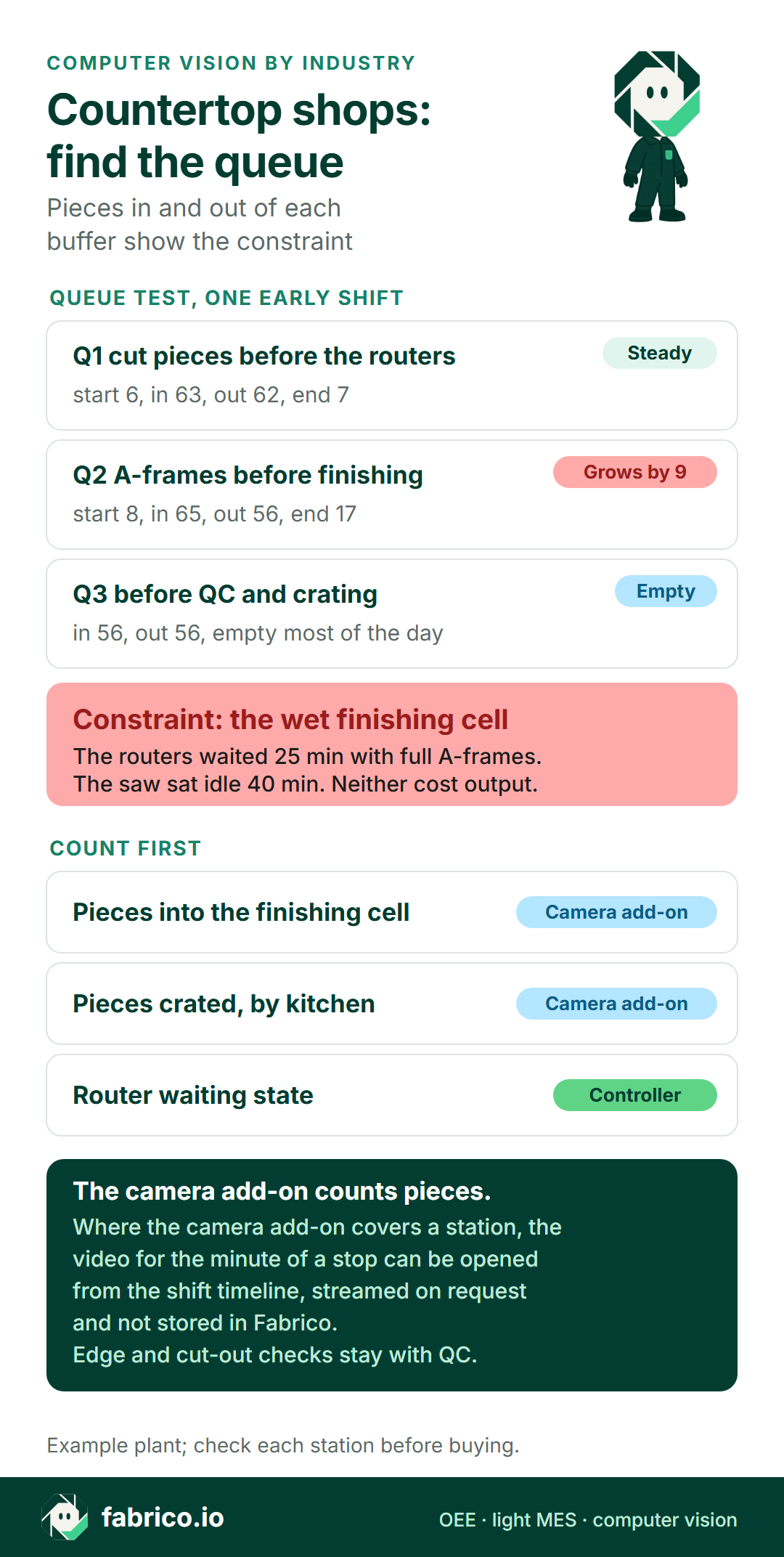
Worktop pieces sit on carts after the saw, on A-frames after the router, on the bench while they are polished, and on A-frames again at crating. Each buffer is a free sensor. Count what goes in and what comes out, and note the level at the start and end of the shift. A buffer that grows sits in front of the station that cannot keep up; a buffer that runs empty sits after it. In the example shop below, one early shift read like this:
| Buffer | Start, in, out, end | Reading |
|---|---|---|
| Q1 cut pieces before the routers | 6, 63, 62, 7 | Steady: the saw and waterjet keep up |
| Q2 A-frames before finishing | 8, 65, 56, 17 | Grows by 9: finishing cannot keep up |
| Q3 before QC and crating | 0, 56, 56, 0 | Empty: QC waits on finishing |
Q2 grew by 9 pieces while Q3 stayed empty, so the wet finishing cell is the constraint on this shift. The two CNC routers showed 25 minutes of waiting in the afternoon, because the A-frames in front of finishing were full and there was nowhere to put a finished piece. The bridge saw stood idle for 40 minutes between job files, and that cost nothing either, because Q1 never ran dry. A shop that looked only at router OEE would blame the routers and buy the wrong machine.
Repeat the test with a different job mix. Kitchens with many sink cut-outs load the finishing cell; long straight runs for a builder load the saw. The constraint can move with the mix, which is the core of any bottleneck analysis in manufacturing: find the station the work waits for, not the one that looks busiest. Shops that cut to order per kitchen see this more than flow lines; see make to order versus engineer to order.
Text version of the infographic
Queue test, one early shift. Q1 cut pieces before the CNC routers: start 6, in 63, out 62, end 7, steady. Q2 A-frames before the finishing cell: start 8, in 65 (62 from the routers and 3 returns), out 56, end 17, growing. Q3 before QC: in 56, out 56, empty most of the day. Verdict: the wet finishing cell is the constraint; the routers waited 25 minutes with full A-frames. Count first: pieces leaving the A-frames into the finishing cell, pieces crated by kitchen, and the router controllers. The camera add-on counts pieces. Where the camera add-on covers a station, the video for the minute of a stop can be opened from the shift timeline, streamed on request and not stored in Fabrico. Edge, polish and cut-out checks stay with the QC inspector. Example plant; check each station before buying.
Explainer presented by Iris, Fabrico's AI-generated presenter: how an add-on camera counts output where a machine has no signal. Book a demo.
Plays from YouTube. Google may set cookies when you press play. Privacy policy.
From slab rack to A-frame: the stations around the finishing cell
The US International Trade Commission's 2025 review of quartz surface products describes the shop sequence: the diamond blade saw cuts straight lines and waterjets cut arcs and circles into the slab, and CNC routers cut edges and the cut-outs for sinks and faucets. The same report counts at least 10,000 fabricators operating in the United States. Upstream, a field technician measures the kitchen and a designer adds the edge type, cut-outs and backsplash. Each kitchen becomes a handful of pieces: a sink run with the undermount cut-out, straight runs, often an island. They travel through the shop separately and meet again at crating.
Three stations matter for the hunt:
- The CNC routers in front. They fill the A-frames, and their controllers report run, idle and waiting time.
- The finishing cell. Finishers polish inside the sink cut-outs, ease edges the router could not reach, repair chips and detail seams. It is hand work with water-fed polishers, and no controller counts it.
- QC and crating after it. The QC inspector checks each piece against the job, the crew loads complete kitchens onto install A-frames, and returned pieces go back to the finishing queue.
Slab plants upstream have another rhythm: the USITC report describes engineered slabs baked at 90 degrees Celsius for 45 minutes and air cooled for 24 hours before polishing, so there the curing racks are the buffers to count.
Start with three counts: pieces into finishing, pieces out by kitchen
Once the queue test points at the finishing cell, three counts tell the story every shift:
- Pieces leaving the A-frames into the finishing cell. This is the constraint's input. A camera add-on above the A-frame exit, out of the spray, counts each piece lifted onto a bench.
- Pieces crated, by kitchen. This is the shop's real output, counted at the crating table by a camera add-on or by the QC inspector's tablet as each piece is matched to its job.
- The routers' waiting state, from the controller. It shows what the finishing queue costs the stations in front of it.
Pieces in minus pieces out is the queue, shift after shift, and a supervisor can review it at each short interval control check. Two steps can start this quarter: run the tally version of the test on three shifts with different job mixes, and write down an ideal finishing time per piece type, sink piece and straight run at least. One camera at each of the two hand stations is enough at first; see how many cameras a line needs for OEE.
Book a demo to see saw, router and finishing-cell counts on one shift timeline.
What the saw, waterjet and router controllers already count
A bridge saw or sawjet runs a cut program, a waterjet runs a path file, and a CNC router runs one program per piece. Each controller can report when a program starts and ends and when the machine sits idle: a usable signal for counts and stop minutes, with no camera.
| Station | Where the count comes from | Unit |
|---|---|---|
| Bridge saw, waterjet | Machine controller: program run, cut finished | Cut pieces |
| CNC routers | Controller: program end, idle and waiting states | Pieces machined |
| Slab pull from the rack | Operator scan or tablet entry | Slabs per job |
| Wet hand benches | Camera add-on at the A-frame exit | Pieces into finishing |
| QC and crating | Camera add-on or QC tablet, per kitchen | Pieces crated, kitchens complete |
| Stop reasons | Operator, on a tablet or phone | Minutes by reason |
The gaps are the hand stations: the slab pull, the wet benches, QC and crating, which in the example are also the stations around the constraint. A shop that connects only its machines sees the routers waiting and the saw idle, but not the work piling up at the benches. That is where a camera add-on count earns its place, as part of OEE with computer vision. Stop reasons still come from people: when the cell stops because the crew is loading a truck, the operator picks the reason on a tablet or phone.
Silica rules decide where a camera can hang
Stone dust is a health hazard first, and its rules shape the floor. The OSHA and NIOSH hazard alert on countertop work, updated in 2026, notes that workers operating powered hand tools, such as saws, grinders, and high-speed polishers, have some of the highest RCS exposures in the industry. In the US, shops fall under the general industry standard, which caps exposure at 50 μg/m3, calculated as an 8-hour TWA; its construction exemption needs a task that will not be performed regularly in the same environment and conditions, which rules it out for fixed shop work. Installation sites follow the construction standard.
Other regions differ. In the EU, Directive (EU) 2017/2398 adds work involving exposure to respirable crystalline silica dust generated by a work process to the carcinogens directive, with a limit of 0.1 mg/m3 for the respirable fraction, twice the US figure. In Australia, WorkSafe Western Australia states that from 1 July 2024, the ban on the manufacture, supply, processing and installation of engineered stone benchtops, panels and slabs is in effect; porcelain and sintered stone are excluded, so Australian shops now cut a different mix. In the US, AIHA reported that OSHA ran 204 targeted inspections in the engineered stone industries up to July 2024, 160 of them in cut stone and stone product manufacturing, and found 68 overexposures.
For counting, three things follow. Wet methods are the norm at saws, routers and benches, so mist and slurry sit on any lens near the work: hang the camera add-on above a dry transfer, such as the A-frame exit or the crating table. The alert also recommends remote-controlled tools with water-spraying systems where possible, and every task moved from a bench to a router takes load off the finishing cell, so the constraint can shift. Where Australian shops changed material, ideal times have to be set per material again. A camera add-on is not an exposure monitor: air sampling and medical surveillance stay with the health and safety programme.
Counting rules: one piece once, one kitchen when complete
Three crated pieces from three different kitchens are three pieces and zero kitchens ready to install. The install crew needs the whole job, so the count that matters at crating is kitchens complete: every piece of the job crated and passed by QC.
A piece counts once as output when it first leaves the finishing cell. If QC returns it, it is booked as a quality loss, and its second pass is rework, not new output. A kitchen counts on the shift its last piece is crated. In the example shift, 14 kitchens had pieces through finishing, 3 were held by a returned piece, so 11 left complete. Cabinet plants face the same kitting logic; see computer vision for furniture manufacturing.
One early shift at the finishing cell, priced
Example numbers for the shop in the layout, not a real plant. The finishing cell has three wet benches, one finisher each. The early shift runs 06:00 to 14:30 with one 20-minute break taken together, so the cell has 490 planned minutes. Minutes are cell minutes: three benches work in parallel, so a sink piece that takes one finisher 36 minutes costs the cell 12.
- Ideal times (example inputs): 12 cell minutes for a sink piece, 5 for a straight run.
- Stops, 53 minutes: all three finishers pulled to load an install truck at 11:00 (35), water feed to the polishers off for a valve repair (18).
- Output: 14 sink pieces and 42 straight runs left the cell, earning 14 x 12 + 42 x 5 = 168 + 210 = 378 minutes.
- Slow running, 59 minutes: run time 437 minus 378 earned. Finishers waited for the vacuum lifter shared with the router unload, and for template checks.
- Returns, 29 minutes: QC sent back 2 sink pieces with swirl marks inside the cut-out (2 x 12) and 1 straight run with a chipped edge (5).
Availability is 437 / 490 = 89.2%. Performance is 378 / 437 = 86.5%. Quality is 349 / 378 = 92.3%. OEE is 89.2% x 86.5% x 92.3% = 71.2%, the same as 349 good minutes over 490 planned, and the bars add up: 349 + 29 + 59 + 53 = 490.
Now the money. No vetted public source gives a margin per kitchen, so the example uses a contribution of EUR 540 per kitchen job as an example input. That is 30% of an example EUR 1,800 job, just under the 30.94% gross margin that the January 2026 NYU Stern margin table lists for Building Materials, where the pre-tax operating margin is 12.64%. A kitchen of one sink piece and three straight runs needs 12 + 15 = 27 ideal cell minutes, so one ideal cell minute is worth EUR 540 / 27 = EUR 20.
- Stops and slow running: 53 + 59 = 112 cell minutes x EUR 20 = EUR 2,240 a shift, about 4 kitchens. Over 21 early shifts a month that is EUR 47,040, but only while install orders wait for the shop.
- The wrong view: booking the routers' 25 waiting minutes and the saw's 40 idle minutes as lost output adds 65 x EUR 20 = EUR 1,300 a shift that was never lost, because neither station is the constraint; see nameplate capacity versus real capacity.
- Returns: the 3 pieces ship after repair, so they are priced at crew time, not margin. Re-polishing takes 2 x 25 bench minutes and the chip repair 30: 80 minutes, 1.33 hours at the Eurostat 2025 euro area average of EUR 38.2 an hour = EUR 50.93. Those 80 minutes come out of the next shift's finishing time, which is why quality at the constraint matters more than scrap at the saw.
- A remake instead of a repair: an 18 square foot piece at the USITC 2024 all-source import unit value of 7.55 dollars per square foot is USD 135.90 of slab, before saw, router and finishing time again.
- Orders not waiting: the 112 minutes cost crew time only: 3 finishers x 112 minutes = 5.6 hours x EUR 38.2 = EUR 213.92 a shift.
Truck loading costs more than the water feed, and both cost less than the slow running at the benches. Moving truck loading to the crating crew and giving the benches a lifter of their own are cheaper than a third router or weekend shifts; a capacity release business case sets out the comparison.
Sink lines on an index: every variant waits for the slowest station
Some plants make the sinks too. Where stainless bowls are pressed, trimmed, welded and polished on an indexed transfer line, or cast sinks move on a fixed pulse, every station moves at the same moment. A camera at the line exit then sees one sink per index, whatever the bowl variant and whichever station held the index back. The exit count gives the line rate, never the station that finished last.
The plant sees the slow station another way. Each station's controller marks when its cycle is done, and the line PLC releases the index when the last station is done. Put each station's cycle-done signal on the shift timeline as its own station, and the one that finishes last, index after index, is the constraint; real-time OEE for bottleneck analysis shows the method. At a manual station on such a line, the operator's ready button does the same job. For ceramic basins fired in a kiln, see computer vision for ceramics and sanitaryware; for tiles, blocks and other products, computer vision for building materials.
Questions for any vendor before the first camera goes up
| Question for any vendor | Why it matters in a stone shop |
|---|---|
| Can one station hold two units, pieces and kitchens? | A kitchen ships only when its last piece is crated. |
| How is a returned piece counted the second time through? | A re-polished sink piece must not count as new output. |
| Where does the camera hang on a wet bench? | Spray, slurry and mist sit on the lens; dry transfers count cleaner. |
| Can ideal time be set per piece type and material? | A sink piece takes longer than a straight run; porcelain and granite differ. |
| Does the router's waiting state show as blocked, not as a stop? | Router minutes lost to full A-frames belong to finishing. |
| How are reflections from a polished top handled? | Gloss quartz and stainless reflect what stands above them. |
| Which counts leave for the job system? | The job schedule lives elsewhere and needs the real rates. |
Edge and cut-out inspection stays with QC
Checking a worktop is skilled work: edge profile against the job file, polish and gloss, the fit of the sink cut-out and faucet holes, seams and chips. That stays with the QC inspector at the crating table, and with any inspection system the shop runs. The camera add-on counts pieces, and QC's returns feed the quality part of OEE as a count.
Polished surfaces are hard for any camera. Research on mirror segmentation by Yang and colleagues found that existing computer vision systems do not consider mirrors, and hence may get confused by the reflected content inside a mirror. The study covers daily-life scenes, not plants, but the warning carries over to gloss quartz and polished stainless: a light, a person or a second piece reflected in a top can look like an object. Mount the camera at an angle to the surface, keep bright lights out of the reflection, and check the count against a tally before trusting it. No accuracy figure is given here. Count pieces at the A-frame exit and the crating table rather than people at the bench, and agree the placement with the crew and any works council first; in the EU, see GDPR and production line cameras.
Where Fabrico fits in a fabrication shop
Fabrico is OEE and light MES software. It reads run, stop and count from the saw, waterjet and router controllers, shows OEE by station and shift, and prices losses from each SKU's price or margin; in a stone shop that is the price or margin of the piece type or the job. The operator adds the stop reason on a tablet or phone. The camera add-on counts pieces at the hand stations where no controller exists: the A-frame exit into finishing and the crating table in the example. Where the camera add-on covers a station, the video for the minute of a stop can be opened from the shift timeline, streamed on request and not stored in Fabrico.
On Fabrico's roadmap, not live today: the camera add-on suggesting a stop reason from what it sees at a bench. The job schedule stays in the ERP, the shop's job software or a spreadsheet; Fabrico supplies the counts and rates it uses. Reports export to Excel, and Fabrico also has a REST API and webhooks. See the computer vision MES and OEE feature, the OEE software buying guide and light MES for small and mid-size plants.
Questions fabricators ask next
Can a camera count worktop pieces at a wet polishing bench?
Yes, if it hangs out of the spray and counts where pieces leave the bench or the A-frame. Over the bench itself, slurry, mist and hands make a poor count. The camera add-on counts pieces; it does not judge them.
How is a kitchen counted when one piece goes back for repair?
The piece counts once as output when it first passes the finishing exit, and as a quality loss when QC returns it. The kitchen counts as complete only when its last piece is crated, so a returned piece holds the whole job.
Does the camera check edges, polish or sink cut-out fit?
No. Those checks stay with the QC inspector at the crating table, and with any inspection system the shop already runs. Their returns feed the quality part of OEE as a count.
Which station is the constraint in a countertop shop?
It depends on the shop and the job mix, which is why the queue test comes first. A queue that grows in front of a station and an empty one after it point to the constraint; machine waiting states confirm it.
Does the Australian engineered stone ban change what gets counted?
It changes the material mix. Shops that moved to natural stone, porcelain or sintered stone need ideal times set per material, because a single rate per piece no longer fits the work.
Want to see pieces, kitchens and A-frame queues counted on one shift timeline? Book a demo.
Related articles






Latest from our blog






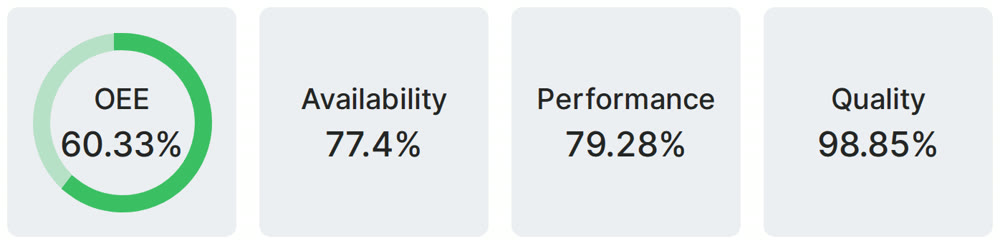
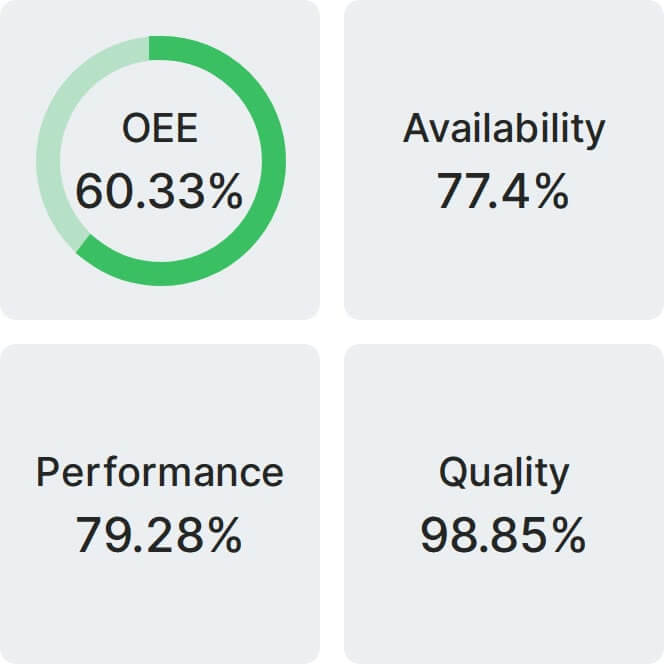
Real Fabrico tiles, sample data.