


 Login
 Blog
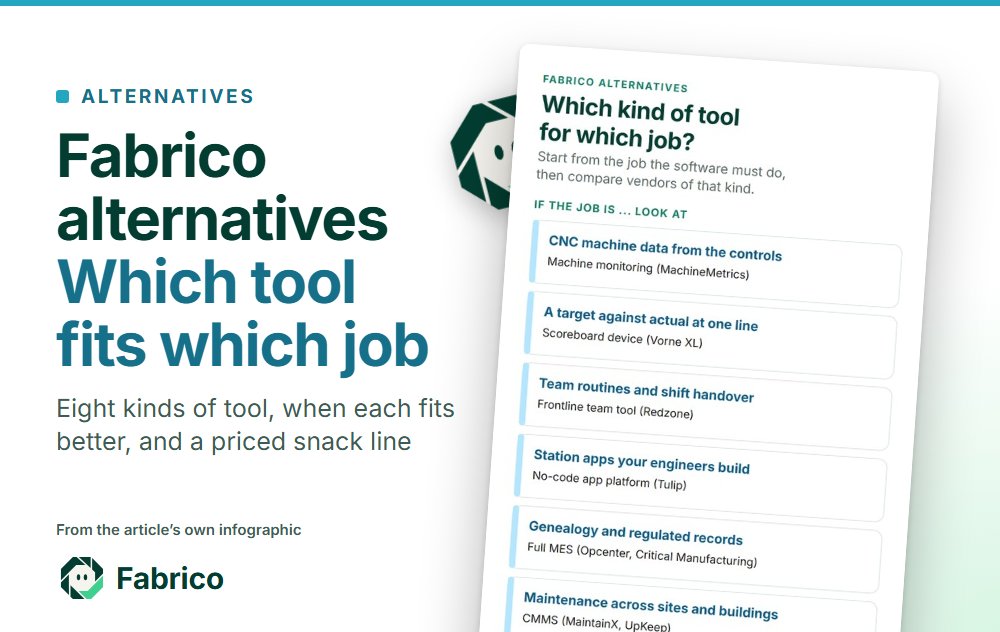
Fabrico Alternatives: When Another Tool Fits Better, and When Fabrico Does

In short: The right Fabrico alternative depends on the job the software has to do. For CNC machine data across a shop, look at MachineMetrics; for a scoreboard at one line, Vorne XL; for frontline team routines, Redzone; for apps your own engineers build, Tulip; for genealogy and regulated records, a full MES such as Siemens Opcenter Execution or Critical Manufacturing; when maintenance is the whole job, a CMMS such as MaintainX or UpKeep; for defect inspection, Cognex; for control-room screens and alarms, Ignition; and for one slow line reviewed once a month, a spreadsheet or paper log. Fabrico, made by the publisher of this page, fits plants that want OEE, a light MES and a camera add-on that counts output, on lines that mix PLC machines, older machines and manual stations, with maintenance built in.
- Worked example: on a snack bagging line, EUR 1,884.60 of margin a shift is lost while orders wait; EUR 340.20 of it is explained only by a count at a manual case-packing table.
Key takeaways
- Start from the job, not the brand: machine data, a line scoreboard, team routines, self-built apps, regulated records, maintenance, inspection or control.
- Each alternative below is described from its own vendor pages, dated, with the case where it fits better than Fabrico.
- Price the losses first. In the worked example, EUR 486.00 a shift is slow running and EUR 437.40 is seal jaw jams; the tool that explains the largest loss goes first.
- Several of these tools run side by side with Fabrico: an inspection system or SCADA keeps its own job, and so does the ERP.
- Fabrico's camera add-on counts output; it does not inspect parts. On Fabrico's roadmap, not live today: the camera suggesting a stop reason.
What Fabrico does, so you know what you are comparing
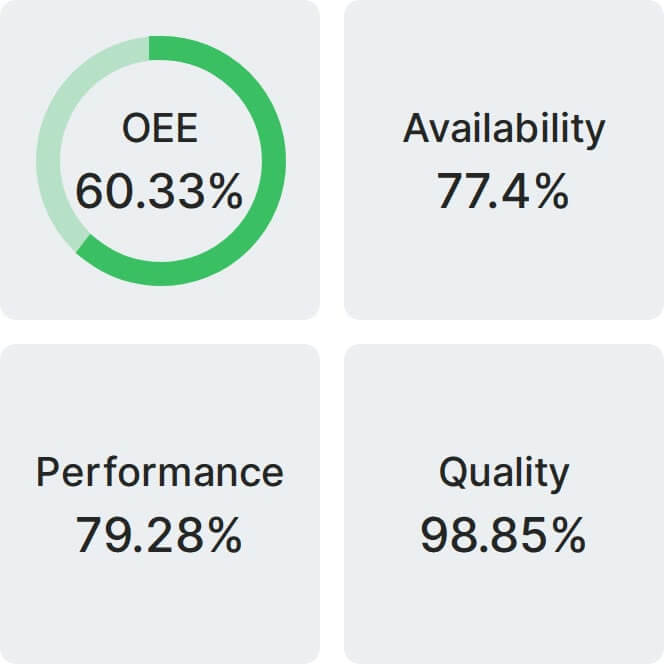
An alternative only makes sense against what it replaces. Fabrico is cloud OEE software and a light MES for manufacturing plants. Per its product facts it gives real-time OEE (availability x performance x quality) per line and shift, a live OEE dashboard, micro-stop detection and the six big losses made visible. Data comes from PLC connectivity and IoT sensors, and operators give the reason for a stop at the line.
- Camera add-on: where a machine has no usable signal, such as a manual packing table or an older machine, the camera add-on counts output, the job covered in AI visual counting. Where a camera covers the line, the video for the minute of a stop can be opened from the shift timeline; it is streamed on request and not stored in Fabrico. On Fabrico's roadmap, not live today: the camera suggesting a stop reason.
- Money: with the selling price and margin of each SKU entered, losses are priced in money per line and shift.
- Maintenance built in: a work order is opened from the stop in one step, linked to the line.
- Around it: iOS, Android and web apps; push, in-app and email notifications with smart rules; a multi-plant view with cross-plant benchmarking; a REST API, webhooks, Zapier and Excel import and export. A connection to SAP PM or SAP S/4HANA is scoped for each customer through the REST API together with their SAP team.
- Security: ISO/IEC 27001, ISO 9001 and ISO/IEC 20000-1, GDPR with a DPA. EU customers are hosted on AWS in Frankfurt.
Fabrico is not an inspection system and not a control system.
The video walks through a shift timeline on sample lines and the screen an operator uses to name a stop, so you can see what the alternatives below are compared against.
What you see: a shift timeline, unclassified time waiting for a reason, and the operator's line-down screen, on sample lines. Book a demo.
Plays from YouTube. Google may set cookies when you press play. Privacy policy.
Fabrico alternatives at a glance
Each row sums up the vendor's own pages, read on 16.11.2026, linked in its section below. Fabrico, made by the publisher of this page, is described from its own product facts above.
| Tool | Built for, per its own pages | Fits best when |
|---|---|---|
| MachineMetrics | Real-time machine data for discrete manufacturing, with CNC controls read natively | Most machines are CNC tools and the team wants controller tags across brands |
| Vorne XL | A bolt-on device per line with one or two sensors and a scoreboard | One line needs a target against actual display, bought once, inside the firewall |
| Redzone | OEE software for frontline teams, with digital huddles and shift handover | The goal is a team routine around the numbers, led by plant leadership |
| Tulip | A no-code platform where engineers build apps, terminals and dashboards | Engineers want to build many station workflows themselves |
| Siemens Opcenter Execution, Critical Manufacturing | Full MES: tracking and tracing, genealogy, electronic batch and device records | Genealogy and regulated records are required |
| MaintainX, UpKeep | CMMS: work orders, preventive maintenance, parts and assets across sites | Maintenance across sites and buildings is the whole job |
| Cognex | Vision systems that inspect, measure and identify parts | Each part must be checked for defects |
| Ignition | Server software for SCADA, HMI, IIoT and MES applications | Operators need control screens and alarms |
| Fabrico | OEE software and a light MES, with a camera add-on that counts output and maintenance built in | The question is what downtime costs by line and shift, on lines that mix PLC machines, older machines and manual stations |
MachineMetrics: when CNC machine data is the job
MachineMetrics describes itself on its home page as “One platform, running on real-time machine data, purpose-built for discrete manufacturing.” Its machine monitoring page lists connectivity “from PLC's supporting protocols including: MTConnect, Fanuc, OPC-UA, UMATI, Mitsubishi, Citizen, Haas, Heidenhain, Siemens Sinumerik, Modbus, and Ethernet IP”, and adds: “MachineMetrics Edge supports digital and analog I/O for machines without a standard connectivity option to integrate even the most challenging equipment.” On integration, its connect page says: “Publish to your own MQTT broker for a unified namespace, pull through REST and GraphQL APIs, or land it in Power BI.”
Fits better than Fabrico when: most of the floor is CNC machine tools and the team wants controller-level data across brands in one model, with documented ERP connectors.
Where Fabrico fits instead or beside it: lines that mix CNC machines with older machines and manual stations: where a station has no usable signal, the camera add-on counts its output.
Ask before you buy: Which of the controls on the floor are read natively, and which need I/O adapters? Where does the operator give the reason for a stop?
Compare in depth: MachineMetrics vs Fabrico and MachineMetrics alternatives.
Vorne XL: when one line needs a scoreboard
Vorne calls XL a “bolt-on” smart device (XL models). Its product page says: “Hook up one or two sensors or tap into an existing photo-eye, relay, PLC, or proximity switch.” It also says XL devices operate within your firewall, with “No cloud requirement”. Prices are published: the models page lists XL Touch at USD 4,990, XL HD+ at USD 4,690 and the XL810-1 LED scoreboard at USD 4,490, for single units, with volume discounts available (read 16.11.2026).
Fits better than Fabrico when: one line or a few machines need a visible target against actual at the line, bought once per device and run inside the plant network.
Where Fabrico fits instead or beside it: many lines and several plants compared on one OEE definition, in a multi-plant view with cross-plant benchmarking.
Ask before you buy: What does a second line or a second plant add, in devices and in reporting? Where are stop reasons entered, and by whom?
Compare in depth: Fabrico vs Vorne XL and Vorne XL alternatives.
Redzone: when the job is a frontline team routine
Redzone says “Redzone Productivity is OEE software built for manufacturing frontline teams.” (Redzone Productivity). The same page names “Structured digital huddle routines” and handover notes visible to incoming shifts, and says “It is deployed in 2,000+ factories across food & beverage, automotive, CPG, and life sciences.” Its food and beverage page adds: “Redzone is a strong fit for organizations where leadership is committed to frontline visibility and continuous improvement culture.” Redzone publishes no price; its pricing page says “Pricing is based on the number of sites and modules deployed. No two plants are the same.”
Fits better than Fabrico when: the main goal is a structured team routine around the numbers on every shift, with plant leadership committed to it and a vendor coach during the deployment, often in food and beverage.
Where Fabrico fits instead or beside it: plants whose first question is what each loss costs: with the selling price and margin of each SKU entered, losses are priced in money per line and shift.
Ask before you buy: What does the coach do during the deployment, and what stays with the plant afterwards? How are stop reasons kept consistent across shifts?
Compare in depth: Redzone vs Fabrico and Redzone alternatives.
Tulip: when your engineers want to build the apps
Tulip calls itself a frontline operations platform. Its platform page says: “Create guided workflows, management terminals, and dashboards, built on your common data model and with no coding required.” Its work instructions page says “Process engineers own the build, so a change doesn't wait on IT.” The platform page lists apps from digital work instructions and kitting to electronic batch records, device history records, genealogy, OEE tracking and visual quality inspection.
Fits better than Fabrico when: process engineers want to build and change many station workflows themselves, such as work instructions, kitting, quality checks and records, and the plant has people to own those apps.
Where Fabrico fits instead or beside it: plants that want OEE, stop reasons and a light MES ready to use, rather than built app by app.
Ask before you buy: Who maintains each app when the product or the line changes? Which apps are templates and which are built from scratch?
Compare in depth: Fabrico vs Tulip and Tulip alternatives.
A full MES suite: when genealogy and regulated records are required
Siemens says “Opcenter Execution tracks and traces the status of production and disposition of work, including demonstration and documentation of regulatory and quality requirements.” (Opcenter Execution). For its pharma edition, Siemens says the system facilitates “a review of the batch record by exception” (Opcenter Execution Pharma). Critical Manufacturing describes “Complete real-time traceability and genealogy at the individual batch, lot or serialized unit.” (Industrial Operations Platform), and its medical device page says “The comprehensive system exceeds regulatory requirements such as FDA 21 CFR Parts 11 and 820.”
Fits better than Fabrico when: the plant must keep genealogy down to batch, lot or serialized unit, electronic batch or device history records, and signatures under FDA or EU MDR rules.
Where Fabrico fits instead or beside it: plants that need line OEE, stop reasons and priced losses first, without a full MES project. A light MES covers that ground; it does not replace electronic batch records.
Ask before you buy: Which records and signatures are covered, against which regulation? What does each module add to the licence?
Compare in depth: Critical Manufacturing alternatives and MES alternatives.
A dedicated CMMS: when maintenance is the whole job
MaintainX describes itself as a CMMS and asset management platform where teams can “Create, assign, and track work orders across all sites.” (MaintainX). UpKeep says “Teams use it to create and track work orders, schedule preventive maintenance, and manage asset history across every site.” (UpKeep). Both publish prices, read 16.11.2026: MaintainX lists Essential at USD 20 per user a month billed annually and Premium at USD 65 (MaintainX pricing); UpKeep lists Essential at USD 24 and Premium at USD 55 per user a month (UpKeep pricing).
Fits better than Fabrico when: maintenance across sites, buildings or fleets is the whole job, with preventive maintenance compliance, parts and asset history at the centre, and production losses are not the question.
Where Fabrico fits instead or beside it: plants where downtime and maintenance belong in the same record as OEE: in Fabrico a work order is opened from the stop in one step, linked to the line, and parts consumption is tied to work orders.
Ask before you buy: How does a stop on the line reach a work order, and with which minutes attached? Who enters the reason?
Compare in depth: Fabrico vs MaintainX and Fabrico vs UpKeep.
Cognex vision: when each part must be inspected
Cognex says “Cognex vision systems capture and analyze images in real time to automate inspection, measurement, and identification, improving efficiency and product quality across manufacturing and logistics.” (Cognex vision systems). For food and beverage, its defect detection page lists the job as: “Verify seals, count food items in final packaging, and ensure product quality”.
Fits better than Fabrico when: the job is to judge each part or pack against a spec: defects, presence and placement, seals or codes.
Where Fabrico fits instead or beside it: beside it, not instead of it. Fabrico's camera add-on counts output where a machine has no usable signal and does not inspect parts; an inspection system's reject count can feed the quality part of OEE.
Ask before you buy: How were false rejects and missed defects measured at acceptance? How does the reject count leave the system per shift?
Compare in depth: Cognex vs Keyence, the computer vision software comparison and the guide to visual inspection software.
Ignition: when operators need control screens and alarms
Inductive Automation says “Ignition is server software that acts as the hub for everything on your plant floor for total system integration.” (Ignition). Its standard SCADA package, per the Ignition SCADA page, holds Vision, OPC UA, Tag Historian, Alarm Notification, Reporting and SQL Bridge modules. On licensing, its edition pricing page says “Standard Ignition and Ignition Edge licenses have a one-time cost, as they are both perpetual licenses. Purchase those licenses once and you get permanent access.”
Fits better than Fabrico when: the plant needs supervisory control: starting and stopping processes, alarms and operator screens, built and maintained by controls engineers or an integrator.
Where Fabrico fits instead or beside it: above it, when the question is OEE and losses per line and shift. SCADA keeps control; Fabrico is not a control system.
Ask before you buy: Who builds and maintains the screens? Where do shift plans, ideal rates and stop reasons live?
Compare in depth: AVEVA vs Ignition and Ignition vs Kepware.
A spreadsheet or paper log: when one line needs a monthly number
Many plants start here, and some never need more. A whiteboard at the line, a paper stop log and a spreadsheet that totals the month can give an OEE figure for a review meeting, with no new software to buy.
Fits better than Fabrico when: one or two slow lines, a team that already logs stops by hand, and an OEE figure needed for a monthly review rather than for action within the shift.
Where Fabrico fits instead or beside it: when short stops matter. Stops written down by hand tend to miss the short ones; Fabrico reads stops from the machine signal, with micro-stop detection, and the operator adds the reason.
Ask before you buy: How many stops a shift does the log hold, against the machine's own count? Who types the sheets into the spreadsheet, and when?
Compare in depth: manual vs automatic downtime tracking.
Worked example: one snack bagging line, priced loss by loss
Example figures, not a customer. A savoury snack plant runs one vertical bagger at an ideal 120 bags a minute, fed by a fryer and seasoning drum, with a manual case-packing table after it. One shift has 480 planned minutes. The bagger's PLC gives a run state and a bag count; the case-packing table has no signal.
OEE. The signal timed 81 stopped minutes, so the bagger ran 399 minutes: availability 399 / 480 = 83.1%. In those minutes it could have made 47,880 bags and counted 44,280: performance 92.5%. The leak tester rejected 640 bags: quality 43,640 / 44,280 = 98.6%. OEE = 83.1% x 92.5% x 98.6% = 75.8%, the same as 43,640 good bags out of 57,600 possible.
The money. Use an example ex-works price of EUR 0.90 a bag and an example margin of 15%, EUR 0.135 a bag. NYU Stern's US margins by sector ("Data used is as of January 2026") puts Food Processing, 78 firms, at a 23.23% gross margin and a 10.63% pre-tax unadjusted operating margin; 15% sits between them. While orders wait, every bag not made is margin lost: 13,960 bags x EUR 0.135 = EUR 1,884.60 a shift, EUR 79,153.20 a month over 42 shifts. When orders do not wait, the same minutes are capacity, priced at the cost of an extra shift instead.
| Loss on the shift (example) | Minutes | Bags not made | Margin, orders waiting | What explains it |
|---|---|---|---|---|
| Seal jaw jams | 27 | 3,240 | EUR 437.40 | Machine signal and operator reason; maintenance work order from the stop |
| Film reel splices | 18 | 2,160 | EUR 291.60 | Machine signal and operator reason |
| Waiting for the case-packing table | 21 | 2,520 | EUR 340.20 | Only a count at the case-packing table (no signal there) |
| Changeover to a new flavour | 15 | 1,800 | EUR 243.00 | Machine signal and operator reason |
| Slow running | 30 | 3,600 | EUR 486.00 | Bag count against the ideal rate |
| Leak-test rejects | 5.3 | 640 | EUR 86.40 | The leak tester's reject count |
| Total | 116.3 | 13,960 | EUR 1,884.60 |
Read the table from the largest loss down. Slow running and seal jaw jams come first, and both are visible to any tool that reads the bagger's signal against an ideal rate, with the operator's reason for the stop. The 21 minutes of waiting are different: the bagger's signal says it stopped, but only a count at the case-packing table shows that the table, not the bagger, set the pace. That is the job of a count where no signal exists, the case for OEE without a PLC. The leak-test rejects are small in money here, and the leak tester, not an OEE tool, decides which bag is bad.
When Fabrico fits, and when it does not
Fabrico tends to fit plants that want to know what downtime costs by line and shift, on lines that mix PLC machines, older machines and manual stations; that want operators to name why a line stopped, with the maintenance work order opened from that stop; and that compare lines or plants on one OEE definition.
Look elsewhere first when the main job is one of these: inspecting each part for defects, running control-room screens and alarms, keeping genealogy and electronic batch or device records for a regulated product, or managing maintenance across buildings and fleets where production data is not the question. The sections above name tools built for those jobs.
A customer data point, with a disclosure first. Ficosota, a Bulgarian maker of hygiene, tissue and household products, is also an investor in Fabrico, as set out in the investment announcement. Across its 16 lines in Fabrico, between June and September 2026, its OEE went from 53.11% to 59.62%, monthly good output from 10.49 million to 12.92 million units, and unclassified time, the share of production time with no recorded reason, from 3.20% to 0.40%. Read the Ficosota story.
For a fuller self-check, see whether Fabrico is right for your manufacturing operation.
How to choose: start from the largest priced loss
Pick the tool that explains the largest loss on your priced list, not the one with the longest feature list. If two needs are close, the cheaper test usually wins: one line, one reason list, a few weeks of full shifts.
| If the largest loss or need is | Look first at | Who picks | First question to ask |
|---|---|---|---|
| Stops and slow running on CNC machine tools, read from the controls | MachineMetrics or another CNC monitoring tool | Manufacturing engineer | Which controls are read natively, and which need I/O adapters? |
| A visible target against actual at one line | A scoreboard device such as Vorne XL | Production manager | What does a second line or plant add? |
| Slow response to stops, shift to shift | A team routine tool such as Redzone | Plant manager with the CI lead | What stays with the plant after the coach leaves? |
| Many station workflows to digitise | An app platform such as Tulip | Process engineers | Who maintains each app when the product changes? |
| Genealogy, batch or device records, regulated release | A full MES suite | Quality manager with IT | Which records and signatures are covered, against which regulation? |
| Maintenance across sites, PM compliance and parts | A CMMS such as MaintainX or UpKeep | Maintenance manager | How does a stop on the line reach a work order? |
| Defects and rejects | Inspection vision such as Cognex | Quality manager | How were false rejects measured at acceptance? |
| Control, alarms and operator screens | SCADA such as Ignition | Controls engineer | Who builds and maintains the screens? |
| A monthly OEE number for one slow line | A spreadsheet or paper log | Production manager | Which short stops does the log miss? |
| Downtime cost by line and shift on mixed lines | Fabrico | Plant manager | How does a camera add-on count compare with a hand count on one station? |
Running Fabrico beside another tool
Several of these tools keep their own job next to Fabrico. What matters is what flows between them and who owns the link.
| Pair | What flows between them | Who owns the link |
|---|---|---|
| Fabrico and inspection vision (Cognex) | The inspection system decides which part is bad; its reject count can reach the quality part of OEE from the PLC or through the REST API. | Quality manager with the controls engineer |
| Fabrico and SCADA (Ignition) | Both read the line's PLCs. SCADA keeps control, alarms and operator screens; Fabrico measures OEE and losses per line and shift. | Controls engineer |
| Fabrico and the ERP | SKU prices and margins in, OEE and priced losses out, through the REST API or Excel import and export. A connection to SAP PM or SAP S/4HANA is scoped for each customer through the REST API together with their SAP team. | IT with the plant controller |
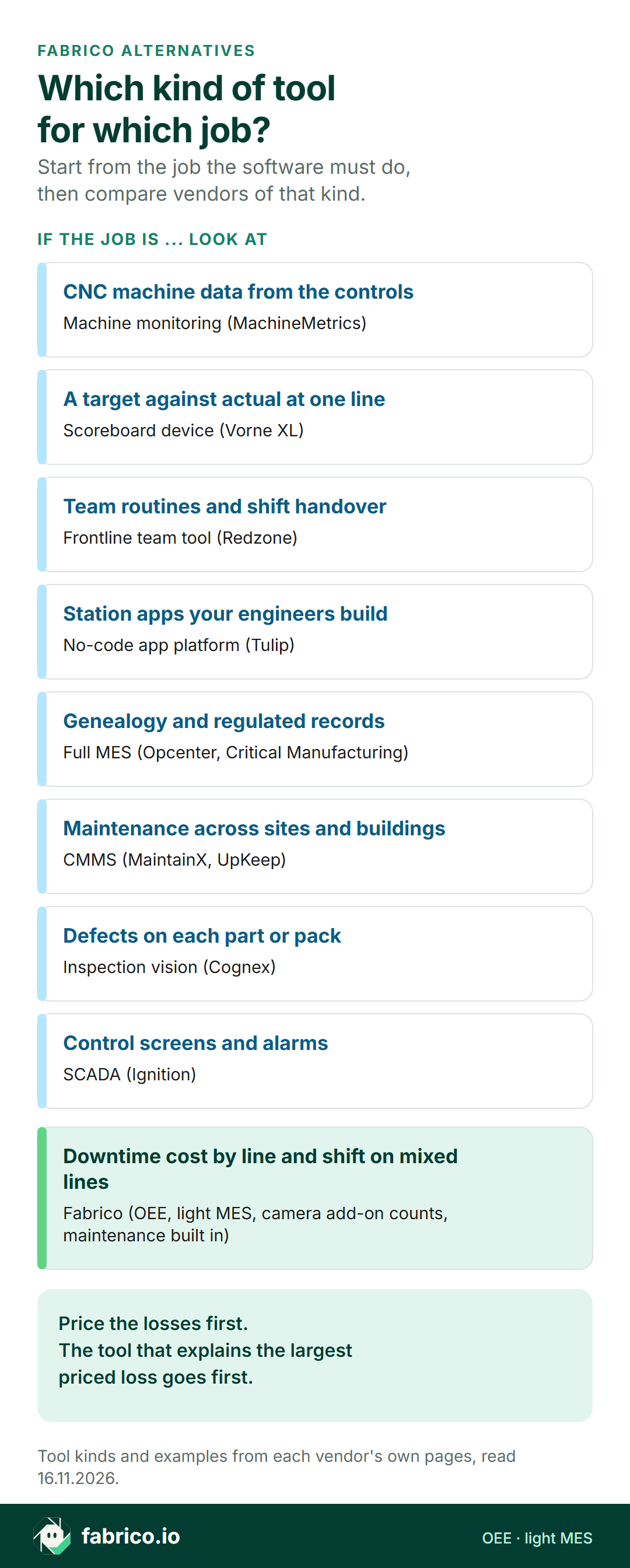
Text version of this infographic
- Which kind of tool for which job? Start from the job the software must do, then compare vendors of that kind.
- If the job is CNC machine data from the controls, look at machine monitoring (MachineMetrics).
- If the job is a target against actual at one line, look at scoreboard device (Vorne XL).
- If the job is team routines and shift handover, look at frontline team tool (Redzone).
- If the job is station apps your engineers build, look at no-code app platform (Tulip).
- If the job is genealogy and regulated records, look at full MES (Opcenter, Critical Manufacturing).
- If the job is maintenance across sites and buildings, look at CMMS (MaintainX, UpKeep).
- If the job is defects on each part or pack, look at inspection vision (Cognex).
- If the job is control screens and alarms, look at SCADA (Ignition).
- If the job is downtime cost by line and shift on mixed lines, look at Fabrico (OEE, light MES, camera add-on counts, maintenance built in).
- Price the losses first. The tool that explains the largest priced loss goes first.
First steps by role this quarter
| Role | This week | This quarter |
|---|---|---|
| Plant manager | Pick one line and ask for last month's stopped minutes and rejects, with the reason for each. | Price that line's losses at the SKU margin and fund the tool that explains the largest one. |
| Production manager | List the stations with no usable signal and what each one holds back. | Agree one stop reason list across shifts before comparing any vendor's screens. |
| CI or maintenance lead | Write down which losses need a work order and which need a routine change. | Test two shortlisted tools on the same line and the same reason list, and compare the totals with a hand count. |
- Price one line's losses for a week from the signal and the operators' reasons.
- Sort each loss by the job it needs: machine data, a count where no signal exists, a team routine, a record, a work order, an inspection or a control screen.
- Shortlist one tool per job from the sections above and ask each vendor the questions listed there.
- Run the shortlisted tool on the line with the largest priced loss and check its numbers against a hand count over full shifts.
For the wider field of OEE tools, see the best OEE software comparison.
Frequently asked questions
What are the main alternatives to Fabrico?
By job: MachineMetrics for CNC machine data, Vorne XL for a scoreboard at one line, Redzone for frontline team routines, Tulip for apps engineers build, Siemens Opcenter Execution or Critical Manufacturing for genealogy and regulated records, MaintainX or UpKeep when maintenance is the whole job, Cognex for defect inspection and Ignition for SCADA and HMI.
Is Fabrico a CMMS?
Fabrico is OEE software and a light MES with maintenance built in: a work order is opened from the stop in one step, linked to the line. Plants whose main job is maintenance across many sites and buildings may prefer a dedicated CMMS such as MaintainX or UpKeep.
Does Fabrico's camera add-on inspect parts?
No. The camera add-on counts output where a machine has no usable signal. Defect inspection needs an inspection system such as Cognex, and its reject count can feed the quality part of OEE.
Can Fabrico replace SCADA?
No. SCADA such as Ignition starts and stops processes, raises alarms and runs operator screens. Fabrico measures OEE and losses per line and shift, and the two can run side by side.
Which alternative suits a CNC job shop?
If most machines are CNC tools and the team wants controller-level data across brands, MachineMetrics documents connectivity through the MTConnect and OPC-UA protocols and to Fanuc, Heidenhain and Siemens Sinumerik controls. If the shop mixes CNC, older machines and manual stations and wants losses priced in money with maintenance from the stop, Fabrico fits.
Where is Fabrico hosted?
EU customers are hosted on AWS in Frankfurt. Fabrico holds ISO/IEC 27001, ISO 9001 and ISO/IEC 20000-1 certification and offers a data processing agreement under GDPR.
Want to see one line's losses priced by cause? Book a demo on sample data.
Related articles



Latest from our blog
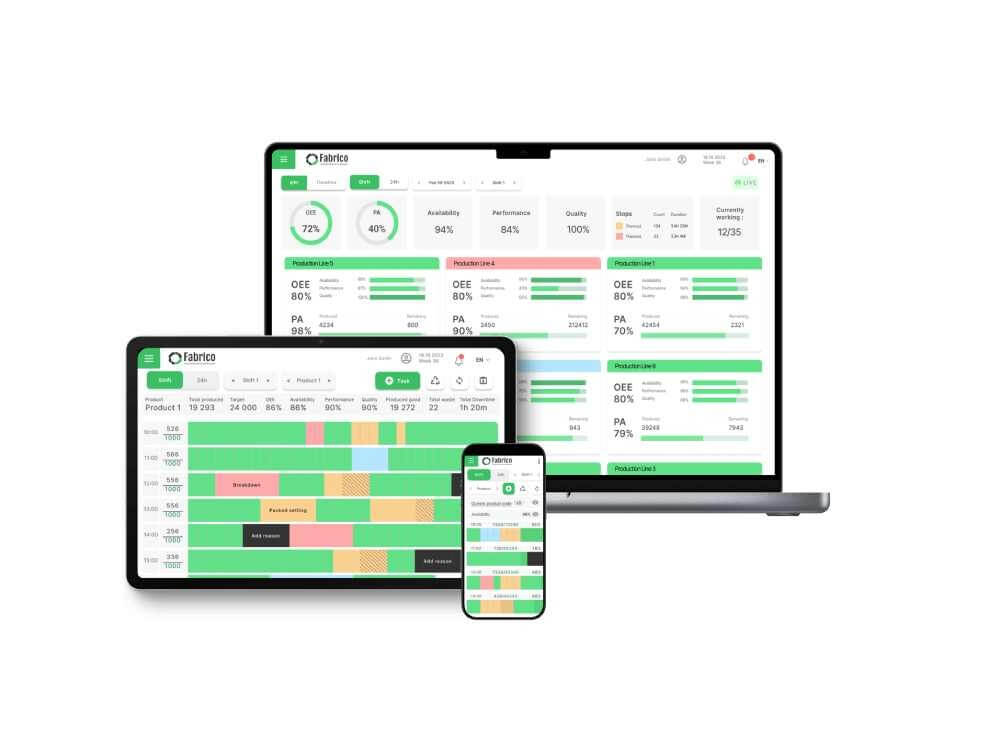
Real Fabrico tiles, sample data.